Productivity Software & Tools to Get More Done
Discover productivity software designed to help you save time, organize work, automate repetitive tasks, manage workflows, and focus on higher-value work.
Productivity Products
Ready-to-use solutions designed to help with specific workflows and tasks.
What Is Productivity Software?
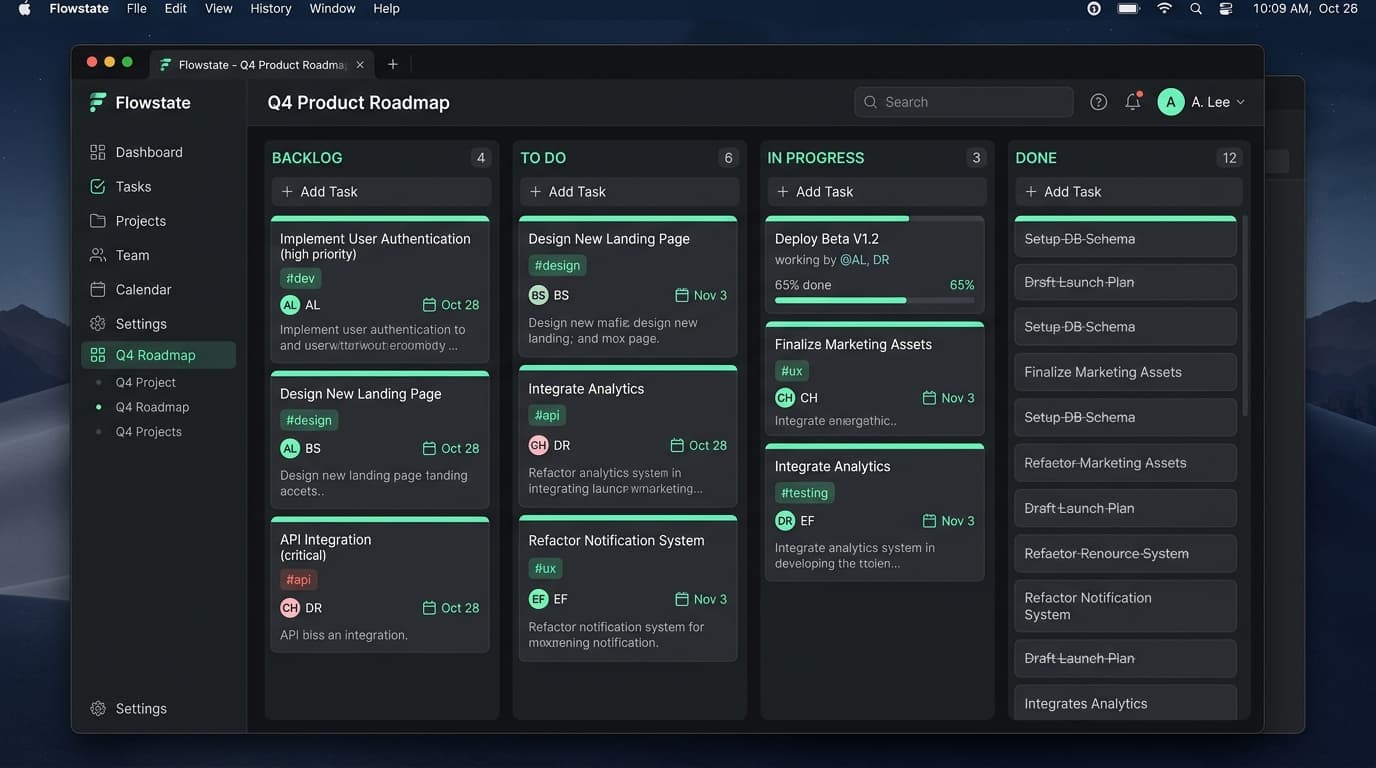
Productivity software refers to digital tools designed to help you organize tasks, manage projects, structure workflows, automate repetitive work, manage information, track time, plan work, and improve focus.
The best productivity software is not simply a collection of random utilities; it is a system that solves recurring work problems and saves meaningful time or effort. By providing a reliable digital infrastructure for your daily responsibilities, productivity tools prevent important details from slipping through the cracks and free you to concentrate on high-impact work.
How Productivity Software Helps You Get More Done
The primary goal of productivity software is to remove friction from your workday. When implemented correctly, these tools offer practical, measurable outcomes for individuals and teams.
- Save time: Reduce the hours spent searching for information or figuring out what to do next.
- Reduce repetitive work: Eliminate manual data entry and routine administrative tasks.
- Organize tasks: Keep all to-dos centrally located so nothing is forgotten.
- Prioritize work: Clarify which assignments require immediate attention and which can wait.
- Automate workflows: Connect steps in a process so they trigger automatically.
- Manage projects: Oversee timelines, deadlines, and deliverables in one unified view.
- Centralize information: Store knowledge, documents, and standard operating procedures reliably.
- Improve visibility: Allow teams to see progress without needing status update meetings.
- Reduce context switching: Keep relevant work within fewer, more capable platforms.
- Support consistent processes: Ensure work is completed the same way every time.
- Improve focus: Block out distractions and track deep work sessions.
- Make recurring work easier: Use templates and systems for jobs you do frequently.
Types of Productivity Software
Task and Project Management
Task and project management software helps users organize work, set deadlines, define priorities, and manage complex projects. Whether you are creating a simple daily to-do list or overseeing a multi-month product launch, this software ensures that every step is tracked from start to finish.
Workflow Automation
Workflow automation software is designed to reduce repetitive manual steps. By connecting different applications and setting up conditional rules, users can automate recurring processes, ensuring data moves seamlessly across tools without human intervention.
Time Management and Focus
This software includes time tracking, prioritization, and focus tools. It helps users understand where their hours are actually going, block distracting websites during deep work sessions, and ensure that the most important work gets the attention it deserves.
Planning and Scheduling
Planning and scheduling software includes digital calendars and appointment organizers. It allows users to visually schedule their upcoming weeks, align their daily priorities, and coordinate meeting times with clients or colleagues without endless back-and-forth emails.
Knowledge and Information Management
Knowledge and information management software helps users organize notes, documents, company wikis, and standard operating procedures. This ensures that crucial information is searchable, structured, and readily available whenever it is needed.
Work Organization and Collaboration
Work organization and collaboration tools help teams coordinate tasks, share information, and manage shared workflows. They provide a central hub where groups can communicate asynchronously and keep everyone aligned on shared objectives.
Productivity Software for Different Users
For Freelancers
Freelancers need productivity software to manage client work, track deadlines, and organize tasks. Since freelancers handle their own administration, tools that track billable time and structure recurring work are essential for staying profitable and professional.
For Professionals
Professionals use productivity tools to manage their individual responsibilities, prioritize their inbox, and ensure daily tasks are completed efficiently. Software that reduces administrative overhead helps professionals spend more time on their core expertise.
For Small Businesses
Small businesses look for productivity software to establish scalable workflows. As headcount grows, software that centralizes knowledge and standardizes operations ensures the business can run smoothly without relying on scattered emails and spreadsheets.
For Teams
Productivity tools for small teams focus on visibility and coordination. By organizing tasks and workflows in a shared environment, team members can collaborate effectively, track progress, and communicate in context.
For Remote Workers
Remote workers rely on productivity software for planning, asynchronous communication, task visibility, and maintaining focus. Without a physical office, digital tools become the workplace, making software that organizes work and information critical for remote success.
Productivity Software vs Other Software
Understanding the distinction between different software concepts helps when selecting the right solution for your needs.
- Productivity software vs Task management software: Task management software is a specific subset focused solely on to-do lists and assignments. Productivity software is the overarching category that includes task management alongside time tracking, automation, and knowledge bases.
- Productivity software vs Workflow automation software: Workflow automation is a feature or specific type of productivity software designed to connect apps and trigger actions automatically, whereas broader productivity software might just help you organize manual work.
- Productivity software vs Project management software: Project management software is built for large, complex initiatives with dependencies, budgets, and milestones. Productivity software can be used for simpler, everyday task organization without heavy project management overhead.
Productivity Software vs Productivity Tools
The terms "productivity software" and "productivity tools" are often used interchangeably, but they can carry slightly different connotations. "Productivity software" generally implies a comprehensive platform or application that handles complex workflows, data management, and team collaboration. "Productivity tools," on the other hand, often refers to lighter, single-purpose utilities—like a focus timer, a simple checklist app, or a browser extension designed to block distractions.
Both serve the same fundamental goal: helping you get more work done. The best approach is usually a mix—using robust productivity software for core workflow management and smaller productivity tools for specific personal efficiency needs.
How to Choose the Right Productivity Software
When evaluating the best productivity software for everyday work or business workflows, there is no single solution that is universally perfect. To choose the right platform, evaluate software based on your specific workflow needs.
The core principle: The best productivity software is the software that solves a recurring problem well enough to save more time or effort than it costs.
Follow these steps:
- Identify the problem: Are you losing track of tasks, struggling with communication, or doing too much manual data entry?
- Estimate how often the problem occurs: A daily frustration is worth solving; a yearly inconvenience might not be.
- Look for time-saving capabilities: Does the software genuinely reduce steps in your process?
- Check automation/workflow features: Can the software handle the repetitive elements of your job automatically?
- Check integrations: Does it connect seamlessly with the tools your team already uses?
- Consider ease of use: Will you and your team actually adopt it, or is the learning curve too steep?
- Consider scalability: Can the software grow as your business or project complexity increases?
- Consider pricing/value: Does the time saved justify the recurring subscription cost?
- Consider privacy and security: Does the platform protect your sensitive business information?
- Test whether the software actually fits the workflow: Run a trial to ensure it adapts to how you work, rather than forcing you to change your habits unnaturally.
Frequently Asked Questions
Answers to common questions about choosing and using productivity software.
Discover Software on MintSaaS
MintSaaS is a software marketplace where you can discover and explore various types of software products.