The Complete Guide to Self-Hosting n8n & LangChain on a Private VPS in 2026: Docker Architecture & Local LLMs
Learn how to self-host n8n and LangChain on a private VPS in 2026: production Docker Compose architecture, Redis Bull queue workers for high concurrency, PGVector embeddings, and automated TLS reverse proxying with Caddy.
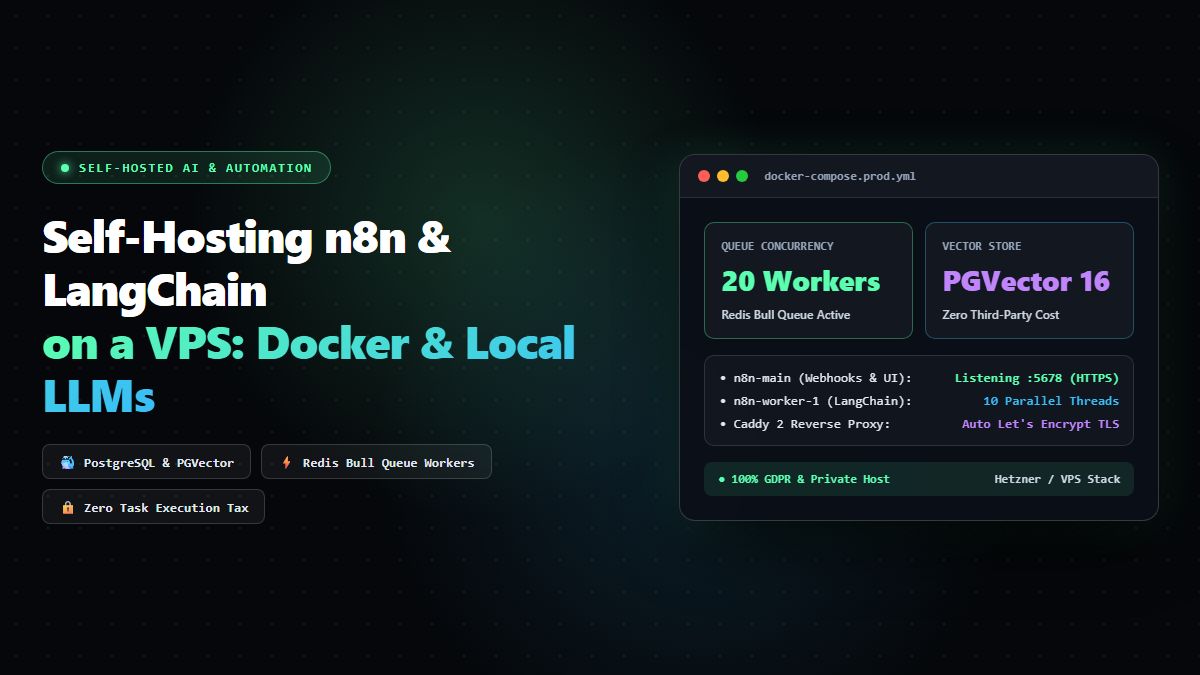
The Complete Guide to Self-Hosting n8n & LangChain on a Private VPS in 2026: Docker Architecture, Queue Workers & Local LLMs
As organizations scale their workflow automation and autonomous AI pipelines in 2026, relying entirely on managed, multi-tenant cloud platforms (like Zapier, Make, or even managed n8n Cloud) introduces three major bottlenecks: cost scalability, data privacy compliance (GDPR/HIPAA), and execution duration limits.
When your AI agents need to query proprietary internal vector databases, execute multi-step LangChain reasoning loops, or process gigabytes of binary data, a \$20/month private Virtual Private Server (VPS) running self-hosted n8n paired with LangChain, PostgreSQL, and Ollama / Local LLM inference delivers unmetered throughput, zero execution fees, and complete data sovereignty.
In this exhaustive engineering guide, we walk through the end-to-end architecture for building, hardening, and deploying a production-ready, self-hosted n8n and LangChain environment on a private VPS in 2026. We will configure Docker Compose, Redis queue workers for horizontal concurrency, HTTPS reverse proxying via Caddy, persistent storage, and private local AI vector nodes.
1. Why Self-Host n8n and LangChain in 2026?
A frequent query among modern engineering teams is: "Is n8n still relevant in 2026 with the explosion of direct AI coding agents?"
The answer is an emphatic yes. While LLMs have become vastly more capable at generating raw Python or TypeScript scripts, maintaining hundreds of scheduled cron jobs, webhook listeners, third-party authentication tokens, and human-in-the-loop approval gates in bespoke code quickly creates severe technical debt.
n8n bridges this gap by functioning as a deterministic execution canvas:
- Visual State Management: Debugging failed workflow branches with full execution logs, inputs, and outputs in an interactive canvas saves hours compared to grepping through headless container logs.
- Native LangChain Integration: n8n features dedicated LangChain nodes—including Agents, Vector Stores (Qdrant, Pinecone, PGVector), Document Loaders, Memory Managers, and Output Parsers—allowing developers to compose complex Retrieval-Augmented Generation (RAG) chains visually while writing custom TypeScript or Python logic when needed.
- Zero Execution Metering: On proprietary platforms, running a continuous polling workflow every 30 seconds can consume 80,000 tasks/month, costing hundreds of dollars. On a self-hosted VPS, you pay only for the raw server compute.
┌─────────────────────────────────────────────────────────────────────────────────┐
│                          VPS Host Architecture (2026)                           │
├─────────────────────────────────────────────────────────────────────────────────┤
│                                                                                 │
│   Public Internet ──> [Port 80/443: Caddy Reverse Proxy / Automated TLS]       │
│                                       │                                         │
│                                       ▼                                         │
│                      [n8n Main Web UI / Webhook Ingestion]                      │
│                                       │                                         │
│                   ┌───────────────────┴───────────────────┐                     │
│                   │ Redis Bull Queue                      │                     │
│                   ▼                                       ▼                     │
│         [n8n Worker 1: LangChain]               [n8n Worker 2: Webhooks]        │
│                   │                                       │                     │
│                   └───────────────────┬───────────────────┘                     │
│                                       ▼                                         │
│                      [PostgreSQL 16 with PGVector Extension]                    │
│                                       ▲                                         │
│                                       │ Internal Network Only                   │
│                          [Ollama / Local Embedding LLM]                         │
│                                                                                 │
└─────────────────────────────────────────────────────────────────────────────────┘
2. Server Sizing & VPS Prerequisites
For a production environment capable of handling high-concurrency webhooks, LangChain agents, and vector embeddings, select a modern VPS provider (Hetzner Cloud, DigitalOcean, Linode, or Vultr) with the following specifications:
- CPU: 4 vCPUs (Modern AMD EPYC or Intel Xeon)
- RAM: 8 GB minimum (16 GB recommended if running local Ollama embedding models on the same host)
- Storage: 80 GB+ NVMe SSD
- Operating System: Ubuntu 24.04 LTS (x86_64)
- Networking: Static IPv4 address with a custom subdomain pointed to it (e.g.,
n8n.yourdomain.com)
3. Server Hardening & Base Environment Setup
Connect to your clean VPS instance via SSH and execute the baseline hardening commands to secure your SSH daemon and firewall:
# 1. Update package manager repositories
sudo apt update && sudo apt upgrade -y

# 2. Install essential system utilities
sudo apt install -y curl git ufw htop fail2ban ca-certificates apt-transport-https

# 3. Configure UFW Firewall (Allow SSH, HTTP, and HTTPS only)
sudo ufw default deny incoming
sudo ufw default allow outgoing
sudo ufw allow 22/tcp
sudo ufw allow 80/tcp
sudo ufw allow 443/tcp
sudo ufw --force enable

# 4. Install Docker Engine and Docker Compose Plugin
curl -fsSL https://get.docker.com -o get-docker.sh
sudo sh get-docker.sh
sudo usermod -aG docker $USER

# Log out and log back in to apply docker group permissions
exit
4. Production Docker Compose Architecture
Create a dedicated directory for your n8n infrastructure:
mkdir -p ~/n8n-stack && cd ~/n8n-stackWe will implement a multi-container architecture using:
- PostgreSQL 16 with PGVector: Dedicated relational storage for workflows, credentials, and vector search embeddings.
- Redis 7 (Alpine): High-throughput message broker managing the Bull queue for distributed asynchronous worker executions.
- n8n Main (Webhook & Web UI): Handles UI interactions and incoming webhook triggers.
- n8n Worker: Dedicated asynchronous execution engine that runs heavy LangChain LLM completions and API loops without lagging the web UI.
- Caddy 2: Ultra-fast, zero-maintenance reverse proxy with automatic Let's Encrypt SSL/TLS certificate provisioning.
Create the Environment File (.env)
cat << 'EOF' > .env
# Domain & Server Configuration
DOMAIN_NAME=n8n.yourcompany.com
SUBDOMAIN=n8n
GENERIC_TIMEZONE=UTC

# Security & Encryption Keys (Generate with: openssl rand -hex 32)
N8N_ENCRYPTION_KEY=1e4b3c9f8a2d7e5b6c0a8f9e1d2c3b4a5f6e7d8c9b0a1f2e3d4c5b6a7f8e9d0c
N8N_USER_MANAGEMENT_JWT_SECRET=8f9e1d2c3b4a5f6e7d8c9b0a1f2e3d4c5b6a7f8e9d0c1e4b3c9f8a2d7e5b6c0a

# PostgreSQL Database Credentials
POSTGRES_USER=n8n_admin
POSTGRES_PASSWORD=SuperSecretComplexPassword2026!
POSTGRES_DB=n8n_production
POSTGRES_PORT=5432

# Redis Credentials
REDIS_PASSWORD=RedisAuthTokenSecret2026!

# n8n Execution Engine Configuration
N8N_EXECUTION_MODE=queue
N8N_DEFAULT_BINARY_DATA_MODE=filesystem
EXECUTIONS_DATA_PRUNE=true
EXECUTIONS_DATA_MAX_AGE=168
EXECUTIONS_DATA_PRUNE_MAX_COUNT=50000
EOF
Create the Production docker-compose.yml
services:
  postgres:
    image: pgvector/pgvector:pg16
    container_name: n8n_postgres
    restart: always
    environment:
      POSTGRES_USER: ${POSTGRES_USER}
      POSTGRES_PASSWORD: ${POSTGRES_PASSWORD}
      POSTGRES_DB: ${POSTGRES_DB}
    volumes:
      - postgres_data:/var/lib/postgresql/data
    networks:
      - n8n_network
    healthcheck:
      test: ["CMD-SHELL", "pg_isready -U ${POSTGRES_USER} -d ${POSTGRES_DB}"]
      interval: 5s
      timeout: 5s
      retries: 10

  redis:
    image: redis:7-alpine
    container_name: n8n_redis
    restart: always
    command: redis-server --requirepass ${REDIS_PASSWORD}
    volumes:
      - redis_data:/data
    networks:
      - n8n_network
    healthcheck:
      test: ["CMD", "redis-cli", "-a", "${REDIS_PASSWORD}", "ping"]
      interval: 5s
      timeout: 5s
      retries: 10

  n8n:
    image: docker.n8n.io/n8nio/n8n:latest
    container_name: n8n_main
    restart: always
    ports:
      - "5678:5678"
    environment:
      - N8N_HOST=${DOMAIN_NAME}
      - N8N_PORT=5678
      - N8N_PROTOCOL=https
      - NODE_ENV=production
      - WEBHOOK_URL=https://${DOMAIN_NAME}/
      - GENERIC_TIMEZONE=${GENERIC_TIMEZONE}
      - N8N_ENCRYPTION_KEY=${N8N_ENCRYPTION_KEY}
      - N8N_USER_MANAGEMENT_JWT_SECRET=${N8N_USER_MANAGEMENT_JWT_SECRET}
      - DB_TYPE=postgresdb
      - DB_POSTGRESDB_HOST=postgres
      - DB_POSTGRESDB_PORT=5432
      - DB_POSTGRESDB_DATABASE=${POSTGRES_DB}
      - DB_POSTGRESDB_USER=${POSTGRES_USER}
      - DB_POSTGRESDB_PASSWORD=${POSTGRES_PASSWORD}
      - EXECUTIONS_MODE=${N8N_EXECUTION_MODE}
      - QUEUE_BULL_REDIS_HOST=redis
      - QUEUE_BULL_REDIS_PORT=6379
      - QUEUE_BULL_REDIS_PASSWORD=${REDIS_PASSWORD}
      - N8N_DEFAULT_BINARY_DATA_MODE=${N8N_DEFAULT_BINARY_DATA_MODE}
      - EXECUTIONS_DATA_PRUNE=${EXECUTIONS_DATA_PRUNE}
      - EXECUTIONS_DATA_MAX_AGE=${EXECUTIONS_DATA_MAX_AGE}
      - EXECUTIONS_DATA_PRUNE_MAX_COUNT=${EXECUTIONS_DATA_PRUNE_MAX_COUNT}
      - N8N_COMMUNITY_PACKAGES_ENABLED=true
    volumes:
      - n8n_data:/home/node/.n8n
      - /var/run/docker.sock:/var/run/docker.sock
    networks:
      - n8n_network
    depends_on:
      postgres:
        condition: service_healthy
      redis:
        condition: service_healthy

  n8n_worker:
    image: docker.n8n.io/n8nio/n8n:latest
    container_name: n8n_worker_1
    restart: always
    command: worker --concurrency=10
    environment:
      - NODE_ENV=production
      - GENERIC_TIMEZONE=${GENERIC_TIMEZONE}
      - N8N_ENCRYPTION_KEY=${N8N_ENCRYPTION_KEY}
      - DB_TYPE=postgresdb
      - DB_POSTGRESDB_HOST=postgres
      - DB_POSTGRESDB_PORT=5432
      - DB_POSTGRESDB_DATABASE=${POSTGRES_DB}
      - DB_POSTGRESDB_USER=${POSTGRES_USER}
      - DB_POSTGRESDB_PASSWORD=${POSTGRES_PASSWORD}
      - EXECUTIONS_MODE=${N8N_EXECUTION_MODE}
      - QUEUE_BULL_REDIS_HOST=redis
      - QUEUE_BULL_REDIS_PORT=6379
      - QUEUE_BULL_REDIS_PASSWORD=${REDIS_PASSWORD}
      - N8N_DEFAULT_BINARY_DATA_MODE=${N8N_DEFAULT_BINARY_DATA_MODE}
    volumes:
      - n8n_data:/home/node/.n8n
    networks:
      - n8n_network
    depends_on:
      postgres:
        condition: service_healthy
      redis:
        condition: service_healthy

  caddy:
    image: caddy:2-alpine
    container_name: n8n_caddy
    restart: always
    ports:
      - "80:80"
      - "443:443"
    volumes:
      - ./Caddyfile:/etc/caddy/Caddyfile
      - caddy_data:/data
      - caddy_config:/config
    networks:
      - n8n_network
    depends_on:
      - n8n

networks:
  n8n_network:
    driver: bridge

volumes:
  postgres_data:
  redis_data:
  n8n_data:
  caddy_data:
  caddy_config:
Create the Caddyfile for Automatic TLS
{$DOMAIN_NAME} {
    reverse_proxy n8n:5678 {
        flush_interval -1
        header_up X-Forwarded-Proto {scheme}
        header_up X-Real-IP {remote_host}
    }

    # Enable gzip and zstd compression
    encode gzip zstd

    # Security Headers
    header {
        Strict-Transport-Security "max-age=31536000; includeSubDomains; preload"
        X-Content-Type-Options "nosniff"
        X-Frame-Options "SAMEORIGIN"
        Referrer-Policy "strict-origin-when-cross-origin"
    }
}
5. Launching and Validating the Cluster
Spin up the cluster in detached mode:
docker compose up -dVerify that all five containers are healthy and operational:
docker compose psYou should see all containers running:
NAME                IMAGE                               STATUS
n8n_caddy           caddy:2-alpine                      Up
n8n_main            docker.n8n.io/n8nio/n8n:latest      Up
n8n_postgres        pgvector/pgvector:pg16              Up (healthy)
n8n_redis           redis:7-alpine                      Up (healthy)
n8n_worker_1        docker.n8n.io/n8nio/n8n:latest      Up
Navigate to https://n8n.yourcompany.com in your web browser. You will be greeted by the initial Owner Account Setup screen, securely encrypted with automated SSL certificates generated by Caddy.
6. Configuring LangChain Autonomous Agents Inside n8n
Once logged in, you can configure powerful LangChain autonomous workflows using n8n’s native AI ecosystem:
1. Vector Database Setup with PGVector
Because our Docker stack uses pgvector/pgvector:pg16, you already have a high-performance vector database running on the same private network:
- In n8n, add a Postgres Vector Store node.
- Enter the host as
postgres, database asn8n_production, and your database credentials from.env. - Set the embedding model node (e.g., OpenAI
text-embedding-3-smallor an internal Ollama embedding instance). - Pipe PDF or markdown documentation through the Default Data Loader to embed and index company playbooks directly into PostgreSQL tables with zero third-party vector SaaS fees.
2. Autonomous Tool-Calling Agent
Construct an intelligent agent that answers customer queries or performs sales prospecting:
- Root Node: AI Agent (Conversational or OpenAI Functions Agent).
- Model Connector: Claude 3.5 Sonnet or GPT-4o node with temperature set to 0.2.
- Memory Connector: Window Buffer Memory or PostgreSQL Chat Message History for multi-turn session persistence.
- Tools Connected:
- Vector Store Tool: Answers technical questions from your documentation.
- HTTP Request Tool: Checks product inventory or order tracking status from MintSaaS or your ERP API.
- Custom Code Tool: Executes sandboxed JavaScript or Python to parse JSON or perform calculations.
                    ┌─────────────────────────────────┐
                    │       Incoming Webhook / Chat   │
                    └────────────────┬────────────────┘
                                     │
                                     ▼
                    ┌─────────────────────────────────┐
                    │      LangChain AI Agent Node    │
                    │   (Claude 3.5 Sonnet / GPT-4o)  │
                    └───────┬───────────────┬─────────┘
                            │               │
             ┌──────────────┴────┐     ┌────┴──────────────┐
             │ Vector Store Tool │     │ HTTP Request Tool │
             │  (PGVector Embed) │     │ (MintSaaS API)    │
             └───────────────────┘     └───────────────────┘
7. Automated Backups & Maintenance Protocol
To ensure disaster recovery for your workflows, credentials, and execution logs, create an automated daily backup script to store snapshots in cloud storage (such as Backblaze B2 or AWS S3):
cat << 'EOF' > ~/n8n-stack/backup.sh
#!/bin/bash
BACKUP_DIR="/home/ubuntu/n8n-backups"
TIMESTAMP=$(date +"%Y%m%d_%H%M%S")
mkdir -p "$BACKUP_DIR"

# 1. Dump PostgreSQL Database (Workflows, Credentials, Vector Tables)
docker exec -t n8n_postgres pg_dump -U n8n_admin n8n_production | gzip > "$BACKUP_DIR/n8n_db_$TIMESTAMP.sql.gz"

# 2. Archive n8n Config and Binary Files
tar -czf "$BACKUP_DIR/n8n_data_$TIMESTAMP.tar.gz" -C /var/lib/docker/volumes/n8n-stack_n8n_data/_data .

# 3. Retain only the last 7 days of backups locally
find "$BACKUP_DIR" -type f -name "*.gz" -mtime +7 -delete

echo "Backup completed successfully at $TIMESTAMP"
EOF

chmod +x ~/n8n-stack/backup.sh
Add this script to your crontab (crontab -e) to execute daily at 02:00 AM:
0 2 * * * /home/ubuntu/n8n-stack/backup.sh >> /home/ubuntu/n8n-backups/backup.log 2>&18. Frequently Asked Questions (FAQ)
Is self-hosting n8n completely free for commercial use?
n8n is distributed under the Sustainable Use License (fair-code). It is 100% free to self-host for internal business automation, private workflows, and commercial operations within your organization. The only restriction is that you cannot offer n8n itself as a managed multi-tenant SaaS service to third-party end users without an enterprise OEM license.
What happens when a heavy LangChain workflow takes several minutes to execute?
In our production queue architecture, heavy workflows are offloaded to n8n_worker_1 via Redis. The main web process (n8n_main) remains completely responsive and ready to accept incoming HTTP webhooks, preventing timeout errors or dropped customer requests.
How do I scale execution concurrency if webhook volume spikes?
Because the architecture uses Docker Compose and Redis Bull queues, horizontal scaling is trivial. You can spawn additional worker containers in seconds:
docker compose up -d --scale n8n_worker=4This instantly increases execution capacity to 40 simultaneous parallel workflows across your worker pool.
How does PGVector compare to standalone vector databases like Pinecone?
For small to mid-sized vector datasets (under 5 million vectors), PGVector running on modern PostgreSQL 16 matches or outperforms hosted vector services in both latency and accuracy, while keeping all data inside your private server without network egress latency or monthly subscription fees.
Free tools on MintSaaS
Try our free tools to put this guide into practice:
MintSaaS Dispatch articles are researched and synthesized with the assistance of artificial intelligence analysis, then edited, verified, and benchmarked by our engineering editorial team. Customer personal data and platform source files are strictly segregated and are never used to train or fine-tune public artificial intelligence models.
More from MintSaaS Dispatch
Handcrafted technical insights and developer tools.