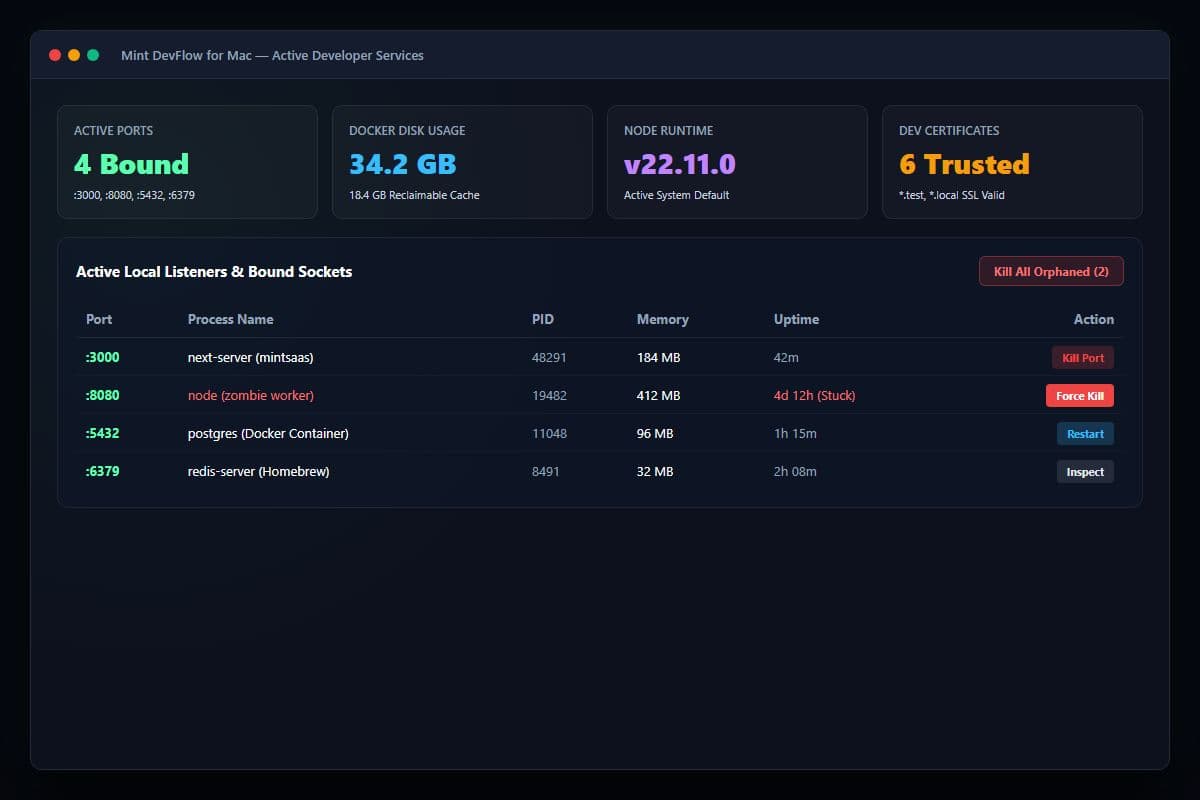
Active Developer Services: Real-time port inspector & memory usage
Mint DevFlow for Mac
The developer workstation manager: kill stuck ports, purge Docker cache, and switch runtimes with one click.
• Price includes all applicable GST. Zero surprise charges or hidden checkout fees.
• Perpetual licenses incur zero recurring fees. Subscriptions renew automatically each billing cycle and can be cancelled anytime with 1-click in your Account Dashboard with zero penalties.
About This Product
A native macOS menu bar utility for software engineers to instantly kill stuck ports, reclaim Docker disk storage, toggle runtimes, and generate local SSL certs.
The Challenge
Developers frequently deal with stuck processes locking ports (:3000, :8080), Docker Desktop eating 40GB+ of hidden SSD space, cumbersome Node/Python version switching, and complex local self-signed SSL certificate setups.
How It Helps
Mint DevFlow gives developers a native, lightweight menu bar command center: 1-click port killer, instant Docker virtual disk reclamation, seamless runtime management, and zero-config local SSL certificates.
- Immediate Delivery: Instant download link and license activation provided upon checkout.
- Single Mac Developer License: Full usage rights included with free maintenance updates.
- Compatibility: Engineered natively for macOS.
What's Included
Key features and tools included with your purchase of Mint DevFlow for Mac.
1-Click Port Killer
Instantly surface PID, memory usage, and process trees for bound local ports, and terminate unresponsive zombie processes with a single click.
Docker Disk Reclamation
Safely sweep dangling container layers, intermediate build caches, and orphaned volumes to reclaim up to 30GB+ of physical SSD space.
Runtime Environment Switcher
Toggle active Node.js, Python, and Go versions globally or per-session directly from the macOS menu bar.
Local SSL & HTTPS Generator
Generate trusted root CA and local development SSL certificates for *.test domains in seconds without terminal hassle.
Who Is This For?
Target workflows and teams that benefit most from Mint DevFlow for Mac.
Full-Stack Web Developers
Instantly clear EADDRINUSE errors on Next.js, Vite, and Express servers with zero friction.
DevOps & Cloud Engineers
Keep Docker Desktop storage lean and inspect active microservices running locally.
Agile Engineering Teams
Maintain uniform development environments and SSL certificates across your entire Mac engineering fleet.
Frequently Asked Questions
8 FAQsHelpful answers about Mint DevFlow for Mac, licensing, system compatibility, and downloads.
Mint DevFlow for Mac Overview & Guide
Mint DevFlow for Mac is an independent mac & windows tools product available on the MintSaaS marketplace. Developed for modern professionals, engineers, and creators, it focuses on high utility, clean execution, and zero unnecessary software bloat.
Mint DevFlow gives developers a native, lightweight menu bar command center: 1-click port killer, instant Docker virtual disk reclamation, seamless runtime management, and zero-config local SSL certificates.
Purchasing through MintSaaS includes immediate digital download fulfillment, verified installation assets, and perpetual licensing with free maintenance updates.
What is Mint DevFlow for Mac?
A native macOS menu bar utility for software engineers to instantly kill stuck ports, reclaim Docker disk storage, toggle runtimes, and generate local SSL certs.
What problem does Mint DevFlow for Mac solve?
Developers frequently deal with stuck processes locking ports (:3000, :8080), Docker Desktop eating 40GB+ of hidden SSD space, cumbersome Node/Python version switching, and complex local self-signed SSL certificate setups.
How Mint DevFlow for Mac Works
Install DMG
Drag Mint DevFlow to your Applications folder and launch it in your macOS menu bar.
Instant Port & Process Detection
DevFlow automatically detects listening sockets, zombie Node/Python processes, and Docker containers.
One-Click Resolution
Kill stuck ports, purge container caches, or switch active runtimes without typing terminal commands.
System Requirements & Compatibility
Licensing & Delivery
Every license includes perpetual rights for the designated version with no hidden renewal charges. Upon checkout, your product files and license key are delivered instantly via email. We stand by our products with a 7-day refund window for verified technical defects or incompatibility.
Related Free Browser Tools
100% private, in-browser utilities without required registration or file uploads.
Online Image Compressor
Compress JPEG, PNG, and WebP images directly in your browser with zero server uploads.
Favicon & App Icon Generator
Generate multi-size .ico files, apple-touch-icons, and web manifest assets from any square image.
Batch Image Format Converter
Convert dozens of HEIC, PNG, WebP, and JPG files simultaneously with custom format controls.
More from MintSaaS
Explore other tools from our software catalog.
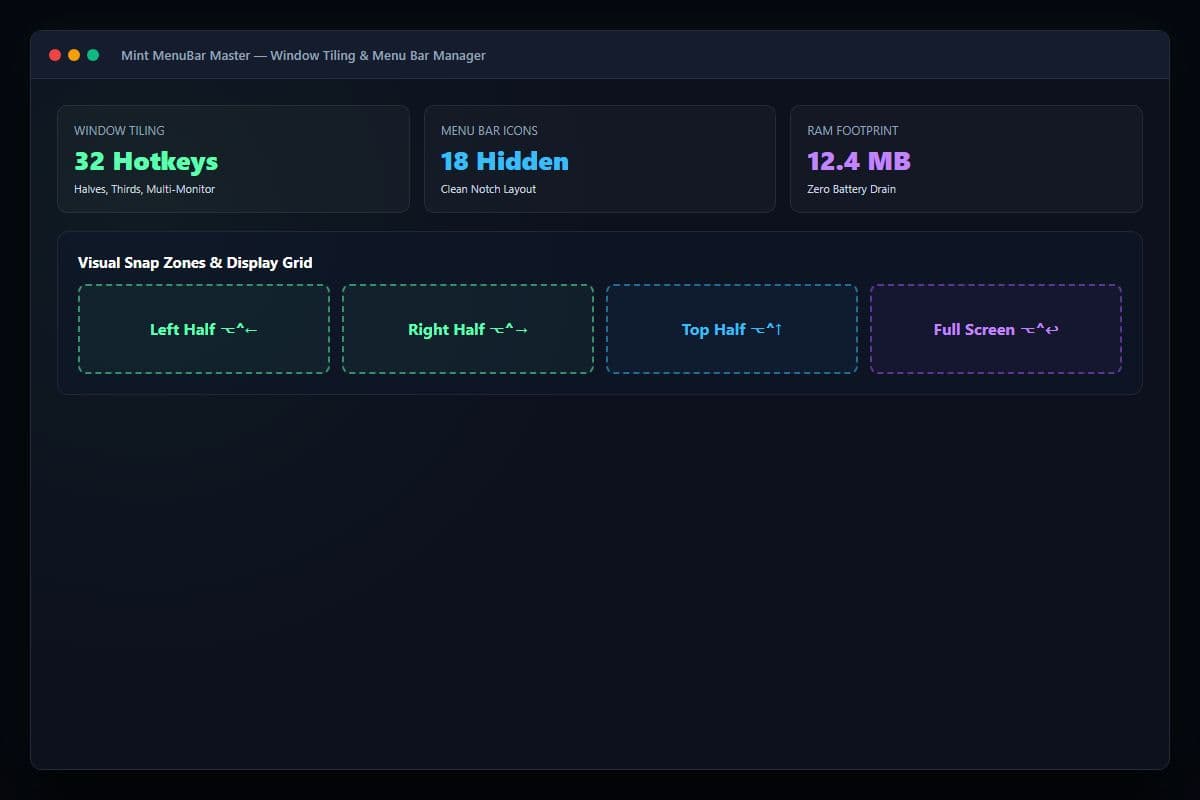
Mint MenuBar Master
Ultra-fast window snapping, collapsible menu bar drawer, and real-time Apple Silicon hardware telemetry in an 8MB native binary.
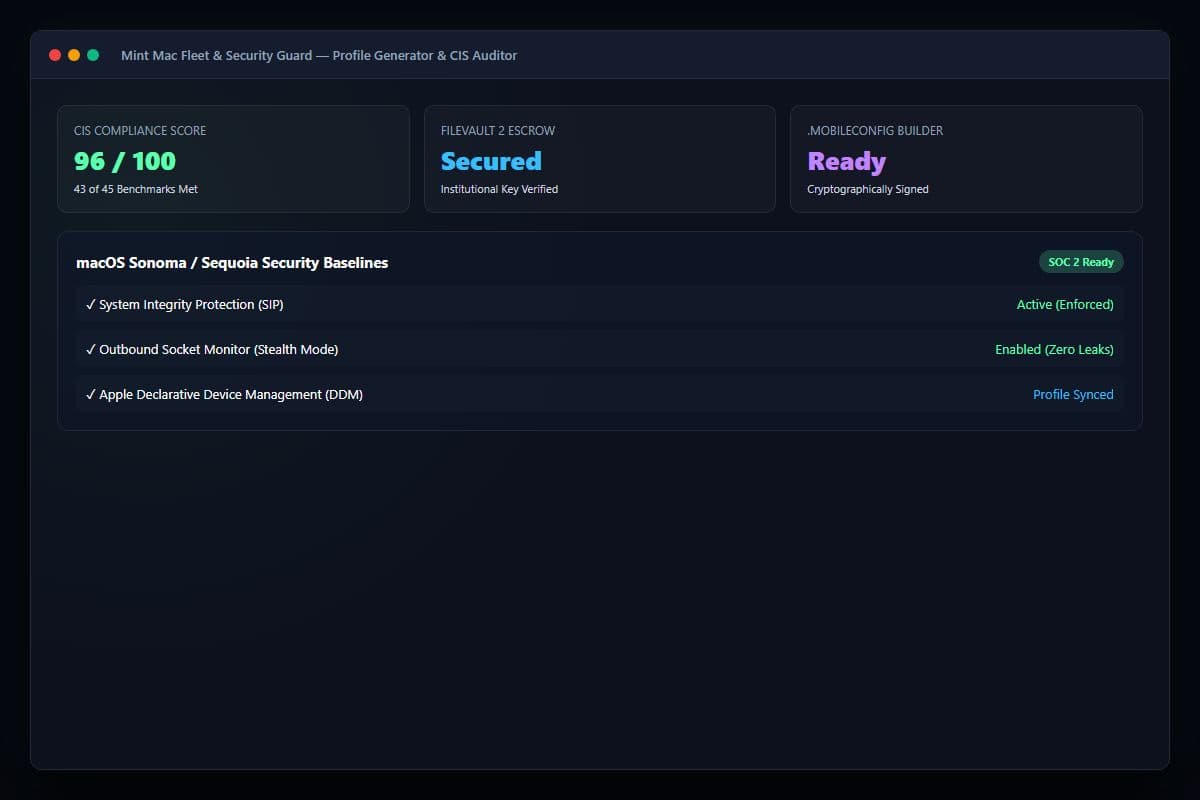
Mint Mac Fleet & Security Guard
Visual Apple .mobileconfig profile generator, FileVault 2 compliance auditor, and outbound socket inspector for growing Mac fleets.
Mint DevFlow for Mac
The developer workstation manager: kill stuck ports, purge Docker cache, and switch runtimes with one click.