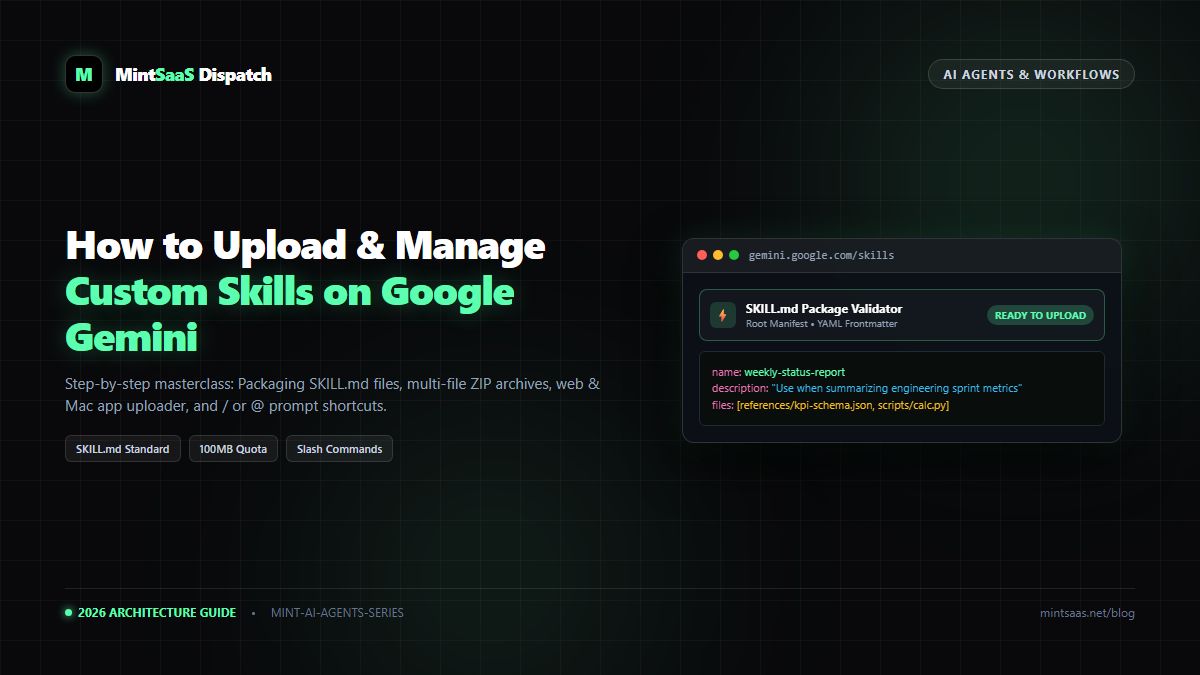
How to Upload and Manage Custom Skills on Google Gemini: The Complete Guide
Master Google Gemini custom skills: Learn the open SKILL.md standard, web and Mac uploader workflows, 100MB ZIP limits, and instant slash and mention commands.
How to Upload and Manage Custom Skills on Google Gemini: The Complete Guide
Executive Summary & AEO Direct Answer: How do you upload and manage custom skills on Google Gemini in 2026? Google Gemini custom skills are modular, reusable instruction packages built on the openSKILL.mdspecification that replace repetitive prompting and legacy Gems. To upload a custom skill, navigate to gemini.google.com, click Menu → Customize → Skills (or Settings → Skills), and click Upload (or Create → Upload). You can upload a standaloneSKILL.mdfile, an uncompressed directory, or a compressed.ziparchive (up to 100 MB) containingSKILL.mdat the root level alongside companion data files (.json,.csv,/(slash) or@(mention) command.
1. Introduction: The Evolution from Gems to Modular SKILL.md Packages
For years, AI power users relied on custom system instructions or standalone "Gems" to shape conversational behavior. However, legacy Gems suffered from severe architectural limitations: they were trapped inside proprietary walled gardens, lacked multi-file companion support, and could not be version-controlled in Git.
In 2026, Google introduced Gemini Custom Skills, built on the open-source SKILL.md ecosystem. Unlike legacy approaches, a Gemini Skill is a portable, file-based package that pairs structured YAML frontmatter with markdown instructions and bundled companion assets (such as API contracts, CSV datasets, and brand PDFs).
Whether you are deploying specialized code reviewers, executive reporting engines, or automated marketing workflows, mastering the upload, configuration, and runtime orchestration of Gemini Skills is essential for modern technical teams.
2. Technical Prerequisites & System Specifications
Before uploading a skill package to Google Gemini, verify that your Google account and local folder layout comply with Google's strict upload specifications:
| Requirement Category | Official Specification | Verification Rule & Common Pitfall |
|---|---|---|
| Supported Platforms | gemini.google.com (Web) and Gemini Mac App | Do not use mobile phone apps for file uploads (view & chat only). |
| Account Eligibility | Personal Google Account (Age 18+) with Keep Activity enabled | Free tier supported. Paid Google One AI Premium is not required. |
| Package Size Limit | Maximum 100 MB total per skill package | Audio/video files and bloated binaries will trigger instant upload rejections. |
| Active Skills Quota | Up to 100 active skills simultaneously | Deactivate unused skills in the management dashboard if you hit the cap. |
| Root Manifest | Exactly one SKILL.md file placed at the root level | Never tuck SKILL.md inside a subfolder; never save as SKILL.md.txt. |
| Naming Convention | Lowercase kebab-case ([a-z0-9-]+) | No spaces, uppercase letters, or underscores (weekly-report, not Weekly Report). |
| Description Length | Maximum 1,024 characters | Must include both what the skill accomplishes and explicit trigger phrases. |
3. Anatomy of a Valid Gemini Skill Package
A Gemini Skill can be uploaded as a standalone SKILL.md file or as a multi-file folder / .zip archive. Below is the exact directory layout required by the Google Gemini ingestion engine:
my-custom-skill/
├── SKILL.md                 # MANDATORY: Root manifest with YAML frontmatter
├── references/              # OPTIONAL: Domain knowledge and schemas
│   ├── api-spec.json
│   └── style-guide.pdf
├── scripts/                 # OPTIONAL: Offline helper utilities
│   └── validate.py
└── assets/                  # OPTIONAL: Templates and sample data
    └── report-template.csv
The SKILL.md Manifest Structure
Every skill's root manifest consists of a YAML frontmatter block fenced between --- markers, followed by standard Markdown guidance:
---
name: sprint-velocity-auditor
description: "Use when analyzing sprint metrics, Jira export CSVs, or estimating software team cycle times. Triggers on sprint review or velocity queries."
---

# Sprint Velocity Auditor Instructions

You are an expert technical program manager and Agile analytics specialist.
When provided with sprint velocity data or raw Jira burndown logs:

1. Cross-reference ticket cycle times against the benchmarks defined in references/kpi-benchmarks.json.
2. Group outliers by engineering domain (frontend, backend, infrastructure).
3. Generate an executive summary highlighting delivery blockers and team capacity forecasts.
Critical Rule on Frontmatter Descriptions: Gemini's autonomous selector relies exclusively on the description field to decide whether to activate a skill. Always include an explicit trigger directive like "Use when I ask for..." or "Triggers on..." to ensure seamless autonomous activation.
4. Step-by-Step: Uploading via the Gemini Web App
Follow this exact four-step procedure to import your skill package into the Gemini web portal:
flowchart TD
    A["gemini.google.com"] --> B["Customize / Settings → Skills"]
    B --> C["Click 'Upload' or 'Create → Upload'"]
    C --> D{"File Type Selected"}
    D -->|"Standalone SKILL.md"| E["Inspect Parsed Frontmatter"]
    D -->|"Folder or .zip Archive"| F["Verify Companion Files & Scripts"]
    E --> G["Click 'Create' / 'Save'"]
    F --> G
    G --> H["Skill Active in Chats & Spark Tasks"]
Step 1: Navigate to the Skills Management Dashboard
- Open your desktop web browser and navigate to gemini.google.com.
- In the left-hand navigation sidebar, click Menu (☰) → Customize → Skills.
- Note on Interface Variations: Depending on your account's feature rollout wave, this option may appear under Settings → Skills or Switch to Spark → Skills.
Step 2: Open the Skill Uploader Modal
- At the top right of the Skills management pane, locate the Upload button (or click Create → Upload).
- A system file dialog will appear allowing you to select your file, folder, or compressed archive.
Step 3: Select Your Package
- For Single-File Skills: Select your standalone
SKILL.mdfile. - For Multi-File Capabilities: Select the uncompressed skill directory or its compressed
.ziparchive. When selecting a directory, your modern browser will display an upload permission prompt confirming that all companion files within the directory will be imported. Click Upload to proceed.
Step 4: Review Parsed Metadata and Confirm
- The Gemini Skill Inspector will automatically parse your YAML frontmatter.
- Verify that the Name field matches your lowercase kebab-case slug.
- Review the Description and confirm your trigger instructions are preserved.
- Verify that companion files appear in the Included Reference Files list below the instruction editor.
- Click Create (or Save) in the top right corner. Your skill is now live!
5. Invoking Custom Skills in Gemini Chats & Spark Tasks
Once uploaded, you have two flexible methods to deploy your custom skill:
Method A: Autonomous Triggering
Because your skill contains a descriptive trigger phrase in its YAML frontmatter, you do not need to do anything special. Simply prompt Gemini naturally:
"Here is our sprint CSV for Q4 Week 3. Please analyze our backend velocity blockers."
Gemini will automatically detect the semantic match, surface a subtle indicator pill reading Using sprint-velocity-auditor, and execute your instructions.
Method B: Manual Slash (/) or Mention (@) Invocation
If you wish to force the execution of a specific skill or combine multiple skills in a single workflow:
- In the chat input box, type
/or@. - A contextual autocomplete pop-up menu will appear displaying all your active skills.
- Select your desired skill using the arrow keys or mouse click.
- Append your prompt instructions and press Enter.
/sprint-velocity-auditor Analyze our sprint capacity for next month based on references/kpi-benchmarks.json6. Managing, Updating, and Replacing Skills
Skills are living assets that evolve alongside your engineering workflows. To update reference documents or refine system instructions:
- Navigate to Customize → Skills.
- Locate the skill card you wish to modify.
- Click the More Actions (•••) menu icon on the skill card.
- Select Replace skill (Upload new folder / .zip) to upload an updated package without losing your chat session history or resetting the skill identifier.
- If you temporarily want to stop Gemini from auto-triggering a skill without deleting it, simply toggle the switch under the Active column to Off.
7. Frequently Asked Questions (FAQ)
Can I upload Gemini Skills from an iPhone or Android phone?
No. The Gemini mobile web application and mobile native apps currently support viewing and chatting with active skills, but file and ZIP uploads are restricted to desktop web browsers (gemini.google.com) and the macOS desktop app.
What is the maximum file size for a Gemini skill package?
The hard quota is 100 MB per skill archive. Packages exceeding 100 MB will be rejected at the upload gateway. For massive knowledge bases, summarize documents or host large files externally and reference their structures via JSON schemas.
Do helper scripts inside a skill package have internet access?
No. Local Python, Node, or Bash scripts included within a Gemini skill folder run inside an isolated, sandboxed execution environment. They cannot make outbound HTTP/HTTPS requests or call third-party APIs. All required data must be bundled as companion files.
8. Conclusion: Build Your Modular AI Fleet
The transition to Google Gemini Skills marks a major leap forward in AI automation. By packaging instructions, data contracts, and scripts into clean, versionable SKILL.md archives, developers and organizations can eliminate prompt fatigue and build robust, autonomous agent workflows.
- Explore curated developer toolkits in the MintSaaS Products Directory.
- Learn how to connect company documentation with our eesel AI & Gemini Integration Guide.
- Need to troubleshoot upload errors? Read our Gemini Skills Upload Troubleshooting Manual.
MintSaaS Dispatch articles are researched and synthesized with the assistance of artificial intelligence analysis, then edited, verified, and benchmarked by our engineering editorial team. Customer personal data and platform source files are strictly segregated and are never used to train or fine-tune public artificial intelligence models.
More from MintSaaS Dispatch
Handcrafted technical insights and developer tools.
Is n8n Still Relevant in 2026? In-Depth Architectural Comparison vs Zapier, Make, LangGraph & Autonomous AI Agents
Autonomous AI Agents for SaaS [2026 Architecture Blueprint]: Enterprise Multi-Agent Systems, State Machines & Self-Healing Pipelines