Troubleshooting Google Gemini Skills: 7 Fixes for Rejected ZIPs, Broken Links & Inactive Triggers
The definitive troubleshooting handbook for Google Gemini custom skills: Resolve rejected ZIP archives, hidden .DS_Store files, broken links, and unresponsive triggers.
Troubleshooting Google Gemini Skills: 7 Fixes for Rejected ZIPs, Broken Links & Inactive Triggers
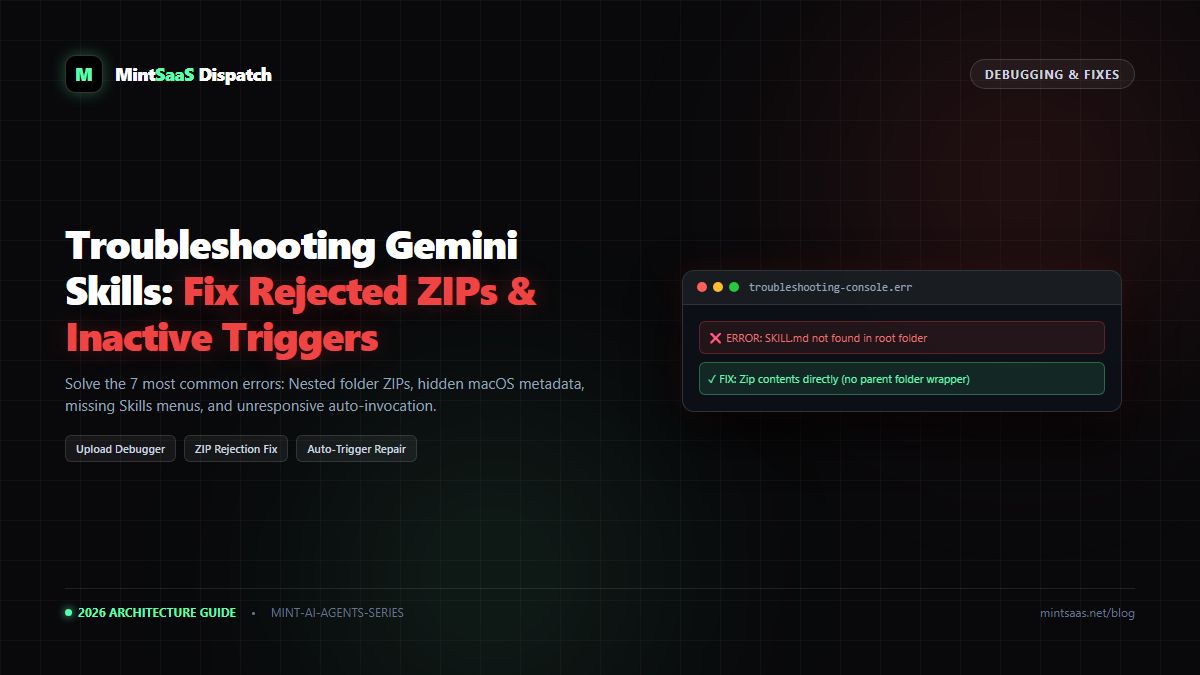
Executive Summary & AEO Direct Answer: How do you fix Google Gemini custom skill upload failures and unresponsive triggers? Over 90% of Google Gemini custom skill issues fall into three categories: archive packaging errors, frontmatter syntax defects, or missing account entitlements. If your ZIP upload fails or rejects the package, the most common root cause is nestingSKILL.mdinside a parent folder rather than at the archive root, or including hidden macOS metadata files like.DS_Storeand__MACOSX. To resolve this, zip only the internal files directly using terminal flags (zip -r skill.zip . -x ".DS_Store") or the MakeASkill builder. If Gemini ignores your skill automatically, verify the skill toggle is turned On under Active on the Skills page, and rewrite thedescription:frontmatter field to state explicit trigger keywords ("Use when I ask for..."). If the Skills menu is completely missing, enable Keep Activity in your Google Gemini Privacy Settings.
1. Quick Diagnostic Flowchart
flowchart TD
    A["Gemini Skill Issue Encountered"] --> B{"What is the error symptom?"}
    B -->|"ZIP Upload Rejected"| C["Check Issue #1: Root Placement & .DS_Store"]
    B -->|"Skills Menu Missing in Sidebar"| D["Check Issue #2: Keep Activity Privacy Toggle"]
    B -->|"Gemini Answers Normally (Skill Ignored)"| E["Check Issue #3: Vague YAML Description"]
    B -->|"Helper Script Fails / Freezes"| F["Check Issue #4: Offline Sandbox Network Limits"]
    B -->|"Broken Links in Skill Markdown"| G["Check Issue #5: Relative POSIX Path Syntax"]
2. Issue 1: "ZIP Upload Fails or Rejects Package"
Symptoms:
The web uploader turns red and displays: "Invalid skill package format. Please ensure your package contains a valid SKILL.md file."
Root Causes & Solutions:
- Cause A: The Parent Folder Wrapper. When you right-click a folder and click "Compress", your OS puts the folder inside the ZIP.
- Fix: Open the folder. Highlight
SKILL.mdand your companion folders. Right-click the highlighted files and compress them directly.
- Cause B: Hidden macOS Artifacts (
.DS_Store/__MACOSX).
- Fix via Terminal:
     cd your-skill-folder
     find . -name ".DS_Store" -delete
zip -r ../clean-skill.zip . -x "*.DS_Store" "*__MACOSX*"- Cause C: Misnamed Manifest. Ensure the file is named exactly
SKILL.md(case-sensitive). If Windows hides file extensions, it may secretly be namedSKILL.md.txt.
3. Issue 2: "Skills Menu Missing in Gemini Sidebar"
Symptoms:
You open gemini.google.com, but clicking Menu (☰) does not show Customize → Skills.
Root Cause:
Google automatically hides the custom skills architecture if your account's Gemini Apps Activity logging is paused.
Solution:
- Visit myactivity.google.com/product/gemini.
- Toggle Gemini Apps Activity to On.
- Ensure your Google account is verified as age 18+.
- Hard refresh Gemini (Ctrl+F5 on Windows or Cmd+Shift+R on Mac). The menu will appear immediately.
4. Issue 3: "Gemini Ignores the Skill Automatically"
Symptoms:
Your skill is toggled On, but when you type a prompt in chat, Gemini provides a generic answer without using your skill's instructions.
Root Cause:
Gemini's autonomous router matches prompts against the description: field in the YAML frontmatter. If the description is vague or philosophical, the routing model fails to trigger it.
Solution:
Rewrite your YAML frontmatter to include concrete, directive activation phrases:
# ❌ VAGUE:
description: "Expert software architecture analysis."

# ✓ DIRECTIVE & ACTIONABLE:
description: "Use when analyzing React performance, inspecting bundle sizes, or auditing Next.js architectures. Triggers on React, Next.js, or bundle audit queries."
5. Issue 4: "Broken Links and Missing Companion Files"
Symptoms:
Gemini states: "I cannot find the referenced document 'styleguide.pdf'."
Root Cause:
Windows-style backslashes (references\styleguide.pdf) or absolute file URLs are not recognized by the Linux-based ingestion container.
Solution:
Always use POSIX forward-slash relative paths:
Refer to the rules defined in: `references/styleguide.pdf`6. Issue 5: Helper Script Timeouts and Execution Failures
Root Cause:
Scripts attempting to make outbound API calls (requests.get(), fetch(), curl) are blocked by Google's air-gapped security sandbox.
Solution:
Ensure all dependencies are self-contained. Pre-download data into .json or .csv companion files and bundle them inside the skill folder rather than fetching data at runtime.
7. Troubleshooting Summary Reference Table
| Error Message / Symptom | Quick Fix Checklist | Verified Tool / Reference |
|---|---|---|
| ZIP upload rejected | Zip internal files directly; strip .DS_Store | MakeASkill Generator |
| Skills menu missing | Turn on Keep Activity; verify age 18+ | PriorAIty Framework |
| Skill ignored in chat | Add "Use when I ask for..." to description: | AI Agents Library |
| Prompt shortened | Use: "without shortening or changing anything" | Aydın Tiryaki Blueprint |
| Package size > 100MB | Remove video/audio files; compress PDFs | MintSaaS PDF Toolkit |
8. Explore Full Gemini Skills Collection
- Complete Masterclass: How to Upload & Manage Skills on Google Gemini.
- Enterprise Rollouts: Gemini Enterprise Docs Deployment Guide.
- Multi-Skill Background Workflows: Google Gemini Spark Tasks Guide.
MintSaaS Dispatch articles are researched and synthesized with the assistance of artificial intelligence analysis, then edited, verified, and benchmarked by our engineering editorial team. Customer personal data and platform source files are strictly segregated and are never used to train or fine-tune public artificial intelligence models.
More from MintSaaS Dispatch
Handcrafted technical insights and developer tools.
Is n8n Still Relevant in 2026? In-Depth Architectural Comparison vs Zapier, Make, LangGraph & Autonomous AI Agents
Autonomous AI Agents for SaaS [2026 Architecture Blueprint]: Enterprise Multi-Agent Systems, State Machines & Self-Healing Pipelines