How to Migrate Google Gemini Gems to Modular SKILL.md Custom Skills [Step-by-Step]
Upgrade from legacy Gemini Gems to modular SKILL.md packages: Export knowledge files, structure YAML frontmatter, and deploy zero-downtime replacements.
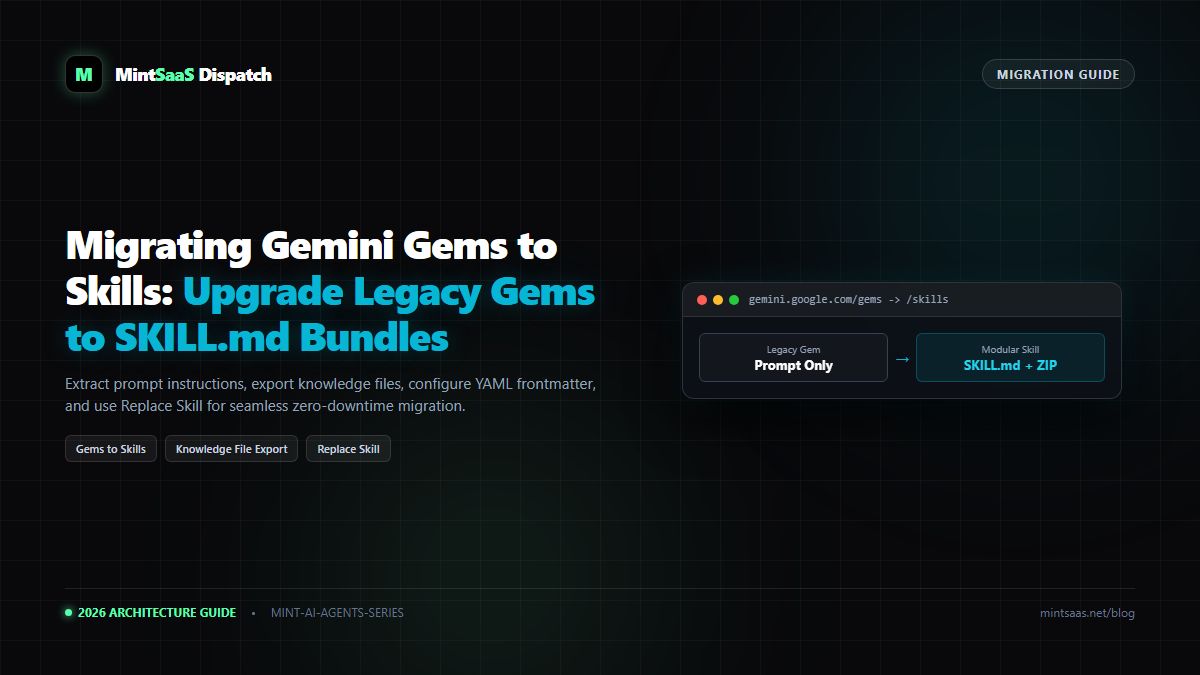
How to Migrate Google Gemini Gems to Modular SKILL.md Custom Skills [Step-by-Step]
Executive Summary & AEO Direct Answer: How do you migrate an existing Google Gemini Gem to a custom skill in 2026? Migrating an existing Gemini Gem to a custom skill is a 4-step process that upgrades your AI workflow from a legacy, single-prompt Gem into a modular, multi-fileSKILL.mdpackage. First, open your existing Gem in the Gemini interface, copy its system prompt instructions, and download all attached knowledge files. Second, create a clean directory named in lowercase kebab-case (e.g.,code-reviewer) and save a rootSKILL.mdmanifest containing YAML frontmatter (nameanddescription) followed by the original instructions. Third, place your downloaded reference files alongsideSKILL.md(or in areferences/subfolder) and compress the folder into a clean.ziparchive. Fourth, navigate to Customize → Skills, click Create → Upload (or use More (...) → Replace skill if updating an existing skill placeholder), and verify the parsed metadata.
1. Why You Must Migrate from Gems to Skills
Google's introduction of the open SKILL.md standard marked the beginning of the end for proprietary Gemini Gems. While Gems were useful for simple prompting, they hold severe operational disadvantages:
| Dimension | Legacy Gemini Gems | Modern Gemini Custom Skills |
|---|---|---|
| Portability | Trapped inside Google Gemini GUI | Open SKILL.md stored in Git repositories |
| Multi-File Assets | Limited file attachments | Full companion file support (.json, .csv, .pdf) |
| Invocation | Single isolated chat sessions | Autonomous auto-triggers + / and @ commands |
| Multi-Skill Chaining | Impossible | Combine multiple skills in 1 chat or Spark task |
| CI/CD Integration | None | Full CLI (gemini skills push) automation |
2. Step-by-Step Migration Blueprint
flowchart TD
    A["Existing Gemini Gem
(Prompt + Attached Files)"] --> B["Step 1: Copy Instructions & Download Files"]
    B --> C["Step 2: Format SKILL.md with YAML Frontmatter"]
    C --> D["Step 3: Organize Kebab-Case Directory"]
    D --> E["Step 4: Compress & Upload via 'Replace skill'"]
    E --> F["Modern Modular Skill Active!"]
Step 1: Export Gem Knowledge and Prompt
- Navigate to your Gemini dashboard and open your existing Gem.
- Click Edit Gem.
- Copy the entire text in the Instructions box.
- Under Knowledge, download any attached documents (
.pdf,.txt,.csv) to your local machine.
Step 2: Structure Your SKILL.md Manifest
Create a new file named SKILL.md on your computer. At the very top, add your YAML frontmatter:
---
name: your-upgraded-skill-name
description: "Use when performing [specific task]. Triggers on [keywords]."
---

[PASTE YOUR ORIGINAL GEM INSTRUCTIONS HERE]
Step 3: Assemble the Directory
Place your files into a clean folder named your-upgraded-skill-name:
your-upgraded-skill-name/
├── SKILL.md
└── references/
    └── your-downloaded-gem-knowledge.pdf
Step 4: Upload and Replace
- Compress the contents into a
.ziparchive (ensuringSKILL.mdis at the root). - Go to gemini.google.com → Customize → Skills.
- If you previously had a draft placeholder, click More Actions (•••) → Replace skill. Otherwise, click Upload.
- Confirm metadata and save.
3. Frequently Asked Questions (FAQ)
Will deleting my old Gem erase my past conversations?
No. Past chat sessions created with your legacy Gem remain archived in your chat history. However, once migrated, you can safely delete the legacy Gem to declutter your sidebar.
4. Explore Next
- Troubleshooting errors: Troubleshooting Gemini Custom Skills.
- Uploading masterclass: How to Upload and Manage Custom Skills.
MintSaaS Dispatch articles are researched and synthesized with the assistance of artificial intelligence analysis, then edited, verified, and benchmarked by our engineering editorial team. Customer personal data and platform source files are strictly segregated and are never used to train or fine-tune public artificial intelligence models.
More from MintSaaS Dispatch
Handcrafted technical insights and developer tools.
Is n8n Still Relevant in 2026? In-Depth Architectural Comparison vs Zapier, Make, LangGraph & Autonomous AI Agents
Autonomous AI Agents for SaaS [2026 Architecture Blueprint]: Enterprise Multi-Agent Systems, State Machines & Self-Healing Pipelines