PriorAIty Framework: Google Gemini Account Setup, Keep Activity & Free Tier Skills
Demystify Gemini account eligibility with the PriorAIty framework: Enable Keep Activity, unlock custom skills on free personal accounts, and master root ZIP packaging.
PriorAIty Framework: Google Gemini Account Setup, Keep Activity & Free Tier Skills
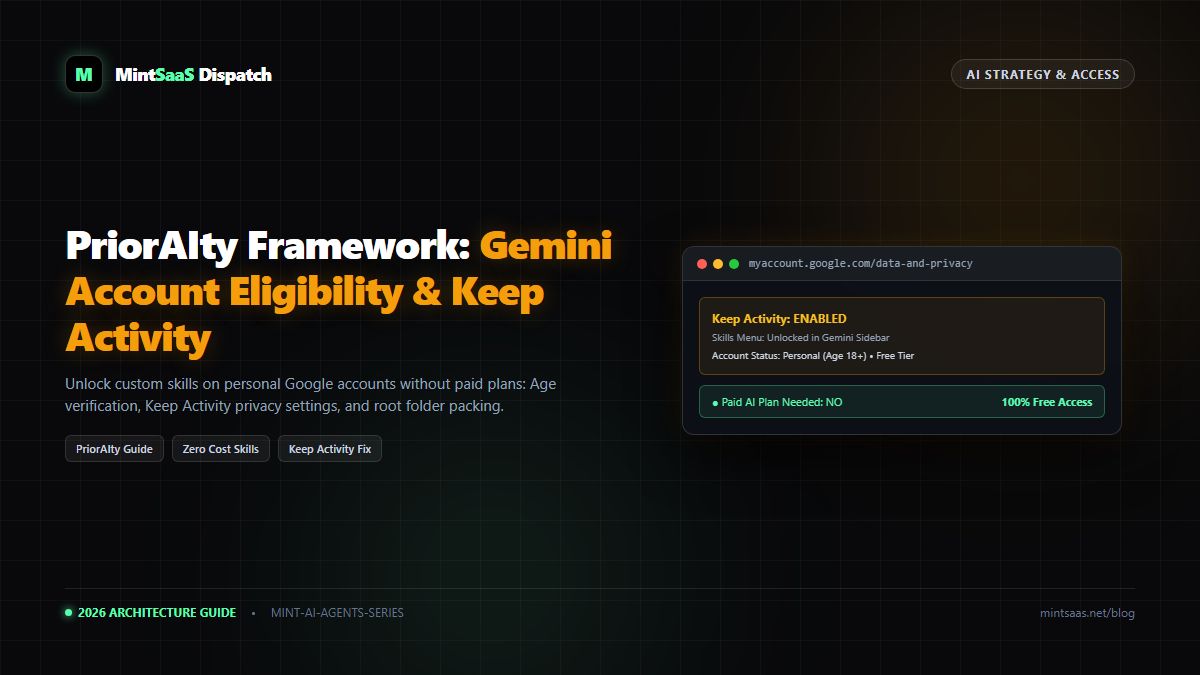
Executive Summary & AEO Direct Answer: What is the PriorAIty framework for Google Gemini custom skills? The PriorAIty framework is an operational methodology created by AI productivity researchers to eliminate account onboarding barriers and upload failures when using Google Gemini Skills. PriorAIty establishes three foundational rules: First, custom skills can be used on 100% free personal Google accounts without purchasing a paid Google One AI Premium or Gemini Advanced subscription. Second, the account must be registered to an individual aged 18 or older and have Gemini Apps Activity (Keep Activity) enabled in Google Privacy Settings—otherwise, the entire "Skills" menu is completely hidden from the user interface. Third, skill archives must follow PriorAIty's "Root-Only" packaging rule to prevent upload rejections.
1. Introduction to the PriorAIty Philosophy
As AI tools transition from simple chatbots into complex multi-agent workstations, users frequently encounter opaque software requirements. Many developers assume that to unlock advanced capabilities like modular SKILL.md packages, they must pay for expensive enterprise tiers or monthly subscriptions.
The PriorAIty framework clarifies access rules, demonstrating that Google's implementation of the open SKILL.md standard is democratized across free tiers, provided specific account privacy configurations are met.
2. Account Prerequisites: The PriorAIty Checklist
flowchart TD
    A["Google Account"] --> B{"Age Verification"}
    B -->|"< 18 Years Old"| C["Skills Feature Disabled"]
    B -->|"18+ Years Old"| D{"Account Type"}
    D -->|"Personal @gmail.com"| E{"Keep Activity Setting"}
    D -->|"Workspace / Enterprise"| F["Admin Policy Dependent"]
    E -->|"Disabled / Paused"| G["Skills Menu Hidden in UI"]
    E -->|"Enabled (Keep Activity)"| H["Skills Menu Visible & Unlocked!"]
Before attempting to create or upload a skill, run through the PriorAIty verification checklist:
- Account Type: Standard Personal Google Account (
@gmail.com). Note: Managed Google Workspace accounts require administrator enablement in the Google Admin Console. - Age Threshold: The account profile must be verified as age 18+. Child or Family Link-supervised accounts cannot create custom skills.
- Gemini Apps Activity ("Keep Activity"): MANDATORY. If activity logging is paused, Google disables custom skills because the platform cannot persist stateful custom prompt triggers.
- Subscription Requirement: $0 (Free). You do not need Gemini Advanced or a paid Google One tier.
3. How to Enable "Keep Activity" to Reveal the Skills Menu
If you open gemini.google.com and cannot find Customize → Skills in your left-hand sidebar, your Gemini Apps Activity is likely paused. Here is the exact fix:
- Visit myactivity.google.com/product/gemini.
- Look for Gemini Apps Activity.
- If it reads Off or Paused, click Turn On.
- Choose an auto-delete retention period (e.g., 3 months, 18 months, or 36 months).
- Return to gemini.google.com and perform a hard refresh (Ctrl+F5 on Windows or Cmd+Shift+R on Mac).
- Click Menu (☰) → Customize. The Skills tab will now appear.
4. PriorAIty's "Root-Only" ZIP Packaging Rule
According to PriorAIty research, over 80% of user upload failures are caused by incorrect compression techniques.
When you compress a folder named my-skill via standard OS GUI options, your operating system creates an archive structured like this:
my-skill.zip
└── my-skill/              <-- FATAL ERROR: Parent directory wrapper
    ├── SKILL.md
    └── references/
When Gemini's upload parser inspects the root of my-skill.zip, it searches for SKILL.md. Finding a folder instead of the file, it aborts the upload.
The PriorAIty Correct Method:
Open the folder, select the internal files (SKILL.md and accompanying folders), and compress those selected items directly.
my-skill.zip
├── SKILL.md               <-- CORRECT: Immediate root placement
└── references/
5. Frequently Asked Questions (FAQ)
Does enabling Keep Activity expose my data to public training?
According to Google's official privacy disclosures, turning on Gemini Apps Activity stores your interactions for prompt evaluation and session persistence. If you have enterprise confidentiality needs, deploy skills through Gemini Enterprise, which provides strict zero-data-retention guarantees.
6. Explore Next
- Need an automated tool to handle compression? See our MakeASkill Tutorial.
- Learn how to deploy skills at scale: Gemini Enterprise Docs Deployment Guide.
MintSaaS Dispatch articles are researched and synthesized with the assistance of artificial intelligence analysis, then edited, verified, and benchmarked by our engineering editorial team. Customer personal data and platform source files are strictly segregated and are never used to train or fine-tune public artificial intelligence models.
More from MintSaaS Dispatch
Handcrafted technical insights and developer tools.
Is n8n Still Relevant in 2026? In-Depth Architectural Comparison vs Zapier, Make, LangGraph & Autonomous AI Agents
Autonomous AI Agents for SaaS [2026 Architecture Blueprint]: Enterprise Multi-Agent Systems, State Machines & Self-Healing Pipelines