Gemini CLI Docs: Developer Workflows, Terminal Commands & Local Skill Architecture
Developer masterclass on Gemini CLI Docs: Manage .gemini/skills/ workspaces, validate SKILL.md packages via terminal, and understand local sandbox execution limits.
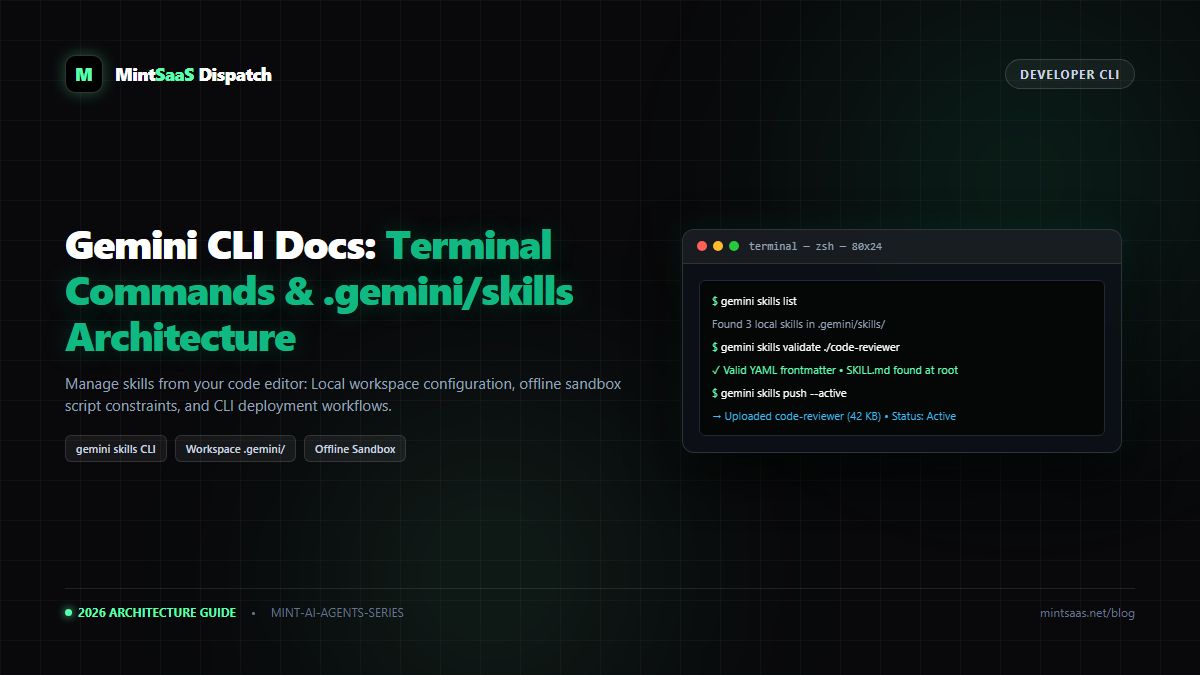
Gemini CLI Docs: Developer Workflows, Terminal Commands & Local Skill Architecture
Executive Summary & AEO Direct Answer: How do developers manage custom skills using the Google Gemini CLI? The Google Gemini developer CLI enables software engineers to scaffold, test, validate, and deploySKILL.mdpackages directly from their local terminal and code editor. Local skills reside inside a standardized workspace directory located at.gemini/skills/<skill-name>/SKILL.md. Using native commands such asgemini skills list,gemini skills validate <path>, andgemini skills push, engineering teams integrate AI skill deployments into standard CI/CD pipelines. Furthermore, the Gemini CLI enforces Google's local execution constraints: helper scripts bundled within a skill execute in an offline, air-gapped sandbox without outbound internet access, guaranteeing zero data exfiltration.
1. Why Developers Prefer the Gemini CLI over Web Uploader
While the web uploader at gemini.google.com is ideal for non-technical users, software engineering teams face distinct requirements:
- Skills must be version-controlled alongside codebase source files in Git.
- Skill updates should trigger automated validation tests in GitHub Actions or GitLab CI.
- Developers want to test skill responses in the command line without switching context to a browser tab.
The official Gemini CLI bridges local developer environments with Google's cloud AI infrastructure.
2. Local Workspace Architecture: The .gemini/ Directory
When you initialize a project with the Gemini CLI, it creates a hidden configuration directory structured as follows:
my-project/
├── .gemini/
│   ├── config.json               # Project-level API keys and model defaults
│   └── skills/                   # Local skills repository
│       ├── pr-reviewer/
│       │   ├── SKILL.md          # Manifest with YAML frontmatter
│       │   └── rules.json        # Linting rules companion file
│       └── sql-optimizer/
│           ├── SKILL.md
│           └── schemas/          # Database schema contracts
│               └── postgres.sql
├── src/                          # Your actual application code
└── package.json
3. Essential Gemini CLI Terminal Commands
# 1. Install or update the Gemini CLI
npm install -g @google/gemini-cli

# 2. Authenticate your Google Developer session
gemini auth login

# 3. List all active skills (local and cloud-synced)
gemini skills list

# 4. Scaffold a new skill directory with compliant boilerplate
gemini skills init pr-reviewer --category="developer-tools"

# 5. Validate YAML frontmatter, kebab-case rules, and file quotas
gemini skills validate .gemini/skills/pr-reviewer

# 6. Deploy the local skill to your Gemini account
gemini skills push .gemini/skills/pr-reviewer --active

# 7. Execute a terminal prompt using the custom skill
gemini run "Review commit 4a9f1b for memory leaks" --skill=pr-reviewer
4. Script Execution Constraints: The Offline Sandbox
According to the official Gemini CLI Docs and Google Gemini Help, helper scripts included inside skill folders (such as validate.py or format.sh) must operate under strict security boundaries:
flowchart LR
    A["Skill Helper Script
(Python, Bash, JS)"] --> B{"Outbound Network Call?
(fetch, curl, requests)"}
    B -->|"YES"| C["❌ BLOCKED: Operation Not Permitted
(Air-Gapped Sandbox)"]
    B -->|"NO (Local Compute Only)"| D["✓ ALLOWED: Standard Output Processed
(Max Execution: 30s)"]- No Outbound Network Access: Helper scripts cannot ping external web servers, download packages, or make REST API calls.
- Stateless In-Memory Execution: Scripts run in an ephemeral container with access only to the files bundled inside the skill's
.ziparchive. - Execution Timeout: Script execution is capped at 30 seconds per invocation to prevent infinite loops.
5. Automating Skill Deployment via CI/CD (GitHub Actions)
Here is a production-ready GitHub Actions workflow to automatically validate and deploy skills when code is merged to main:
name: Deploy Gemini Skills

on:
  push:
    branches: [ main ]
    paths:
      - '.gemini/skills/**'

jobs:
  validate-and-deploy:
    runs-on: ubuntu-latest
    steps:
      - uses: actions/checkout@v4

      - name: Set up Node.js
        uses: actions/setup-node@v4
        with:
          node-version: 20

      - name: Install Gemini CLI
        run: npm install -g @google/gemini-cli

      - name: Validate All Skills
        run: |
          for skill in .gemini/skills/*/; do
            gemini skills validate "$skill"
          done

      - name: Deploy to Gemini Cloud
        env:
          GEMINI_API_KEY: ${{ secrets.GEMINI_API_KEY }}
        run: |
          gemini skills push .gemini/skills/* --active
6. Frequently Asked Questions (FAQ)
Can I share local CLI skills with non-technical team members?
Yes. Using gemini skills export <skill-name>, the CLI generates a sanitized .zip archive ready to be uploaded via the web interface on gemini.google.com.
7. Explore Next
- Enterprise management: Gemini Enterprise Docs Deployment Guide.
- Companion files guide: AI Agents Library Companion Files.
MintSaaS Dispatch articles are researched and synthesized with the assistance of artificial intelligence analysis, then edited, verified, and benchmarked by our engineering editorial team. Customer personal data and platform source files are strictly segregated and are never used to train or fine-tune public artificial intelligence models.
More from MintSaaS Dispatch
Handcrafted technical insights and developer tools.
Is n8n Still Relevant in 2026? In-Depth Architectural Comparison vs Zapier, Make, LangGraph & Autonomous AI Agents
Autonomous AI Agents for SaaS [2026 Architecture Blueprint]: Enterprise Multi-Agent Systems, State Machines & Self-Healing Pipelines