7 Business Tasks You Should Automate Instead of Doing Manually in 2026
Stop wasting hundreds of hours on manual administrative drudgery. Discover the top 7 high-impact business tasks modern companies automate to eliminate human error, slash operating overheads, and scale output with autonomous workflows.
7 Business Tasks You Should Automate Instead of Doing Manually in 2026
In the modern enterprise landscape, human labor is the most expensive, finite, and creative capital an organization possesses. Yet studies across global business advisory benchmarks show that corporate knowledge workers and founders spend upwards of 41% of their operational workweek on mechanical, repetitive administrative tasks: manually reconciling spreadsheets, transcribing customer data across fragmented software tools, hand-keying invoice metadata, copying CRM records, and sending repetitive status updates.
When highly paid talent spends their cognitive bandwidth acting as human API bridges between disconnected software apps, three direct operational liabilities occur:
- Compounding Human Error Rates: Manual data entry exhibits an inevitable baseline human error rate between 1% and 4%, resulting in misrouted leads, duplicate billings, invoice friction, and compliance discrepancies.
- Artificial Revenue Ceilings: A business constrained by manual administrative throughput cannot scale customer volume without linearly hiring additional administrative personnel.
- Severe Operational Latency: While autonomous workflows trigger and execute in sub-second intervals, manual workflows sit idle in worker inboxes for hours or days, degrading lead conversion velocity and customer retention.
This authoritative blueprint provides an exhaustive breakdown of the 7 highest-leverage business processes every modern company must automate in 2026, complete with end-to-end architecture diagrams, ROI metrics, recommended tooling ecosystems, and direct implementation frameworks.
Direct Answer Summary: The 7 Core Tasks to Automate
| # | Business Operational Task | Primary Manual Bottleneck | Recommended Automation Architecture | Average Weekly Hours Saved |
|---|---|---|---|---|
| 1 | Customer Lead Intake & Qualification | Delayed email replies, manual CRM contact creation | Webhook → AI Enrichment → CRM Upsert → Instant Slack/WhatsApp Alert | 8.5 Hours |
| 2 | Multi-Vendor Invoice Processing & Reconciliation | Hand-keying PDF figures, invoice matching discrepancies | Optical Character Recognition (OCR) → Line-item Parsing → Accounting ERP Sync | 7.0 Hours |
| 3 | Client Onboarding & Contract Generation | Copy-pasting templates, manual workspace provisioning | Dynamic Document Generation → E-Signature API → Auto-provisioned Portal | 9.0 Hours |
| 4 | Cross-Channel Customer Support & Ticket Triage | Tier-1 support repetitive FAQs, manually tagging tickets | Context-Aware Vector Retrieval → Autonomous AI Agent Resolution → Escalation | 11.5 Hours |
| 5 | Social Media Scheduling & Content Syndication | Manual multi-network posting, formatting adjustments | Headless CMS Webhook → Multi-Platform REST Dispatch → Engagement Analytics | 5.0 Hours |
| 6 | Cross-Platform Data Synchronization & Backups | Forgotten manual exports, orphaned database records | Scheduled Cron Trigger → Incremental Delta Extraction → Encrypted S3/R2 Vault | 4.0 Hours |
| 7 | Automated Financial Reporting & Metric Dashboards | Merging Stripe, bank feeds, and ad spend in Excel | API Aggregation Pipeline → Data Warehouse Transform → Real-Time KPI Slack Digest | 6.5 Hours |
Task 1: Customer Lead Intake, Enrichment, and Routing
The Manual Bottleneck
When an inbound prospect submits a contact request or demo booking on a corporate landing page, the conventional manual workflow involves:
- Waiting for a sales rep or administrative assistant to check incoming inbox notifications.
- Manually looking up the prospect on LinkedIn, Clearbit, or Apollo to gauge annual revenue, company employee count, and geographic location.
- Hand-typing the prospect's details into HubSpot, Salesforce, or Pipedrive.
- Forwarding the contact information to the relevant account executive.
In fast-paced markets, lead response velocity is the single largest determinant of closing success. Data consistently demonstrates that reaching out to an inbound inbound lead within 5 minutes produces an 800% higher qualification rate compared to reaching out after 30 minutes. Manual triage guarantees delays of 2 to 24 hours.
The Automated Architecture
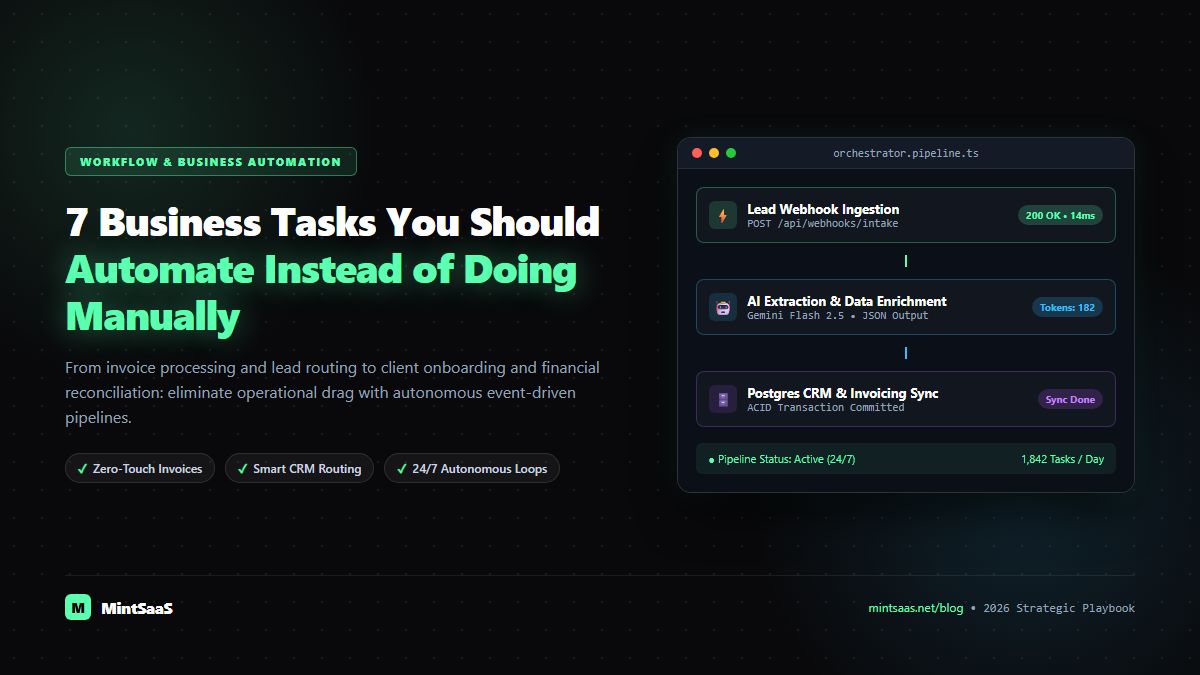
- Intake Event: A form submission on MintSaaS or WordPress triggers an immediate HTTPS JSON webhook payload.
- Autonomous Enrichment: The workflow engine (such as n8n or Zapier) intercepts the prospect email and calls an enrichment API to enrich company size, sector, and LinkedIn profile.
- Deterministic Lead Scoring: An automated filter classifies the prospect as Enterprise Tier (>50 employees), Mid-Market (10–49 employees), or Self-Serve (1–9 employees).
- Instant Multi-Channel Dispatch:
- Enterprise leads immediately receive an automated, personalized Calendly/Cal.com scheduling link with a dedicated Account Executive.
- An instant webhook notifies the private sales channel in Slack or Microsoft Teams with an actionable one-click deal button.
- The lead is upserted into the CRM with zero keystrokes.
Task 2: Multi-Vendor Invoice Processing and Financial Reconciliation
The Manual Bottleneck
Accounts Payable (AP) and finance teams frequently receive hundreds of PDF invoices, receipts, and vendor statements each month via email attachments. Traditional manual bookkeeping demands:
- Downloading each PDF attachment to local desktop storage.
- Reading tiny line-item descriptions, tax identification numbers, currency conversion rates, and payment due dates.
- Keying these fields line-by-line into accounting software like QuickBooks, Xero, or NetSuite.
- Manually matching the invoice total against bank transactions or purchase orders.
This repetitive process is prone to transcription errors, duplicate vendor payments, and missed early-payment discounts.
The Automated Architecture
- Inbox Listener: An IMAP/Gmail API watcher monitors dedicated finance inboxes (e.g.,
billing@yourcompany.com) for unread messages containing PDF attachments. - Intelligent Document OCR: The incoming document passes into an automated document pipeline (or client-side engine like MintSaaS PDF Toolkit) to execute high-precision OCR and extract structured JSON (Vendor Name, Tax ID, Invoice ID, Date, Line Items, Subtotal, Tax, Total).
- ERP Validation & Fraud Check: The automation verifies whether the Vendor Tax ID already exists in the accounting database and checks whether this specific Invoice ID was previously logged to eliminate duplicate billing attacks.
- Auto-Reconciliation: If the invoice matches an open purchase order within an acceptable tolerance (<$0.01), it is automatically staged for approval and scheduled for disbursement.
Task 3: Client Onboarding and Workspace Provisioning
The Manual Bottleneck
Winning a new high-ticket client or enterprise contract is a major celebration—until the administrative onboarding nightmare begins:
- Drafting a custom contract or statement of work (SOW) in Microsoft Word.
- Manually emailing back and forth requesting signatures.
- Hand-crafting an initial invoice.
- Creating private Slack channels, Google Drive folders, Trello/Asana boards, and sending invitation emails.
This chaotic process often takes 3 to 5 business days, introducing buyer remorse, delayed kickoffs, and disjointed team communication.
The Automated Architecture
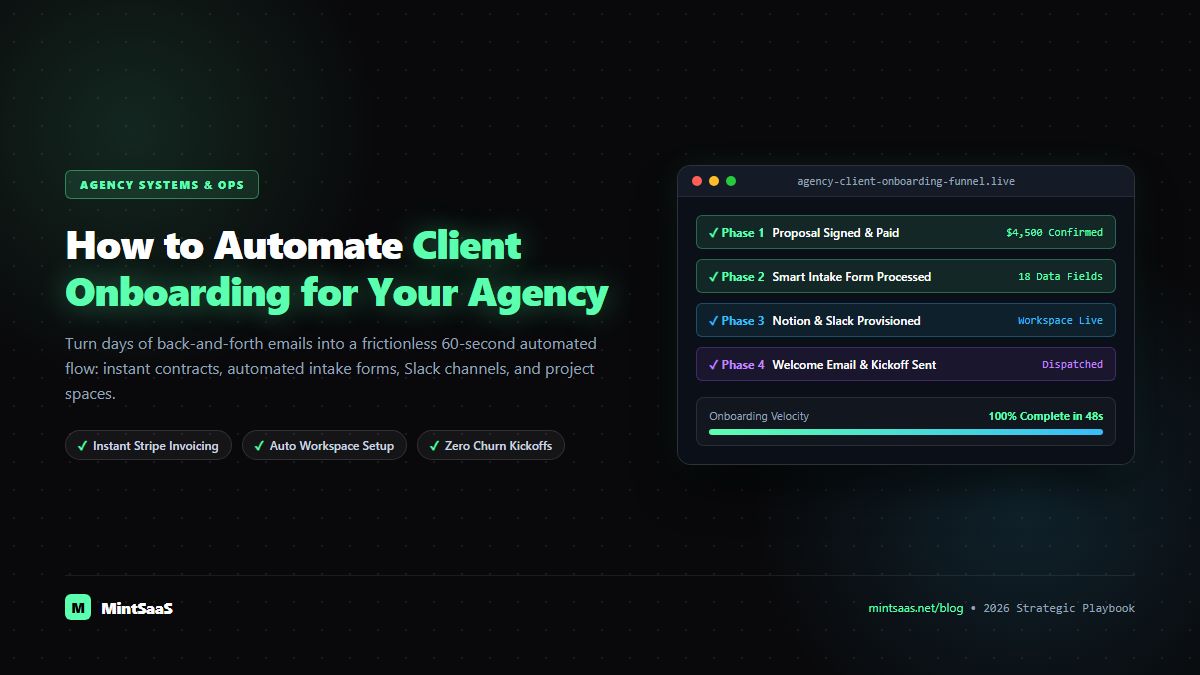
- Closed-Won Webhook: When an opportunity status transitions to
Closed-Wonin your CRM or a checkout payment succeeds via Stripe / Razorpay, the master onboarding pipeline initiates. - Contract & SOW Generation: The automation engine injects verified client parameters into an e-signature template via DocuSign or PandaDoc and dispatches it immediately.
- Autonomous Asset Provisioning: Upon e-signature webhook confirmation:
- A dedicated Google Drive / Dropbox project folder hierarchy is generated.
- A private Slack Connect channel is automatically created with welcome guidelines pinned to the channel header.
- Project management boards (Linear, ClickUp, or Notion) are cloned from pre-tested production master templates.
- A tailored onboarding questionnaire is emailed to the client point of contact.
Task 4: Cross-Channel Customer Support and Ticket Triage
The Manual Bottleneck
In conventional customer support operations, 65% to 75% of incoming support requests consist of repetitive, tier-1 queries:
- "Where is my software license key?"
- "How do I reset my account password?"
- "Can I upgrade from monthly to annual billing?"
- "What are your refund policies?"
Forcing human support engineers to manually triage, read, assign, and answer these identical questions drains morale, balloons support payroll, and forces customers to wait hours for simple answers.
The Automated Architecture
- Multi-Channel Aggregation: Customer inquiries from email, in-app live chat, and support portal forms are ingested into a unified support pipeline.
- Semantic Classification: Natural language processing models evaluate sentiment, urgency, and subject matter.
- Retrieval-Augmented Autonomous Resolution:
- For deterministic operational questions (license retrieval, order lookup), an automated microservice checks the customer database securely and replies immediately with the customer's verified license details.
- For general product questions, a vector embedding search scans official documentation and provides an instant, cited, highly accurate solution.
- Intelligent Escalation: If the inquiry involves complex bugs, payment disputes, or high-value enterprise accounts, it is routed immediately to a senior engineer with full conversational context pre-summarized.
Task 5: Social Media Scheduling and Multi-Platform Content Syndication
The Manual Bottleneck
Modern brands must maintain consistent visibility across LinkedIn, X (Twitter), YouTube, Instagram, Facebook, and Threads. Manually formatting, cropping images, uploading videos, drafting native captions, and posting across 5 to 6 platforms every single day represents a colossal time sink:
- Manually adjusting aspect ratios (16:9 for YouTube, 9:16 for Shorts/Reels, 1:1 for LinkedIn/Instagram).
- Manually copying text, adjusting character limits, and inserting hashtags across multiple browser tabs.
- Publishing at erratic times because the marketing manager is in meetings or away from their desk.
The Automated Architecture
- Single Source of Truth: Marketing teams author core content once inside a centralized Notion database, Airtable base, or Headless CMS.
- Automated Asset Formatting: Image processing pipelines (leveraging tools like MintSaaS Image Compressor) automatically generate platform-optimized aspect ratios and clean metadata.
- Multi-Channel Dispatch: Upon toggling an article status to
Ready for Publication, automated webhooks format the copy to meet platform character constraints and queue the posts at algorithmically optimal engagement windows. - Performance Aggregation: 48 hours post-dispatch, automated webhooks query social platform APIs to record impressions, click-through rates, and follower growth into an internal analytics sheet.
Task 6: Cross-Platform Data Synchronization and Encrypted Cloud Backups
The Manual Bottleneck
Small businesses and growth-stage companies often run on disparate cloud platforms: CRM data lives in HubSpot, billing history in Stripe, user accounts in Supabase/PostgreSQL, and creative digital assets across Google Drive. Relying on human memory to manually export CSVs, create database snapshots, and store backups off-site is a recipe for catastrophic data loss:
- Team members forget scheduled backups.
- Exports are stored insecurely on unencrypted personal laptops.
- Database recovery points can be weeks or months out of date when an incident occurs.
The Automated Architecture
- Automated Cron Triggers: Every evening at 02:00 UTC, a serverless background worker executes database backups and data dumps.
- Encrypted Cloud Object Storage: Database dumps and critical customer stores are gzipped, encrypted using AES-256 GCM, and uploaded directly to independent off-site object storage (Cloudflare R2, AWS S3, or Backblaze B2).
- Retention & Lifecycle Pruning: Autonomous lifecycle rules retain 7 daily backups, 4 weekly snapshots, and 12 monthly archives, permanently pruning obsolete data to keep storage costs negligible.
- Automated Health Check: If a scheduled backup fails or returns an abnormal file size (<1MB), an emergency alert dispatches to the engineering team's PagerDuty or Telegram alert channel.
Task 7: Automated Financial Reporting and Real-Time Executive KPI Digests
The Manual Bottleneck
At the end of every week or month, business leaders lose entire weekends compiling executive KPI reports:
- Logging into Stripe to tally Gross Merchandise Value (GMV) and Net Revenue.
- Logging into Google Ads and Meta Ads Manager to calculate Customer Acquisition Cost (CAC) and blended ad spend.
- Downloading payroll summaries from Gusto or Deel.
- Assembling pivot tables in Excel to compute Monthly Recurring Revenue (MRR), churn rate, and runway.
By the time the report is completed, the numbers are already historical artifacts rather than real-time navigation instruments.
The Automated Architecture
- Continuous Ledger Aggregation: Scheduled webhooks query payment gateways (Stripe, Razorpay), banking APIs (Plaid), and advertising platforms at midnight daily.
- Normalized Transformation: Data transformation jobs automatically reconcile gross revenues, compute platform cuts, subtract advertising expenditures, and calculate net cash flow.
- Automated Executive Digest: Every Monday morning at 08:00 AM, the leadership team receives a beautifully formatted, private Slack / Telegram notification summarizing:
- Weekly GMV and Net Revenue growth (%)
- 30-Day Trailing MRR & Net Churn Rate
- Current Blended Customer Acquisition Cost (CAC)
- Real-time Runway & Operating Cash Reserves
Step-by-Step Implementation Framework: How to Automate Any Task in 4 Steps
To successfully transition your company from manual overhead to autonomous operations without causing internal chaos, follow this proven 4-stage engineering roadmap:
[1. Task Audit & Measurement] ──> [2. Standardize SOP] ──> [3. Tool Selection & Setup] ──> [4. Error Handling & Monitoring]- Step 1: Audit and Quantify Friction: List every repetitive task conducted by your team weekly. Calculate the monthly cost:
Hourly Wage × Hours Spent × 4.33. Prioritize tasks where cost and human error risk are highest. - Step 2: Document the Standard Operating Procedure (SOP): Never automate an undefined process. Outline the exact inputs, logic branches, and outputs in plain English before writing a single line of automation code.
- Step 3: Select Native API vs. Workflow Engine:
- For simple 2-app integrations, use native webhooks or Make/Zapier.
- For enterprise data, compliance privacy, and complex multi-step pipelines, deploy an open-source, self-hosted workflow platform like n8n.
- Step 4: Implement Fail-Closed Error Handlers: Every automated workflow must include conditional try/catch branches. If a third-party API is temporarily offline, the pipeline must pause, queue the payload safely, and notify an admin rather than failing silently or corrupting records.
Frequently Asked Questions (FAQ)
What tasks should a business automate first?
A business should always prioritize automating lead response workflows and invoice processing. Automating lead routing produces immediate, measurable top-line revenue gains by contacting high-intent prospects within minutes. Automating invoice processing eliminates immediate administrative drag and prevents costly billing discrepancies.
Is coding required to automate these business tasks?
No. In 2026, modern visual workflow automation platforms such as n8n, Make, and Zapier allow non-technical founders and operations managers to connect over 500+ standard business tools using intuitive drag-and-drop node interfaces and pre-built webhook connectors.
What are the main risks of business automation?
The primary risks are:
- Automating broken or ambiguous processes, which merely scales errors faster.
- Inadequate error handling, causing failed API calls to vanish silently.
- Over-automation of empathetic customer moments, such as high-touch VIP client dispute resolution.
How much money does business process automation typically save?
Small-to-medium businesses that implement end-to-end automation across lead handling, billing, and onboarding typically save between $28,000 and $75,000 annually in reclaimed administrative payroll and recovered revenue from lost leads.
More from MintSaaS Dispatch
Handcrafted technical insights and developer tools.
Best SaaS Tools for Small Businesses in 2026: The Ultimate Stack Comparison
How to Automate Client Onboarding for Your Agency: The Complete 2026 Playbook