SaaS vs Traditional Software: Which Is Better for Your Business in 2026?
An objective, architectural, and financial comparison between Software-as-a-Service (SaaS) and traditional on-premise software. Analyze Total Cost of Ownership (TCO), security, maintenance overheads, compliance, and cloud scalability.
SaaS vs Traditional Software: Which Is Better for Your Business in 2026?
For decades, the standard method of enterprise computing was straightforward: an organization purchased perpetual software licenses, bought physical rack-mounted server hardware, hired internal systems administrators, and installed software executables directly on company computers.
The meteoric rise of Software-as-a-Service (SaaS) and cloud-native multi-tenant computing has upended this paradigm. Today, over 85% of modern business software applications are delivered via cloud SaaS models. However, as subscription fatigue mounts, data sovereignty regulations tighten, and cloud provider lock-in creates recurring cost inflation, business leaders and IT architects are once again asking a critical strategic question:
Is cloud SaaS universally superior, or does traditional, self-hosted, or on-premise software still provide compelling economic, security, and operational advantages for modern businesses?
This comprehensive guide delivers an objective, deep-dive architectural and financial comparison between SaaS vs. Traditional Software in 2026, analyzing Total Cost of Ownership (TCO), data governance, deployment latency, security risk models, and business agility.
Direct Answer: Architectural Comparison Matrix
| Evaluation Dimension | Software-as-a-Service (SaaS) | Traditional / On-Premise Software | Strategic Winner in 2026 |
|---|---|---|---|
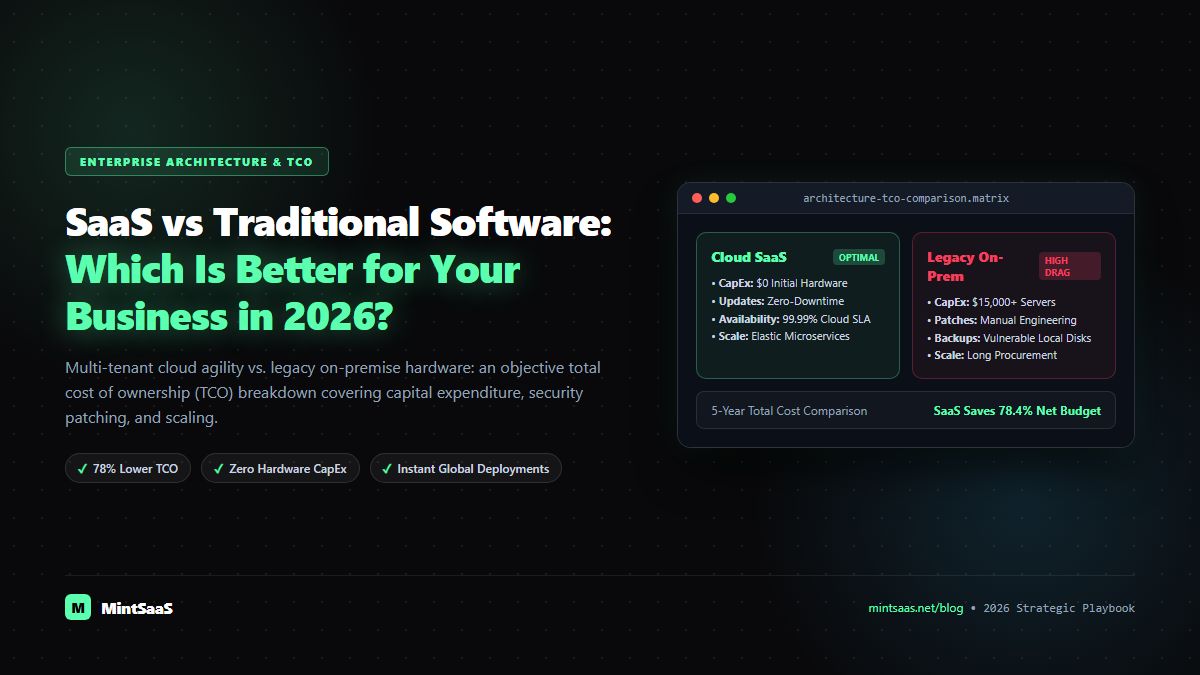
| Cost Structure | Predictable OPEX (monthly/annual subscriptions) | High upfront CAPEX (licenses, server hardware, setup) | SaaS (for flexibility) / Traditional (long-term multi-year plateau) |
| Deployment Speed | Instant self-serve (minutes to hours) | Extended deployment (weeks to months) | SaaS (Unmatched Velocity) |
| Maintenance & Updates | Zero client effort; continuous automated zero-downtime rollouts | Manual patch management, scheduled maintenance downtime | SaaS |
| Data Control & Sovereignty | Data hosted in vendor’s cloud infrastructure | 100% internal control on private servers / air-gapped disks | Traditional Software |
| Scalability & Elasticity | Instant elastic scaling with one-click user seat upgrades | Requires purchasing additional physical hardware & capacity planning | SaaS |
| Internet Dependency | Complete dependency on high-speed internet connectivity | Operates natively offline on local enterprise LANs | Traditional Software |
| Integration Capabilities | Standard REST APIs, webhooks, cloud connectors | Custom ODBC/SQL connectors, heavy enterprise bus middleware | SaaS |
Pillar 1: Total Cost of Ownership (TCO) & Financial Economics
When comparing software costs, most business owners make a critical mistake: they compare a SaaS tool's monthly subscription fee ($50/user/month) against a traditional perpetual license fee ($1,500 one-time), assuming traditional software becomes "free" after the first year. This ignores the hidden iceberg of on-premise computing.
The Hidden Iceberg of Traditional Software
Traditional software carries substantial non-license operational expenditures:
- Physical Server Infrastructure: Server blades, rack space, power cooling, uninterruptible power supplies (UPS), and hardware refresh cycles every 3 to 5 years.
- Dedicated IT Personnel: Specialized system administrators required to maintain OS security patches, configure RAID arrays, manage database backups, and troubleshoot network interfaces.
- Annual Maintenance Contracts (AMC): Enterprise vendors typically charge 18% to 22% of the initial license cost every year simply to grant access to critical bug fixes and version updates.
- Disaster Recovery Overheads: Provisioning redundant off-site server infrastructure to survive regional power outages or hardware fires.
The SaaS Financial Model
SaaS transforms large, risky Capital Expenditures (CAPEX) into predictable Operational Expenditures (OPEX):
- No upfront hardware procurement.
- Infrastructure hosting, redundancy, database sharding, and 24/7 site reliability engineering (SRE) are bundled into the subscription.
- Flexible seat counts: scale down user licenses during seasonal slow periods, eliminating idle software waste.
The Financial Verdict: For 90% of small to mid-sized businesses, SaaS delivers a 35% to 60% lower Total Cost of Ownership over a 3-year timeline. Traditional software only achieves TCO superiority when software requirements are static, scale is massive (thousands of seats), and operations can be sustained over a 7+ year horizon without requiring architectural redesigns.
Pillar 2: Deployment Velocity, Time-to-Value, and Agility
In business, execution velocity is competitive survival. The speed at which an organization can adopt new software, launch a business unit, or adapt to shifting consumer demands often dictates market share.
SaaS Deployment: Instant Time-to-Value
- An organization can sign up, configure multi-factor authentication (MFA), invite 50 team members, and begin transacting within an afternoon.
- Pre-built integration ecosystems (connecting CRM, invoicing, support, and marketing) function instantly out of the box via modern webhooks and OAuth 2.0 protocols.
Traditional Software Deployment: Heavy Implementation Cycles
- Procurement processes: evaluating server compatibility, ordering hardware, awaiting shipping.
- Installation: staging environments, database provisioning, running manual schema migrations.
- Desktop client distribution: IT staff must manually push executables to hundreds of employee laptops or workstations.
- Average deployment timeline: 30 to 180 business days.
Pillar 3: Security, Data Sovereignty, and Compliance Risk
The traditional debate held that on-premise software was inherently more secure because "our data is inside our own physical building." In 2026, modern cybersecurity has completely reversed this assumption.
The SaaS Security Model
- Leading SaaS vendors operate atop hyperscale cloud infrastructure (AWS, Google Cloud, Microsoft Azure) featuring physical security protections, biometric access, and multi-region redundancy that no small or medium business could ever afford to replicate independently.
- Dedicated teams of elite security engineers handle continuous vulnerability patching, automated DDoS mitigation, penetration testing, and annual SOC 2 Type II, ISO 27001, and HIPAA compliance audits.
- The Core Risk: Exposure to third-party vendor breaches, API misconfigurations, and unauthorized credential stuffing if users fail to enable multi-factor authentication.
The Traditional Software Security Model
- Complete Air-Gapped Isolation: Highly regulated industries (defense contractors, nuclear engineering, confidential research facilities) can run software completely disconnected from the public internet, eliminating external remote attack vectors.
- Data Sovereignty: Complete certainty that confidential data is never processed, ingested, or used to train third-party AI models.
- The Core Risk: The vast majority of on-premise security breaches occur due to human negligence: unpatched local vulnerabilities, forgotten server updates, and lack of internal access controls.
Pillar 4: Maintenance, Automatic Updates, and Innovation Velocity
Software is never finished; it is continuously subjected to operating system changes, browser updates, emerging security exploits, and shifting consumer expectations.
SaaS: Zero-Downtime Continuous Evolution
- SaaS vendors push updates, optimizations, and security patches daily or weekly behind the scenes.
- Users wake up to improved interfaces, faster database queries, and new capabilities without downloading patches or experiencing downtime.
- Eliminates "version fragmentation" where different departments run conflicting versions of the same tool.
Traditional Software: The Legacy Upgrade Trap
- Upgrading to a major new version of traditional software often breaks custom database integrations and legacy plugins.
- As a result, businesses often freeze updates for years, operating on obsolete, vulnerable software versions because upgrading is too expensive or disruptive to contemplate.
The 2026 Hybrid Alternative: Lightweight Digital Tools & Client-Side SaaS
Interestingly, the technology sector in 2026 is witnessing the emergence of a powerful third category: Client-Side, Zero-Storage Digital Utilities.
Many businesses find traditional SaaS subscriptions excessive for routine tactical needs (such as file optimization, document manipulation, and image processing), yet they refuse to use traditional desktop software that requires bulky 2GB installers and administrator privileges.
Modern platforms like MintSaaS bridge this divide by delivering web-based software that runs 100% locally inside the client browser using WebAssembly and client-side JavaScript:
- MintSaaS PDF Toolkit: Execute professional PDF merging, page extraction, password encryption, and digital signing with the instant access of SaaS, but with the complete privacy and offline capability of traditional software (files never touch an external cloud server).
- MintSaaS Image Compressor: Compress high-resolution marketing assets and convert formats locally with zero server lag and zero recurring monthly fees.
Decision Framework: Which Should Your Business Choose?
Use this definitive decision tree to select the ideal software paradigm for your upcoming technology initiative:
                               [What is your primary software need?]
                                                  │
                 ┌────────────────────────────────┴────────────────────────────────┐
                 ▼                                                                 ▼
      [Standard Business Operations]                                  [Specialized / High-Security]
      (CRM, Email, Accounting, Comms)                                (Defense, Air-Gapped, Core IP)
                 │                                                                 │
                 ▼                                                                 ▼
      [Choose Cloud-Native SaaS]                                    [Choose Traditional / Self-Hosted]
      • Instant deployment                                          • 100% internal data sovereignty
      • Bundled maintenance & SRE                                   • Complete air-gapped isolation
      • Continuous automated updates                                • Zero third-party cloud dependency
Frequently Asked Questions (FAQ)
What is the biggest disadvantage of SaaS software?
The biggest disadvantage of SaaS is vendor lock-in and long-term recurring cost. If a SaaS vendor suddenly increases subscription prices by 40% or discontinues a critical feature, migrating your data and operational workflows to a competitor can be complex and time-consuming.
Is SaaS software reliable during internet outages?
Pure cloud SaaS applications require an active internet connection to read and write data. However, modern Progressive Web Apps (PWAs) and hybrid SaaS solutions increasingly offer local offline caching, synchronizing changes automatically once internet connectivity is restored.
Can small businesses use both SaaS and traditional software together?
Yes. Over 70% of businesses run a hybrid environment: leveraging cloud SaaS for communication (Slack), CRM (HubSpot), and billing (Stripe), while utilizing local desktop software or privacy-preserving client-side tools (like MintSaaS utilities) for sensitive document manipulation and local hardware control.
More from MintSaaS Dispatch
Handcrafted technical insights and developer tools.
Best SaaS Tools for Small Businesses in 2026: The Ultimate Stack Comparison
7 Business Tasks You Should Automate Instead of Doing Manually in 2026