Managed IT Services for Mac: The Complete 2026 Enterprise Fleet & macOS Management Guide
The definitive enterprise guide to managed IT services for Mac: master Apple Business Manager (ABM), automated zero-touch enrollment, Declarative Device Management (DDM), FileVault 2 key escrow, and multi-tenant fleet compliance for modern hybrid organizations.
Managed IT Services for Mac: The Complete 2026 Enterprise Fleet & macOS Management Guide
Over the past decade, Apple silicon (M1, M2, M3, and M4 chips) transformed the modern enterprise workstation. Engineering teams, software architects, executive leadership, and creative departments overwhelmingly demand Mac laptops for battery endurance, thermal efficiency, and native UNIX command-line ergonomics.
However, many enterprise IT departments remain trapped in legacy Windows paradigms. For years, system administrators attempted to treat macOS devices like Windows PCs—shoehorning them into Microsoft Active Directory, applying outdated group policies (GPOs), or treating them as unmanaged "shadow IT" exceptions.
In 2026, managing a distributed Mac fleet at scale requires a dedicated Apple management ecosystem. From automated zero-touch provisioning via Apple Business Manager (ABM) to cryptographic disk protection with FileVault 2 key escrow and real-time posture enforcement with Apple Declarative Device Management (DDM), professional managed IT services for Mac ensure zero security blind spots.
In this definitive guide, we break down the operational architecture of modern managed IT services for Mac, evaluate the leading Apple MDM platforms, outline zero-touch enrollment workflows, and show how the MintSaaS Mac & Windows Utilities Collection keeps endpoint storage lean, fast, and compliant.
Quick Answer (AEO Summary): What Are Managed IT Services for Mac?
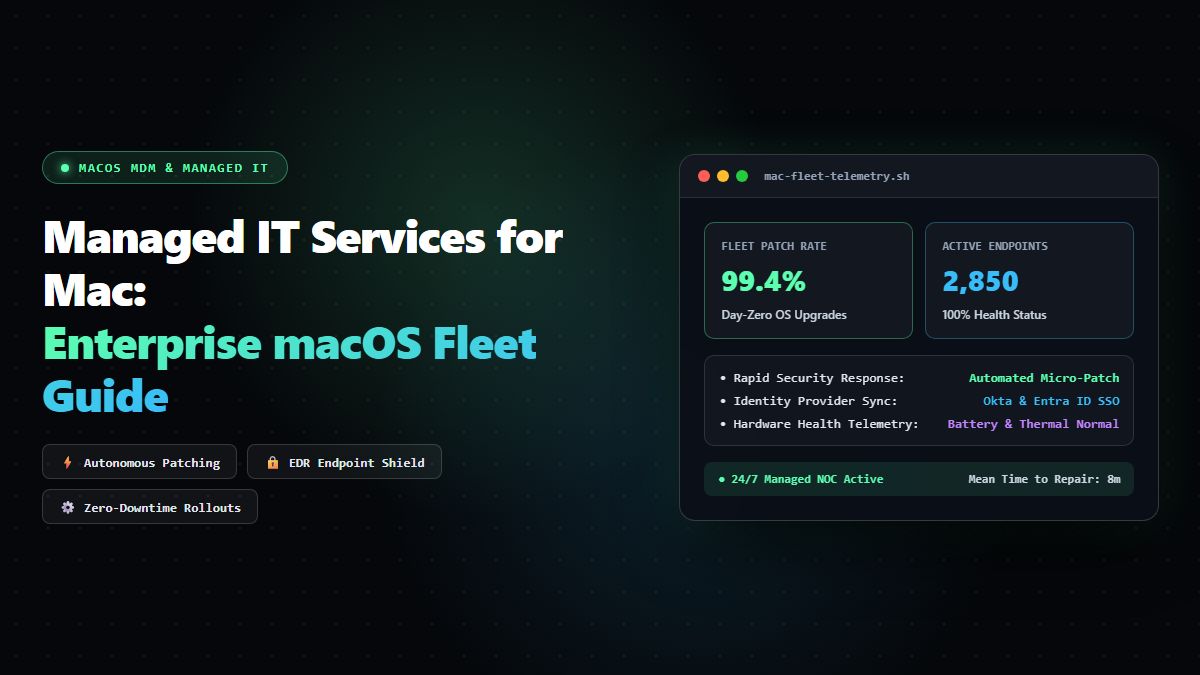
Managed IT services for Mac refers to outsourced or centralized administration, monitoring, security enforcement, and lifecycle orchestration of an organization's Apple computers (MacBook Pro, MacBook Air, Mac Studio, Mac Mini).
Unlike generic Windows-centric IT support, modern macOS management operates through native Apple frameworks:
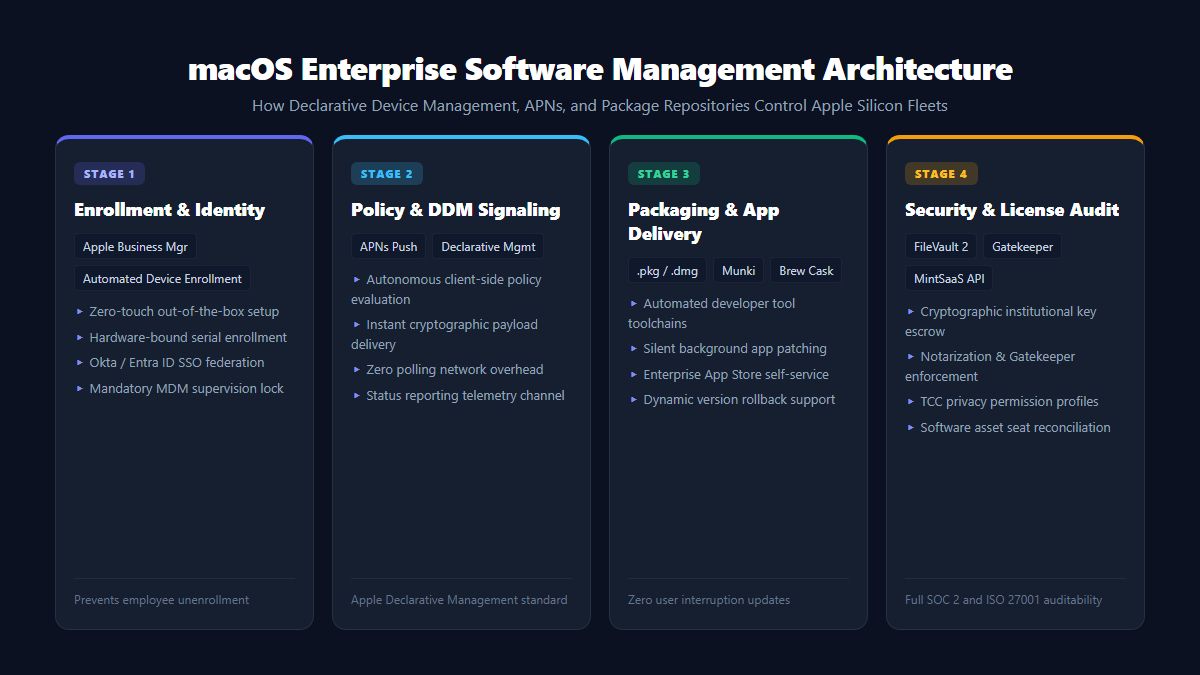
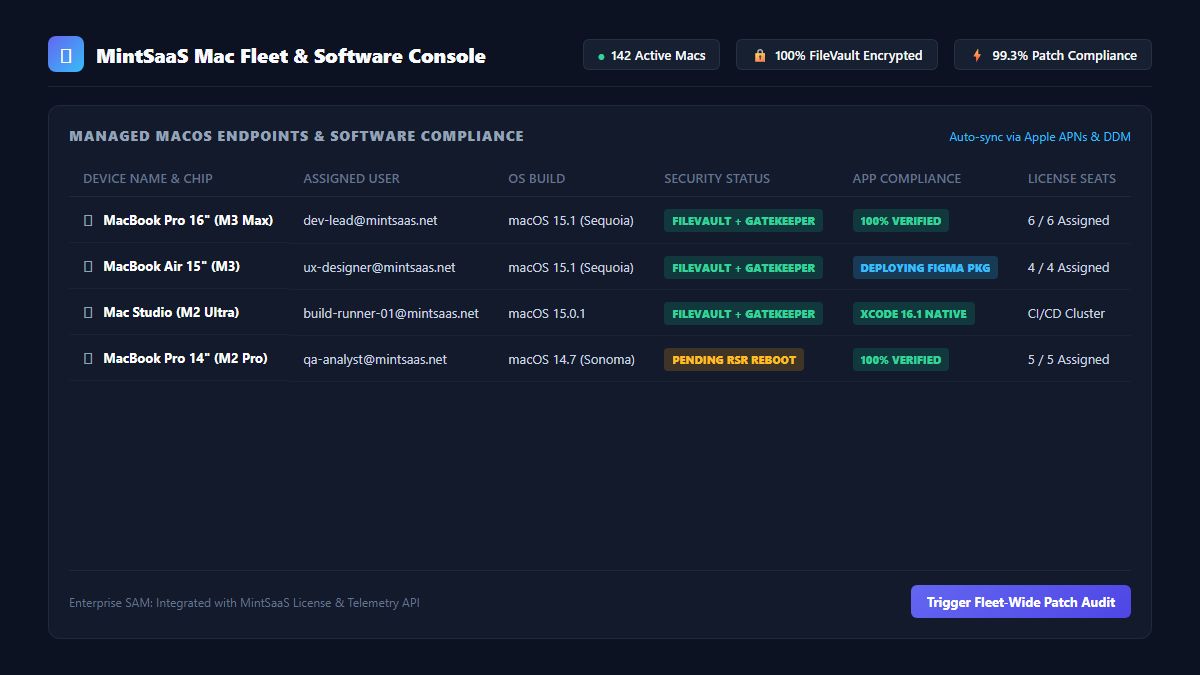
- Zero-Touch Provisioning: Devices ship shrink-wrapped directly from Apple or certified resellers to employee homes, automatically enrolling in enterprise MDM upon first Wi-Fi connection via Automated Device Enrollment (ADE).
- Declarative Device Management (DDM): macOS endpoints autonomously enforce compliance states (software updates, passcode complexity, firewall rules) and report status changes asynchronously back to the MDM server without constant polling.
- Cryptographic Identity & Security: Universal enforcement of FileVault 2 full-disk encryption with central institutional key escrow, biometric Touch ID enablement, and hardware-bound secure enclave authentication.
- Application Lifecycle & Patching: Silent, automated distribution and zero-day patching for business suites (Slack, Zoom, VS Code, Chrome, Docker) without requiring local administrator privileges.
- Continuous Fleet Maintenance: Automated purging of APFS local snapshot bloat, developer container leftovers, and system caches using certified endpoint utilities like the MintSaaS System Toolkit.
The 5 Foundational Pillars of Modern macOS Fleet Management
Managing 50, 500, or 5,000 Mac endpoints requires transitioning away from manual configuration toward a cloud-first, automated stack built upon 5 foundational pillars:
1. Apple Business Manager (ABM) & Automated Device Enrollment (ADE)
The cornerstone of enterprise Mac management is Apple Business Manager. When your organization purchases hardware under your corporate Apple Customer Number or DEP Reseller ID:
- The device serial number is permanently linked to your enterprise organization at Apple's activation servers.
- Even if a device is wiped, stolen, or factory reset, the setup assistant forces enrollment back into your corporate MDM server (Supervision).
- Zero administrative touch is required: IT never needs to unbox, image, or pre-configure hardware in an office depot.
2. Modern Apple-Centric MDM Platforms
Legacy Windows endpoint management suites (such as traditional SCCM or generic RMM agents) often treat macOS as an afterthought. Modern Mac managed service providers (MSPs) deploy purpose-built Apple MDMs:
| MDM Platform | Architecture Focus | Ideal Enterprise Fleet Size | Strengths |
|---|---|---|---|
| Jamf Pro | Enterprise Standard | 500 - 100,000+ Macs | Granular Smart Groups, extensive API, deep enterprise ecosystem |
| Kandji | Modern Automated Cloud | 50 - 5,000 Macs | Pre-built compliance templates (CIS benchmarks), automated app patching |
| Mosyle Business | High-Velocity & Cost-Efficient | 10 - 2,500 Macs | Native macOS antivirus, identity single sign-on (SSO), accessible pricing |
| Microsoft Intune | Unified Multi-OS | Hybrid Windows/Mac Fleets | Single pane of glass for Azure AD / Entra ID conditional access |
3. Identity Federation & Platform SSO
In 2026, enterprise users should never manage desynchronized local account passwords. With Apple's Platform Single Sign-On (Platform SSO):
- Local macOS user accounts authenticate directly against enterprise identity providers (Okta, Microsoft Entra ID, Google Workspace).
- Biometric Touch ID unlocks both the local Mac workstation and enterprise cloud SaaS applications simultaneously.
- When an employee departs, deactivating their cloud identity instantly revokes local login and locks down the device remotely.
4. Zero-Trust Endpoint Security (SOC 2, ISO 27001, HIPAA)
Compliance auditors require verifiable proof that every endpoint adheres to strict security baselines:
- Enforced FileVault 2 Encryption: All disk sectors encrypted with AES-XTS-256; recovery keys backed up securely in MDM key escrows.
- System Integrity Protection (SIP) & Gatekeeper: Strict enforcement blocking unsigned or notarized third-party kernel extensions and malware.
- Firewall & Stealth Mode: Silently enabled across all network interfaces, ignoring ICMP ping requests and preventing unauthorized inbound socket connections.
5. Local Fleet Hygiene & Storage Optimization
Because Mac hardware features soldered high-speed SSDs that cannot be upgraded post-purchase, developer bloat and operating system leftovers quickly degrade performance:
- APFS hidden local time-machine snapshots can consume 30GB to 80GB of disk space silently.
- Xcode simulator runtimes, Docker containers, and Node.js package caches quickly overwhelm 256GB or 512GB drives.
- Using certified zero-risk utilities like the MintSaaS Mac Disk Optimization Suite purges dead system cache without risking kernel stability. For in-depth cleanup guidance, read our Deep Mac Disk Optimization Guide.
In-House IT vs. Managed IT Services for Mac: Strategic TCO Comparison
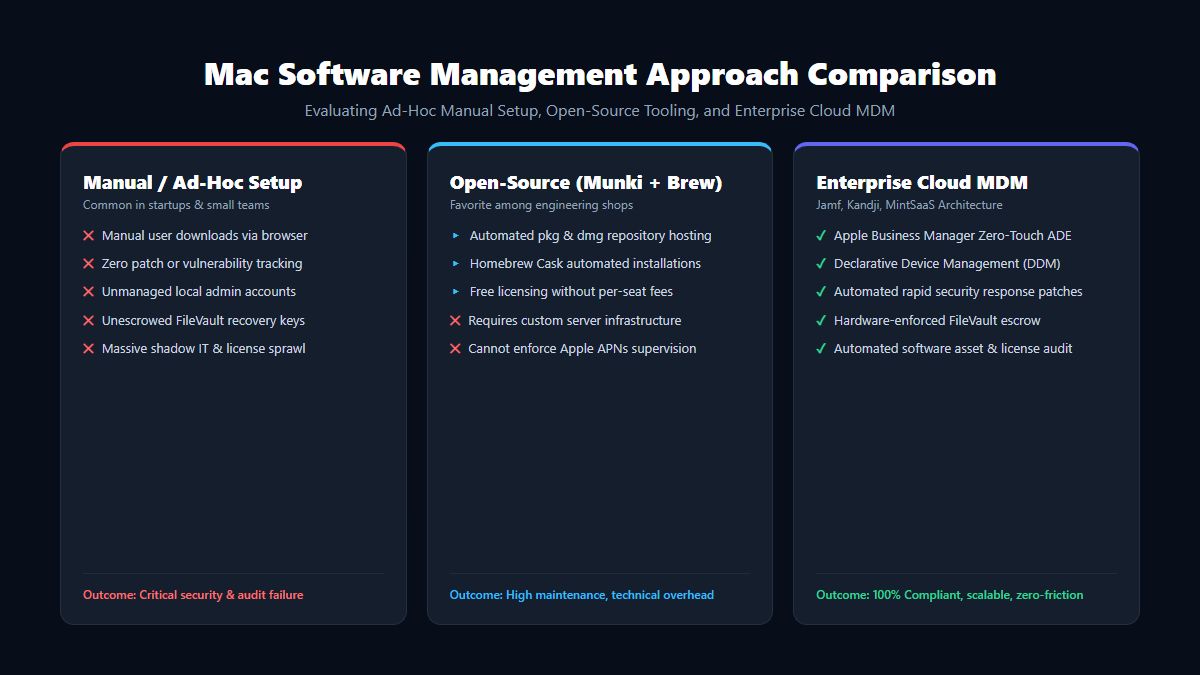
Organizations often debate whether to hire dedicated internal Apple engineers or partner with a specialized Mac Managed Service Provider (MSP):
| Evaluation Dimension | In-House IT Department | Specialized Mac Managed IT Service |
|---|---|---|
| Staffing Costs | High: Senior Apple IT Engineers command $130,000 - $180,000 base salaries | Fixed, predictable monthly per-device fee ($25 - $45 / Mac / month) |
| Coverage Hours | Typically business hours (8x5 local timezone) | 24/7/365 global monitoring, patch automation, and emergency containment |
| Tooling & Licensing | Separate procurement for MDM, EDR antivirus, patch managers, and ticketing | Consolidated licensing bundled directly into the managed service tier |
| Zero-Touch Logistics | Internal staff must handle warehouse receiving, shipping boxes, and returns | Global hardware procurement, depot storage, and international logistics |
| Compliance Readiness | Manual audit preparation and evidence gathering | Continuous automated compliance reporting for SOC 2, HIPAA, and CIS |
5 Critical macOS Management Policies Every Organization Must Enforce
When configuring your fleet MDM profile, implement these five non-negotiable configuration baselines:
Policy 1: Automated macOS OS Updates (Major & Minor)
Outdated operating systems are the #1 attack vector for zero-day exploits. Configure your MDM software update payload:
- Minor Security Patches (e.g., macOS 15.1.1): Enforce auto-installation within 72 hours of Apple public release.
- Major Upgrades (e.g., macOS Sequoia): Defer for 30 to 60 days to allow enterprise line-of-business software compatibility validation, followed by strict deadline enforcement.
Policy 2: Non-Admin Standard User Accounts
Granting employees permanent root/admin access invites accidental malware installation and system corruption:
- Provision employee accounts as Standard Users.
- Use just-in-time privilege elevation tools (such as SAP Privileges or Admin by Request) allowing engineers temporary, audited admin elevation for local package compilation.
Policy 3: Enforced Screen Lock & Biometric Timeout
- Idle timeout lock after 5 minutes of inactivity.
- Immediate password or Touch ID requirement upon screen wake.
- Disabling automatic login and guest user access entirely.
Policy 4: Remote Lock, Wipe & Lost Mode
If an employee loses a MacBook at an airport or coffee shop:
- Instant administrative Remote Lock PIN command sent via Apple Push Notification service (APNs).
- Hardware-level Erase All Content and Settings (EACS) executed instantly, returning the Mac to factory condition in seconds without exposing confidential customer records.
Policy 5: Automated Local Application Catalog
Instead of employees downloading random installers from public web browsers:
- Provide a curated Self Service App Catalog inside the MDM menu bar.
- One-click installation of pre-approved developer tools, VPN profiles, and enterprise productivity software.
How to Get Started: The 4-Step Mac Fleet Modernization Roadmap
Transitioning your company to modern managed Apple operations follows a clear four-step implementation:
- Enroll in Apple Business Manager (ABM): Register your legal entity with Apple at business.apple.com to obtain your Organization ID and link your authorized hardware resellers.
- Select & Connect Your MDM Server: Establish trust between Apple APNs and your chosen MDM platform (Jamf, Kandji, Mosyle, or Intune) using your Apple Push Certificate.
- Draft Declarative Compliance Blueprints: Define your mandatory baseline configuration profiles: FileVault 2 encryption, Wi-Fi 802.1X certificates, antivirus EDR agents, and password complexity.
- Deploy Self-Healing Maintenance Utilities: Equip endpoints with maintenance utilities from the MintSaaS Mac & Windows Utilities Collection to maintain fast SSD read/write speeds, prevent system crashes, and automate daily administrative hygiene.
For teams managing mixed enterprise environments with both Windows and Mac workstations, read our companion Best Windows Tools for Developers & Power Users Guide and discover our Best SaaS Tools for Small Businesses.
Frequently Asked Questions (FAQ)
What is the difference between generic IT support and managed IT services for Mac?
Generic IT companies primarily focus on Windows Server and Active Directory environments, frequently treating Macs as unmanaged rogue devices. Specialized managed IT services for Mac leverage native Apple frameworks (Apple Business Manager, Automated Device Enrollment, Declarative Device Management, FileVault key escrow, and Apple Silicon hardware optimization) to provide zero-touch deployment and seamless compliance.
Can managed IT services deploy Macs to remote employees worldwide?
Yes. Through Apple Business Manager Automated Device Enrollment (ADE), brand-new Macs are shipped directly from Apple to the employee's doorstep. As soon as the employee powers on the Mac and connects to Wi-Fi, the setup wizard automatically downloads company profiles, installs security agents, and logs into enterprise cloud tools without any manual IT handling.
How do managed Mac services handle software updates without interrupting work?
Modern MDMs use Apple's Declarative Device Management (DDM) to enforce update deadlines with user notifications. Employees are given a multi-day grace window to restart their computers during convenient hours; if the deadline passes, the system performs a scheduled zero-downtime background reboot and installation.
Is Mac fleet management necessary for small teams of 10 to 50 computers?
Yes. Compliance certifications like SOC 2, ISO 27001, and HIPAA do not excuse small businesses from encrypting laptops, enforcing multi-factor authentication, or maintaining remote wipe capabilities. Implementing lightweight cloud MDM early prevents costly security breaches and simplifies future scaling.
Conclusion: Transform Your Mac Workstations into a Competitive Advantage
Apple hardware offers unmatched speed, developer satisfaction, and hardware longevity. By implementing professional managed IT services for Mac and structured macOS management, your business gains military-grade zero-trust security, seamless employee onboarding, and zero operational friction.
Explore the complete MintSaaS Mac & Windows Tools Suite, streamline your enterprise workflows with our Business Automation Guide, and inspect your CRM infrastructure with our Best CRM Software Guide for 2026.
Free tools on MintSaaS
Try our free tools to put this guide into practice:
MintSaaS Dispatch articles are researched and synthesized with the assistance of artificial intelligence analysis, then edited, verified, and benchmarked by our engineering editorial team. Customer personal data and platform source files are strictly segregated and are never used to train or fine-tune public artificial intelligence models.
More from MintSaaS Dispatch
Handcrafted technical insights and developer tools.
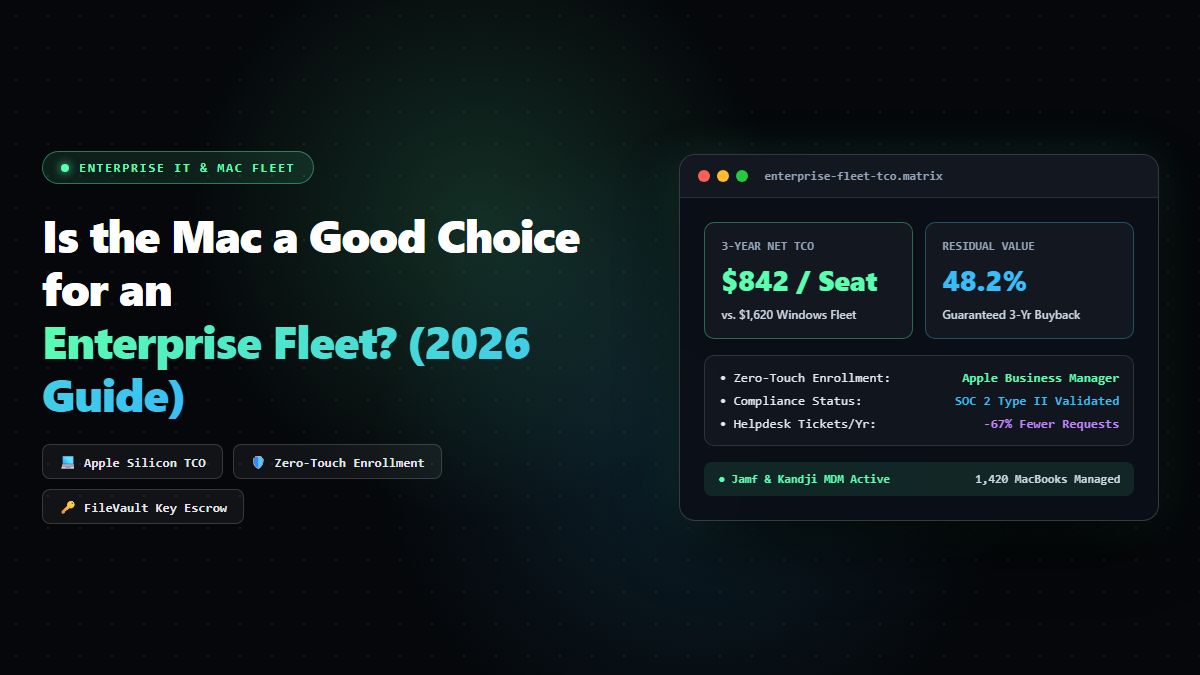
Is the Mac a Good Choice for an Enterprise Fleet? The 2026 CIO & IT Leadership Guide
Best Windows Tools for Developers & Power Users: The Complete 2026 Productivity Guide