What Does Autonomous Endpoint Management Look Like for a Mixed Windows & Mac Fleet? [2026 Enterprise Architecture Guide]
Complete 2026 enterprise guide to autonomous endpoint management for mixed Windows and Mac fleets: Apple Declarative Device Management (DDM), Windows Autopilot, TPM/Secure Enclave encryption escrow, and self-healing telemetry.
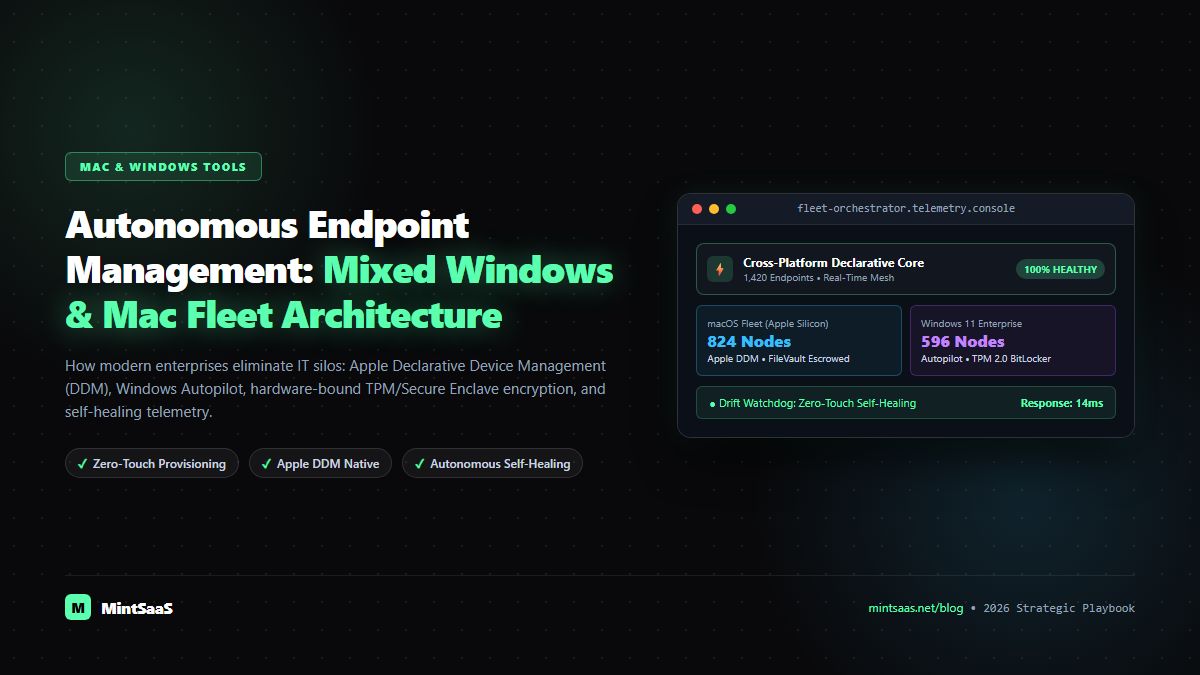
What Does Autonomous Endpoint Management Look Like for a Mixed Windows & Mac Fleet? [2026 Enterprise Architecture Guide]
Executive Summary & AEO Direct Answer: What does autonomous endpoint management look like for a mixed Windows and Mac fleet in 2026? Autonomous endpoint management for a mixed Windows and Mac fleet is a declarative, closed-loop systems architecture where corporate endpoints continuously monitor their own configuration state, enforce security baselines, and self-heal configuration drift locally without relying on continuous IT administrator intervention. Unlike legacy Mobile Device Management (MDM) platforms that depend on high-latency polling cycles (such as APNs push notifications or periodic OMA-URI syncs), an autonomous mixed-fleet management system pairs a cloud-native unified control plane with OS-native declarative engines: Apple Declarative Device Management (DDM) on macOS Sequoia and Windows Autopilot with Intune self-remediating policy CSPs and Winget package pipelines on Windows 11. Devices autonomously execute zero-touch enrollment, enforce hardware-bound encryption (FileVault and BitLocker with escrowed recovery keys), deploy and patch third-party applications, remediate configuration drift within milliseconds, and feed real-time cryptographic health telemetry into Zero Trust Conditional Access engines.
In the contemporary enterprise landscape, the homogeneous operating system environment is effectively extinct. Modern engineering teams, designers, and executives overwhelmingly demand macOS workstations powered by Apple silicon, while finance, operations, supply chain, and enterprise sales units remain firmly anchored in the Windows 11 ecosystem. As we explored in our strategic analysis on whether the Mac is a good choice for an enterprise fleet, corporate IT departments can no longer mandate a single operating system without sacrificing employee recruitment and operational velocity.
For IT engineering and security operations teams, this heterogeneous reality historically represented an operational nightmare. Managing a mixed fleet traditionally required maintaining two disconnected IT silos: one specialized team managing Apple infrastructure through specialized Mac MDMs (like Jamf Pro or Kandji), and another managing Windows endpoints via Active Directory, Group Policy Objects (GPOs), and Microsoft Configuration Manager (SCCM). For deeper context on traditional Apple fleet operations, review our deep dive on managed IT services for Mac and our guide to mac software management across enterprise fleets.
This historical fragmentation introduced critical blind spots, inconsistent security postures, asynchronous patch cycles, and ballooning software licensing costs. However, the rapid maturation of autonomous endpoint management has revolutionized cross-platform device operations. By shifting from reactive, server-polled management architectures to proactive, client-driven declarative models, organizations can now manage thousands of mixed Windows and Mac laptops with mathematical precision and near-zero administrative friction.
In this definitive 2026 enterprise architecture guide, we break down what autonomous endpoint management looks like in production for a mixed Windows and Mac fleet, dissecting the underlying protocols, self-healing remediation pipelines, security baselines, zero-touch provisioning workflows, and total cost of ownership (TCO) metrics.
1. The Modern Fleet Reality: Navigating the Heterogeneous Dual-OS Paradigm
The enterprise workstation landscape has undergone a permanent structural transformation over the past five years. Driven by remote work flexibility, the performance-per-watt efficiency of Apple silicon (M-series architecture), and cloud-hosted enterprise SaaS applications, managing a modern fleet requires supporting both platforms as first-class citizens. For organizations looking to equip developers on both systems, explore our curated Mac & Windows Tools Catalog, alongside specific deep dives into dedicated Mac software and the best Windows tools for developers and power users.
Recent enterprise telemetry demonstrates that over 82% of mid-market and enterprise technology organizations now operate a mixed Windows and Mac desktop fleet. Yet managing both operating systems under a single operational umbrella has historically been fraught with architectural friction:
┌────────────────────────────────────────────────────────────────────────┐
│                   TRADITIONAL FRAGMENTED IT FLEET                      │
├───────────────────────────────────┬────────────────────────────────────┤
│           macOS SILO              │            WINDOWS SILO            │
├───────────────────────────────────┼────────────────────────────────────┤
│ • Jamf / Kandji MDM Console       │ • Microsoft Intune / SCCM Console  │
│ • APNs Push Notification Dependent│ • WNS / OMA-URI Periodic Polling   │
│ • Custom Bash / Zsh Shell Scripts │ • PowerShell & GPO Scripting       │
│ • Manual FileVault Escrow Audits  │ • Active Directory BitLocker Sync  │
│ • Separate IT Specialists         │ • Separate Sysadmin Engineering    │
└───────────────────────────────────┴────────────────────────────────────┘
The friction points of this dual-silo model are severe:
- Asynchronous Security Compliance: A critical zero-day vulnerability (such as a Chromium runtime flaw cataloged on the CISA Known Exploited Vulnerabilities Catalog) might be patched on Windows within 4 hours via automated ring deployments, while Mac workstations languish unpatched for days due to separate packaging channels. Compare how top platforms handle this in our benchmark: Which Tools Provide Managed macOS Updates for Enterprises?.
- Inconsistent Zero Trust Signals: Conditional Access engines evaluate different device health telemetry parameters across platforms, resulting in uneven security enforcement where a non-compliant Mac might retain access to corporate GitHub repositories while a compliant Windows PC is blocked.
- Escalating Administrative Burden: IT departments bear the cost of dual software licensing fees, duplicate administrative consoles, and specialized cross-training for support technicians.
Autonomous endpoint management resolves these structural contradictions by replacing disparate imperative commands with a unified declarative policy layer.
2. Defining Autonomous Endpoint Management: Beyond Traditional MDM
To understand what autonomous endpoint management looks like, one must first recognize the fundamental limitation of legacy Mobile Device Management (MDM).
The Flaw of Legacy MDM: Imperative Polling & High Latency
Legacy MDM operates on an imperative, server-driven model:
- The centralized IT server decides an action must occur (e.g., install a security profile or verify disk encryption).
- The server sends a wake-up push notification to the client device (via Apple Push Notification service or Windows Notification Service).
- The device wakes up, queries the server: "What do you want me to do?"
- The server replies with a list of imperative commands: "Run this script, check this registry key, report back."
- If the device is offline, in power-save mode, or behind an aggressive firewall, the sync fails or stalls indefinitely.
- If a local user or malware alters a configuration setting (such as disabling a firewall or uninstalling an EDR sensor), the server remains completely unaware until the next scheduled polling cycle—which could be 8 to 24 hours later.
The Autonomous Paradigm: Declarative, Client-Driven Self-Healing
Autonomous endpoint management flips this architecture completely. Much like the autonomous feedback loops seen in AI agent management software and enterprise multi-site performance monitoring, autonomous endpoint management operates on a declarative, event-driven, closed-loop feedback model:
        ┌─────────────────────────────────────────────────────────┐
        │            Unified Cloud Policy Orchestrator            │
        │   (Declarations: Desired State, Baselines, Activations) │
        └────────────────────────────┬────────────────────────────┘
                                     │ 1. Synchronize Declarative Contract
                                     ▼
        ┌─────────────────────────────────────────────────────────┐
        │               Local Autonomous Client Engine            │
        │  ┌──────────────────┐  ┌─────────────────────────────┐  │
        │  │ Declarative Core │  │ Continuous Telemetry Sensor │  │
        │  └────────┬─────────┘  └──────────────┬──────────────┘  │
        │           │                           │                 │
        │           ▼                           ▼                 │
        │   ┌───────────────────────────────────────────────┐     │
        │   │        Autonomous State Evaluator             │     │
        │   │ (Is Actual State == Desired Declarative State?)│    │
        │   └───────────────────────┬───────────────────────┘     │
        │                           │                             │
        │           ┌───────────────┴───────────────┐             │
        │           ▼                               ▼             │
        │    [ State Matches ]             [ Drift Detected ]     │
        │           │                               │             │
        │           ▼                               ▼             │
        │   Stream Status Report           Execute Instant Local  │
        │   to Cloud Telemetry             Self-Healing Playbook  │
        └─────────────────────────────────────────────────────────┘
Key characteristics that define an autonomous endpoint management system:
- Client-Resident Desired State: The device stores a cryptographic manifest of its intended configuration (security baselines, application versions, network profiles, and file integrity hashes).
- Autonomous Local Drift Remediation: If a user disables the native firewall, removes an internal root CA, or uninstalls required enterprise software, the local agent detects the divergence in sub-seconds and re-applies the desired configuration instantly—without contacting the cloud server.
- Reactive Event Triggers: Instead of waiting for a timer, policies activate dynamically based on device state transitions (e.g., connecting to an untrusted Wi-Fi network, detecting an outdated kernel extension, or failing biometric authentication).
- Asynchronous Status Subscriptions: The device streams state changes and health summaries to the cloud control plane only when significant events occur, minimizing network overhead and server load.
3. Architectural Blueprint: Unified Control Plane vs Platform-Native Engines
An autonomous management architecture for a mixed fleet cannot simply run a heavy, proprietary background daemon that attempts to treat macOS like Windows or vice versa. Doing so results in high CPU utilization, thermal throttling, broken OS upgrades, and battery drain.
Instead, the modern blueprint relies on a dual-layer decoupled architecture:
- Layer 1: Unified Cloud Orchestration Plane (The Brain): A single web-based management portal where administrators define business-level policies, compliance rules, software catalogs, and role-based access controls (RBAC) in platform-agnostic formats. Organizations can also deploy custom automated workflows using business automation tools and autonomous AI agents.
- Layer 2: Platform-Native Declarative Engines (The Muscle): The cloud plane translates high-level policies into platform-native declarative protocols: Apple DDM on macOS, and Windows Configuration Service Providers (CSPs) paired with lightweight local agents on Windows 11.
┌────────────────────────────────────────────────────────────────────────────┐
│                    UNIFIED CLOUD ORCHESTRATION PLANE                       │
│    • Universal Compliance Policy Editor    • Unified App Catalog           │
│    • Real-Time Fleet Telemetry & Drift     • Zero Trust Identity Gateway   │
└─────────────────────┬────────────────────────────────┬─────────────────────┘
                      │                                │
         Translates to macOS Spec             Translates to Windows Spec
                      │                                │
                      ▼                                ▼
┌──────────────────────────────────────┐ ┌───────────────────────────────────┐
│        macOS NATIVE SUBSYSTEM        │ │      WINDOWS NATIVE SUBSYSTEM     │
├──────────────────────────────────────┤ ├───────────────────────────────────┤
│ • Apple Declarative Device Mgmt (DDM)│ │ • Windows Autopilot & Intune CSPs │
│ • Platform Single Sign-On (PSSO)     │ │ • Windows Local Administrator     │
│ • Secure Enclave FileVault Escrow    │ │   Password Solution (LAPS)        │
│ • Managed Software Updates (DDM)     │ │ • BitLocker Hardware TPM 2.0      │
│ • System Extensions & WebKit Content │ │ • Winget Enterprise Package Mgr   │
│   Filtering via Endpoint Security API│ │ • Windows Defender Application    │
│                                      │ │   Control (WDAC) & ASR Rules      │
└──────────────────────────────────────┘ └───────────────────────────────────┘
This decoupled approach ensures that macOS devices behave exactly as Apple intended (leveraging the Apple Platform Security architecture and native APNs channels), while Windows devices leverage native BitLocker TPM chips, Windows Defender, and Azure Active Directory (Entra ID) joined primitives.
4. macOS Autonomous Fleet Governance: Apple Declarative Device Management (DDM)
The cornerstone of modern autonomous Mac management is Apple Declarative Device Management (DDM), introduced by Apple and fully matured in macOS Sonoma and macOS Sequoia.
How Apple DDM Works in an Autonomous Fleet
In Apple's DDM architecture, documented in the official Apple Declarative Device Management Protocol Reference, the management relationship is organized into four distinct declarative data models:
- Configurations: The actual settings applied to the Mac (e.g., Passcode complexity, FileVault encryption enforcement, Wi-Fi 802.1X certificates, System Extensions approval).
- Assets: External reference data required by configurations (e.g., cryptographic identity certificates, company wallpapers, user credentials, or S/MIME keys).
- Activations: The business logic that determines when configurations should be active. For example, an Activation might state: "Apply High-Security Wi-Fi Configuration ONLY IF the device is assigned to the Engineering Group AND macOS version is >= 15.1."
- Management Declarations: Metadata regarding the management server itself, signaling protocol capabilities and cryptographic renewal schedules.
       ┌────────────────────────────────────────────────────────┐
       │                Apple DDM Declarative Graph             │
       ├────────────────────────────────────────────────────────┤
       │   [ Activations ] ─── Defines rules & conditions       │
       │          │                                             │
       │          ▼                                             │
       │   [ Configurations ] ── Specific OS settings to enforce│
       │          │                                             │
       │          ▼                                             │
       │   [ Assets ] ── Certificates, tokens, credentials      │
       └────────────────────────────────────────────────────────┘
Self-Enforcing Managed Software Updates
Historically, forcing Mac users to update macOS before a vulnerability deadline was notoriously difficult, requiring intrusive popups and brute-force reboot scripts. For a full breakdown of update strategies across Jamf, Kandji, and open-source tools, consult our comprehensive guide on which tools provide managed macOS updates for enterprises.
Under autonomous DDM:
- The administrator publishes a single declaration: "All Mac endpoints must run macOS 15.2 by Friday at 17:00 UTC."
- The Mac receives this declaration once. The local macOS update daemon autonomously downloads the update in the background during idle hours, schedules the installation, prompts the user with native Apple notification sheets, and enforces an automatic reboot with zero administrator intervention when the deadline expires.
Platform Single Sign-On (PSSO) & Secure Enclave Integration
Modern autonomous Mac management integrates natively with enterprise identity providers (IdPs like Okta, Microsoft Entra ID, or Google Workspace) via Platform SSO. When an employee unlocks their MacBook using their Touch ID or local password, Platform SSO automatically negotiates an OpenID Connect / Kerberos ticket, seamlessly logging the user into all enterprise web tools, cloud consoles, and file shares without secondary login prompts.
5. Windows 11 Enterprise Orchestration: Autopilot, Intune & Winget
While Apple achieves autonomy through DDM, the Windows 11 ecosystem delivers autonomous fleet management through a synergistic trio: Windows Autopilot, Configuration Service Providers (CSPs), and the Windows Package Manager (Winget).
Windows Autopilot: Factory-to-Desk Zero-Touch Provisioning
As detailed in Microsoft's Windows Autopilot Documentation, Autopilot eliminates the need for IT technicians to manually create custom Windows OS images (WIM/ISO files), configure driver packages, or manually step through Out-of-Box Experience (OOBE) wizards.
┌─────────────────────────────────────────────────────────────────────────┐
│                    WINDOWS AUTOPILOT ZERO-TOUCH FLOW                    │
├─────────────────────────────────────────────────────────────────────────┤
│ 1. Hardware Hash Upload ──> Factory / Vendor registers 4K hash in cloud │
│ 2. Unboxing             ──> Employee opens sealed laptop at home        │
│ 3. Wi-Fi Connection     ──> Device contacts Autopilot Deployment Service│
│ 4. Corporate Branding   ──> OOBE customizes with company logo & login   │
│ 5. Entra ID / Intune    ──> Automatic Azure AD join & MDM enrollment    │
│ 6. Declarative Push     ──> BitLocker, EDR, Office 365, VPN installed   │
│ 7. Ready for Production ──> Desktop unlocks fully secured in < 25 mins   │
└─────────────────────────────────────────────────────────────────────────┘
Self-Remediating Configuration Service Providers (CSPs)
Windows 11 features hundreds of built-in CSPs exposed via the OMA-DM subsystem. In an autonomous setup, local Windows policy engines continuously monitor these CSP nodes:
- BitLocker CSP: Enforces 256-bit XTS-AES encryption, validates TPM 2.0 hardware binding, and automatically escrows the 48-digit recovery key to cloud identity storage.
- Windows Defender Application Control (WDAC): Blocks unauthorized executables, unsigned DLLs, and suspicious PowerShell scripts from running, even if the user possesses local administrator rights.
- Windows LAPS (Local Administrator Password Solution): Automatically rotates the built-in local administrator password every 14 days, encrypting and storing the unique credential securely in Entra ID.
Automated App Lifecycle via Winget Enterprise Catalogs
Managing third-party software updates on Windows historically required bulky packaging utilities. With native Winget command automation, the autonomous endpoint engine schedules silent daily package reconciliations:
# Autonomous winget reconciliation loop
winget update --all --silent --accept-package-agreements --accept-source-agreements
If an application is out of compliance or missing a required patch, the system silently pulls the verified manifest from the Microsoft Community Repository or a private enterprise storage bucket, installs the update in the background, and verifies the file hash without interrupting user workflows. Power users can explore our curated developer tools for Windows to maximize their local terminal setups.
6. Architectural Comparison: macOS Sequoia vs Windows 11 Handlers
To understand how an autonomous unified management platform operates seamlessly across both operating systems, examine this comprehensive architectural comparison:
| Architectural Component | macOS Sequoia Implementation | Windows 11 Enterprise Implementation |
|---|---|---|
| Native Management Protocol | Apple DDM + MDM | Windows CSPs + OMA-DM |
| Zero-Touch Provisioning | Apple Business Manager (ABM) / Automated Device Enrollment (ADE) | Windows Autopilot (Self-Deploying & User-Driven) |
| Hardware Root of Trust | Apple Silicon Secure Enclave | Trusted Platform Module (TPM 2.0) |
| Full Disk Encryption | FileVault 2 with Escrowed Institutional Recovery Key | BitLocker XTS-AES 256 with TPM 2.0 & Cloud Escrow |
| Identity & Authentication | Platform Single Sign-On (PSSO) + Touch ID / Apple Watch | Windows Hello for Business + FIDO2 / Passkeys |
| Local Admin Governance | Ephemeral Admin Elevation / Automated Sudo Governance | Windows LAPS (Local Administrator Password Solution) |
| Third-Party Package Engine | Declarative App Management / Munki / Homebrew Bundle | Winget / Enterprise Store |
| OS Update Enforcement | DDM SoftwareUpdateSettings (Hardware Enforced Deadlines) | Windows Update for Business (WUfB) Deployment Rings |
| System Security Framework | Endpoint Security API (ESF) & System Extensions | Windows Defender EDR & Attack Surface Reduction (ASR) |
| Drift Remediation Latency | Sub-second (Internal OS DDM Engine) | Real-time via local CSP watchdog & event triggers |
7. Automated Security & Posture Enforcement: Zero Trust in Action
In modern cybersecurity architecture defined by NIST SP 800-207 Zero Trust Architecture, device management is the foundational pillar of Zero Trust Network Access (ZTNA). An autonomous fleet management system does not merely configure computers; it continuously verifies that every endpoint meets strict posture requirements before granting access to critical corporate infrastructure. For broader security context on enterprise apps, see our guide on how to secure web applications against OWASP Top 10 vulnerabilities and enterprise document protection strategies.
       ┌────────────────────────────────────────────────────────┐
       │             CONTINUOUS POSTURE ASSESSMENT              │
       ├────────────────────────────────────────────────────────┤
       │ 1. FileVault / BitLocker Hardware Encryption: Active   │
       │ 2. EDR Sensor (CrowdStrike / SentinelOne): Running     │
       │ 3. OS Version: Within N-1 Enterprise Support Window   │
       │ 4. Firewall & Stealth Mode: Enforced                   │
       │ 5. Zero Known Exploited Vulnerabilities (KEV): Passed  │
       └───────────────────────────┬────────────────────────────┘
                                   │
                    Cryptographic Health Telemetry
                                   │
                                   ▼
       ┌────────────────────────────────────────────────────────┐
       │            Conditional Access Policy Gateway           │
       ├────────────────────────────────────────────────────────┤
       │ • GitHub / GitLab Code Repositories                    │
       │ • AWS / GCP Cloud Production Consoles                  │
       │ • Internal Supabase / PostgreSQL Production Databases  │
       │ • Corporate Slack, Jira & Google Workspace             │
       └───────────────────────────┘
Automated Drift Remediation Playbooks
When posture drift occurs, the autonomous engine acts immediately without filing an IT support ticket:
- Firewall Disabled by User:
- Detection: Local system telemetry detects packet filtering daemon state changed to inactive.
- Autonomous Action: Instantly reapplies firewall profile (
pfctlon macOS,netsh advfirewallon Windows), logs the incident to the central SIEM, and displays a subtle system notification to the user.
- Missing EDR Agent:
- Detection: Autonomous process watchdog verifies that the crowdstrike or sentinelone daemon has terminated unexpectedly.
- Autonomous Action: Attempts an immediate daemon restart. If binary corruption is detected, downloads the signed package from cloud storage, re-installs the agent, and quarantines corporate network connections until the EDR handshake succeeds.
- Outdated Kernel or Vulnerable Patch:
- Detection: Device fails compliance threshold check.
- Autonomous Action: Identity provider revokes active SSO tokens for high-risk applications (e.g., AWS production console access is blocked), while allowing low-risk access (Slack/Email) so the employee can proceed with the automated reboot and OS update.
8. Zero-Touch Onboarding & Lifecycle Management for Distributed Teams
One of the greatest operational advantages of autonomous mixed-fleet management is the elimination of physical IT logistics. In a traditional company, every laptop must be shipped from the manufacturer to corporate headquarters, manually unboxed, imaged by an IT technician, repackaged, and shipped to the new employee.
In an autonomous mixed-fleet architecture, this entire cycle is eliminated:
[ OEM / Reseller (Apple / Dell / Lenovo) ]
                   │
                   ▼  Ships sealed box directly to employee
[ Remote Employee Home Anywhere in the World ]
                   │
                   ▼  Employee turns on device & selects Wi-Fi
[ Cloud Enrollment Handshake (ABM or Autopilot) ]
                   │
                   ▼  Device authenticates corporate credentials
[ Autonomous Bootstrap Pipeline ]
   ├─ Enforce Disk Encryption (FileVault / BitLocker)
   ├─ Escrow Recovery Keys to Secure Vault
   ├─ Install Productivity Software (Browser, IDE, Slack)
   ├─ Deploy EDR & Posture Monitoring Agents
   └─ Configure Platform SSO & Biometric Unlock
                   │
                   ▼  Total Elapsed Time: 15 to 30 Minutes
[ Fully Compliant, Production-Ready Workstation ]
When an employee departs the organization, the process is equally frictionless:
- A single revocation command sent from the unified dashboard triggers an autonomous cryptographic wipe.
- The Mac deletes its APFS encryption keys via
erase-installor Apple Remote Wipe, rendering user data instantly unreadable. - The Windows PC executes a remote BitLocker wipe and initiates a clean Windows Autopilot Reset, returning the hardware to a pristine factory state ready for reallocation.
9. Total Cost of Ownership (TCO) & ROI of Autonomous Fleet Operations
Implementing autonomous endpoint management delivers substantial financial and operational savings across software licensing, administrative overhead, and security breach mitigation. For SaaS organizations evaluating monetization and tooling spend, compare architectures in our top software monetization tools for SaaS in 2026.
┌─────────────────────────────────────────────────────────────────────────┐
│                    TCO & EFFICIENCY METRICS (1,000 SEATS)               │
├───────────────────────────────────┬─────────────────────────────────────┤
│ METRIC                            │ TRADITIONAL IT  │ AUTONOMOUS FLEET  │
├───────────────────────────────────┼─────────────────────────────────────┤
│ IT Support Ratio (Tech : Devices) │ 1 : 120 devices │ 1 : 850 devices   │
│ Average Provisioning Time         │ 4.5 hours/device│ 0.3 hours/device  │
│ Critical Zero-Day Patch Velocity  │ 72–120 hours    │ 4–8 hours         │
│ Unplanned Device Downtime         │ 14.2 hrs/yr     │ 2.1 hrs/yr        │
│ Annual Management Tooling Cost    │ $180,000 / yr   │ $78,000 / yr      │
└───────────────────────────────────┴─────────────────────────────────────┘
The primary economic drivers include:
- Dramatically Higher Administrator-to-Device Ratios: Because endpoints autonomously resolve configuration drift and install updates, IT engineers can shift their focus from routine firefighting to strategic automation and platform engineering.
- Consolidation of Point Solutions: Eliminating redundant third-party patch management tools, inventory agents, and script orchestrators slashes annual SaaS software spend.
- Cyber Insurance Premium Discounts: Demonstrating continuous hardware-backed encryption escrow, automated EDR enforcement, and verifiable CIS Benchmarks Level 2 compliance enables enterprises to qualify for substantial discounts on cyber liability insurance policies.
10. Implementation Roadmap: Deploying Autonomous Management in 5 Phases
Transitioning an existing heterogeneous fleet to an autonomous management model requires a methodical, phased rollout to avoid disrupting active business operations.
Phase 1: Foundation & Identity Unification (Weeks 1–3)
  └─ Configure Apple Business Manager (ABM) and Microsoft Entra ID tenants.
  └─ Unify IdP directory groups, SCIM user provisioning, and RBAC roles.

Phase 2: Declarative Baseline Definition (Weeks 4–6)
  └─ Establish CIS Benchmark Level 2 hardening baselines for macOS and Windows 11.
  └─ Define declarative compliance manifests (FileVault, BitLocker, EDR, Gatekeeper).

Phase 3: Pilot Cohort Deployment (Weeks 7–8)
  └─ Enroll 50 representative mixed-OS endpoints across Engineering, Sales, and Ops.
  └─ Validate zero-touch provisioning speeds, SSO handshakes, and self-healing response.

Phase 4: Autonomous Drift & Patch Policy Activation (Weeks 9–11)
  └─ Activate Apple DDM software update enforcement and Windows Update for Business rings.
  └─ Turn on automated drift remediation for firewalls, local admin accounts, and agents.

Phase 5: Production Fleet Migration & Continuous Telemetry (Week 12+)
  └─ Complete migration of all corporate devices to the autonomous control plane.
  └─ Integrate device health telemetry into corporate SIEM and Conditional Access gateways.
11. Frequently Asked Questions (FAQ)
What is autonomous endpoint management for a mixed Windows and Mac fleet?
Autonomous endpoint management is a modern device management paradigm where Windows and Mac workstations continuously monitor and maintain their own desired configuration state locally. By leveraging OS-native declarative frameworks like Apple Declarative Device Management (DDM) and Windows Configuration Service Providers (CSPs), endpoints autonomously resolve configuration drift, patch software, and enforce security policies without waiting for instructions from an IT administrator.
How does autonomous management differ from traditional MDM like Jamf or SCCM?
Traditional MDM relies on imperative commands and periodic polling: an administrator triggers an action, a push notification is sent, and the device eventually polls the server to execute the script. Autonomous endpoint management replaces this with a client-side declarative model where the device holds the complete desired-state manifest, reacts to local triggers in real time, and self-heals any divergence immediately.
Can a single platform manage both Apple Silicon Macs and Windows 11 PCs autonomously?
Yes. Modern unified endpoint management platforms use a single cloud orchestration layer to define universal security baselines and application policies. The platform translates these high-level policies into platform-native execution instructions: Apple DDM protocols for macOS Sequoia, and Windows Autopilot, CSPs, and Winget packages for Windows 11.
How does autonomous endpoint management handle FileVault and BitLocker encryption?
The autonomous system enforces full-disk encryption during initial device setup before the user can access corporate resources. On macOS, it configures FileVault 2 bound to the Secure Enclave and securely escrows the institutional recovery key to the cloud. On Windows 11, it configures BitLocker 256-bit XTS-AES bound to the TPM 2.0 chip and escrows the recovery key to Microsoft Entra ID or your secure credential vault.
What happens if an employee's laptop goes offline or disconnects from Wi-Fi?
Because autonomous management is client-resident, the device continues enforcing its declarative configuration even when offline. If a user or malicious software alters a security setting while offline, the local agent remediates the change immediately. When internet connectivity is restored, the device transmits a cryptographic status report to the cloud control plane detailing any events that occurred.
Does autonomous endpoint management slow down developer laptops?
No. Because autonomous management relies on native operating system APIs (Apple DDM and Windows CSPs) rather than bulky third-party background daemons, it consumes minimal CPU and RAM. Developers on Apple silicon Macs or high-performance Windows workstations experience zero noticeable performance degradation or thermal throttling.
12. Related MintSaaS Guides & Deep Dives
To continue building out your enterprise systems architecture and IT automation playbook, explore these essential MintSaaS technical guides:
- [Which Tools Provide Managed macOS Updates for Enterprises? [2026 Comparison]](/blog/which-tools-provide-managed-macos-updates-for-enterprises) — In-depth breakdown of Apple DDM, Jamf, Kandji, and open-source Nudge.
- [Is the Mac a Good Choice for an Enterprise Fleet? [CIO Guide]](/blog/is-the-mac-a-good-choice-for-enterprise-fleet) — Total economic impact, Apple silicon lifecycle, and employee retention benchmarks.
- Managed IT Services for Mac: Enterprise Fleet & macOS Guide — Outsourced vs in-house Apple device management models.
- Best Windows Tools for Developers & Power Users: 2026 Productivity Guide — WSL2, Dev Drive ReFS, GPU-accelerated terminals, and Winget automation.
- Mac Software Management: 2026 Enterprise Fleet & MDM Guide — Zero-touch rollout, application packaging, and software asset inventory.
- AI Agent Management Software: Enterprise Multi-Agent Governance — Orchestrating autonomous swarms with deterministic guardrails.
- Multi-Site Performance Monitoring: 2026 Enterprise SRE Guide — Distributed synthetics, telemetry, and uptime observability.
- Top Software Monetization Tools for SaaS in 2026 — Pricing models, licensing architecture, and revenue systems.
13. Strategic Conclusion: Future-Proof Your Fleet with MintSaaS
Operating a mixed Windows and Mac fleet is no longer an operational liability—it is a powerful competitive advantage that empowers employees to work on the platforms where they are most productive. By deploying an autonomous endpoint management architecture, enterprise engineering teams can eliminate IT silos, guarantee continuous Zero Trust security compliance, and deliver a frictionless employee experience from Day 1.
Explore curated tools and software solutions to supercharge your company's operational velocity:
- Discover elite desktop utilities in our Mac & Windows Tools Catalog.
- Automate repetitive business and systems operations with Enterprise AI Agents.
- Accelerate team output with best-in-class Productivity Software.
- Manage revenue, operations, and pipelines with Business & CRM Platforms.
- Test device compatibility instantly with our free Device Compatibility Checker.
- Secure sensitive corporate documents online with MintSaaS PDF Protect.
Authoritative Sources & Industry References
- Apple Developer Documentation — Declarative Device Management Overview & Protocol Specifications: https://developer.apple.com/documentation/devicemanagement/declarative_device_management
- Apple Platform Security Guide — Hardware Security, Secure Enclave & FileVault Architecture: https://support.apple.com/guide/security/welcome/web
- Microsoft Learn — Windows Autopilot Deployment Scenarios & Architectural Overview: https://learn.microsoft.com/en-us/autopilot/windows-autopilot
- Microsoft Learn — Configuration Service Provider (CSP) Reference for IT Administrators: https://learn.microsoft.com/en-us/windows/client-management/mdm/configuration-service-provider-reference
- Microsoft Learn — Windows Package Manager (winget) Command Reference & Enterprise Repositories: https://learn.microsoft.com/en-us/windows/package-manager/winget/
- National Institute of Standards and Technology (NIST) — Zero Trust Architecture (SP 800-207): https://csrc.nist.gov/publications/detail/sp/800-207/final
- Center for Internet Security (CIS) — CIS Benchmarks for macOS and Windows 11 Enterprise: https://www.cisecurity.org/cis-benchmarks
- Cybersecurity and Infrastructure Security Agency (CISA) — Known Exploited Vulnerabilities (KEV) Catalog: https://www.cisa.gov/known-exploited-vulnerabilities-catalog
- Internet Engineering Task Force (IETF) — The Transport Layer Security (TLS) Protocol Version 1.3 (RFC 8446): https://datatracker.ietf.org/doc/html/rfc8446
- Cloudflare Learning Center — What is Zero Trust Network Access (ZTNA)?: https://www.cloudflare.com/learning/access-management/what-is-ztna/
MintSaaS Dispatch articles are researched and synthesized with the assistance of artificial intelligence analysis, then edited, verified, and benchmarked by our engineering editorial team. Customer personal data and platform source files are strictly segregated and are never used to train or fine-tune public artificial intelligence models.
More from MintSaaS Dispatch
Handcrafted technical insights and developer tools.
WebP File Conversion [100% Free & Lossless]: Complete 2026 Developer & Designer Guide to Converting WebP to JPG, PNG & AVIF
MacBook Fleet Management [2026 Enterprise Guide]: Zero-Touch Deployment, MDM Architectures & macOS Security Compliance