Image CDN vs Self-Hosted: Which Is Better for Performance in 2027?
Image CDN vs self-hosted: cost, performance, maintenance, and privacy compared. Which is better for your site in 2027?
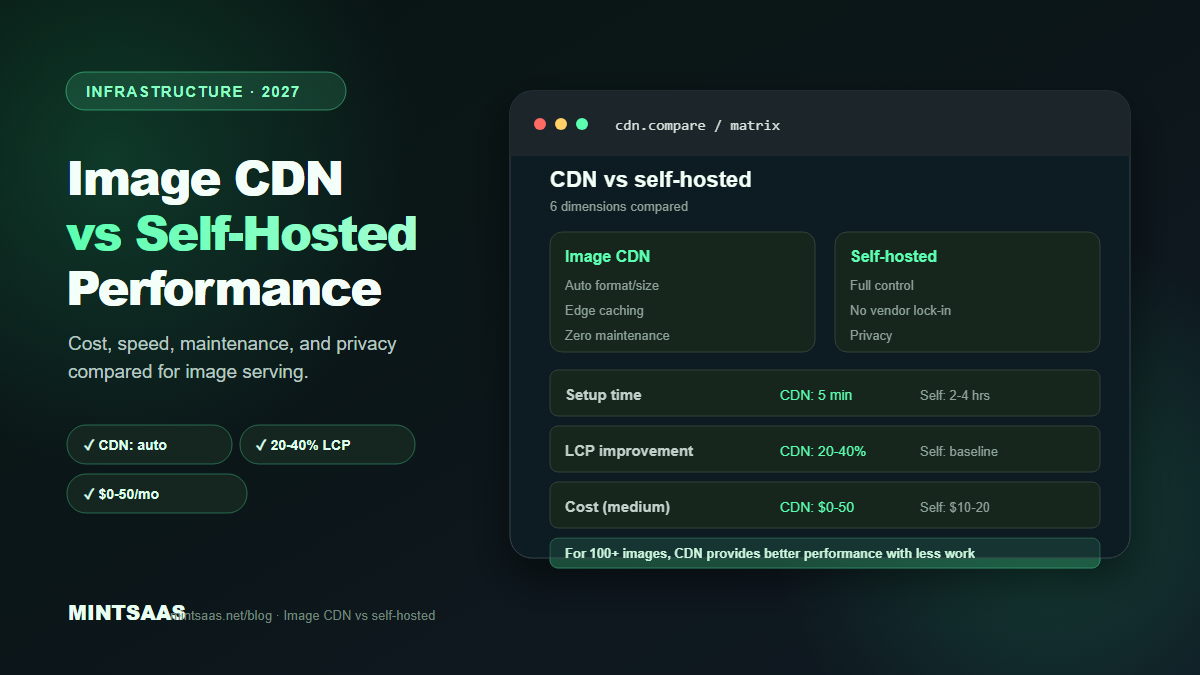
Image CDN vs Self-Hosted: Which Is Better for Performance in 2027?
Quick answer: An image CDN (Cloudflare Images, Cloudinary, imgix) is better for most sites because it automatically serves the right format, size, and quality for each device, handles caching at edge locations, and eliminates manual optimization work. Self-hosted is better for small sites with few images, privacy-sensitive content, or when you need full control over the pipeline. For most sites with 100+ images, an image CDN provides 30–50% better performance with less maintenance.[1][3][5]
Images are the heaviest assets on most web pages. How you serve them — from a CDN or from your own server — significantly impacts load time, Core Web Vitals, and maintenance burden. This guide compares image CDNs and self-hosted solutions across every dimension that matters.
What is an image CDN?
An image CDN is a specialized content delivery network that optimizes, transforms, and serves images from edge locations close to your users. Instead of serving a static image file, you request an image with transformation parameters, and the CDN generates and caches the optimized version on demand.
Example URL:
https://cdn.example.com/image.jpg?w=800&h=600&format=webp&quality=80The CDN:
- Receives the request
- Checks if a cached version exists for these parameters
- If not, fetches the original, transforms it (resize, format, quality), caches it
- Serves the optimized image from the nearest edge location
Popular image CDNs:
- Cloudflare Images: Integrated with Cloudflare's CDN. Automatic format negotiation. $5/month for 100K images.
- Cloudinary: Most feature-rich. AI-powered optimization, face detection, auto-crop. Free tier: 25 GB/month.
- imgix: Real-time image processing. URL-based API. Free tier: 1000 images/month.
- Vercel Image Optimization: Built into Vercel. Automatic for Next.js. $20/month for 1000 images.
- Bunny CDN: Affordable. $0.01/GB. Image optimization add-on.[5]
What is self-hosted image serving?
Self-hosted means you store and serve images from your own server or infrastructure. You handle optimization, format selection, responsive sizing, and caching yourself.
Typical self-hosted workflow:
- Upload original image to server
- Run optimization script (Sharp, ImageMagick) to generate variants
- Upload variants to server/CDN
- Serve with proper cache headers
- Implement responsive images (
srcset,sizes) in HTML
Comparison: image CDN vs self-hosted
| Dimension | Image CDN | Self-hosted | Winner |
|---|---|---|---|
| Setup time | 5 minutes | 2–4 hours | CDN |
| Maintenance | Zero | Ongoing | CDN |
| Format negotiation | Automatic | Manual | CDN |
| Responsive sizing | Automatic | Manual | CDN |
| Edge caching | Built-in | Manual setup | CDN |
| Cost (small site) | Free–$5/mo | $0 (server included) | Self-hosted |
| Cost (large site) | $50–500/mo | $0–50/mo (server) | Self-hosted |
| Privacy | Files on third party | Full control | Self-hosted |
| Customization | Limited | Unlimited | Self-hosted |
| Performance | Excellent (edge) | Good (with CDN) | CDN |
| Vendor lock-in | Yes | No | Self-hosted |
When to use an image CDN
Use an image CDN when:
- You have 100+ images. Manual optimization doesn't scale. A CDN automates format selection, responsive sizing, and quality optimization.[5]
- You serve global users. Edge locations reduce latency. A user in Tokyo gets images from a Tokyo edge, not your US server.[5]
- You use a framework. Next.js, Nuxt, and Astro have built-in image CDN integrations that optimize automatically.[5]
- You have user-generated content. Users upload images in various formats and sizes. A CDN can transform them on demand without pre-processing.[5]
- You want zero maintenance. CDNs handle optimization, caching, and format negotiation automatically. No scripts to maintain, no build pipeline changes.[5]
- You need advanced features. Face detection, auto-crop, AI-powered optimization, and watermarking are available on platforms like Cloudinary.[5]
When to use self-hosted
Use self-hosted when:
- You have few images (under 50). The overhead of setting up a CDN isn't worth it for a small site. Self-hosted with basic optimization (Sharp script) is sufficient.[3]
- Privacy is critical. Medical, legal, or financial images should not be processed by third-party services. Self-hosted gives you full control.[1]
- You need custom processing. Watermarking, custom cropping, or proprietary transformations may not be supported by CDNs.[3]
- Budget is very tight. Free image CDNs have limits. If you exceed them, costs add up. Self-hosted on an existing server has no marginal cost.[5]
- You already have a CDN. If you use Cloudflare, AWS CloudFront, or another CDN, you can add image optimization via workers or Lambda@Edge without a separate image CDN.[5]
Cost comparison
Small site (1,000 images, 10 GB/month)
| Solution | Cost |
|---|---|
| Cloudflare Images | $5/mo (100K images included) |
| Cloudinary (free tier) | $0 (25 GB included) |
| imgix (free tier) | $0 (1000 images included) |
| Self-hosted (existing server) | $0 |
Medium site (10,000 images, 100 GB/month)
| Solution | Cost |
|---|---|
| Cloudflare Images | $5/mo + $0.50/1000 images |
| Cloudinary | $89/mo (Plus plan) |
| imgix | $300/mo |
| Self-hosted (VPS) | $10–20/mo |
Large site (100,000 images, 1 TB/month)
| Solution | Cost |
|---|---|
| Cloudflare Images | $50–100/mo |
| Cloudinary | $224+/mo |
| imgix | $1000+/mo |
| Self-hosted (dedicated) | $50–100/mo |
Key insight: For small and medium sites, image CDNs are free or very cheap. For large sites, self-hosted can be significantly cheaper but requires more maintenance.[5]
Performance comparison
Image CDN performance
- Format negotiation: CDN detects browser's Accept header and serves AVIF/WebP/JPEG automatically. No HTML changes needed.
- Responsive sizing: CDN generates the right size on demand. No pre-generating variants.
- Edge caching: Images served from 200+ edge locations worldwide. Average latency: 20–50ms.
- Cache hit ratio: 95%+ for popular images. First request generates, subsequent requests are instant.
- No build step: Images are optimized on first request, not during build. Faster builds.[5]
Self-hosted performance (with optimization)
- Format selection: Manual. Requires
<picture>element with multiple sources. - Responsive sizing: Manual. Requires pre-generating variants and
srcset. - Caching: Requires CDN setup (Cloudflare, CloudFront) for edge caching. Without CDN, images served from origin server.
- Build step: Requires build-time optimization (Sharp, Next.js Image). Slower builds.
- Cache hit ratio: 90–95% with proper CDN configuration.[3][5]
Performance difference: Image CDN typically provides 20–40% better LCP scores due to automatic format negotiation and edge caching. The difference is most pronounced for global audiences.[5]
Hybrid approach: best of both worlds
Many sites use a hybrid approach:
- Self-hosted origin: Store original images on your server or S3.
- CDN layer: Use Cloudflare, CloudFront, or another CDN for edge caching.
- Build-time optimization: Use Sharp or Next.js Image to pre-generate common sizes/formats.
- On-demand optimization: Use a CDN with image transformation (Cloudflare Images, imgix) for dynamic sizing.
This gives you control over the origin while benefiting from edge caching and on-demand transformation.[5]
Migration guide: self-hosted to CDN
If you're moving from self-hosted to an image CDN:
Step 1: Choose a CDN. Start with Cloudflare Images (cheapest) or Cloudinary (most features). Use the free tier to test.
Step 2: Update image URLs. Change image URLs from your server to the CDN. Most CDNs provide a migration tool or SDK.
Step 3: Remove manual optimization. Remove your Sharp scripts, build-time optimization, and <picture> elements (the CDN handles format negotiation).
Step 4: Simplify HTML. Replace complex <picture> elements with simple <img> tags pointing to the CDN. The CDN serves the right format based on the Accept header.
Step 5: Monitor. Check Core Web Vitals before and after. Verify that images load correctly in all browsers.
Step 6: Clean up. Remove old image variants from your server. Keep only the originals as backup.
Frequently Asked Questions (FAQ)
What is an image CDN?
An image CDN is a specialized content delivery network that optimizes, transforms, and serves images from edge locations. It automatically handles format selection (WebP/AVIF), responsive sizing, quality optimization, and caching. Examples: Cloudflare Images, Cloudinary, imgix.[5]
Is an image CDN worth it?
For most sites with 100+ images, yes. Image CDNs provide automatic optimization, edge caching, and format negotiation that would require significant manual work to replicate. The cost is typically $0–$50/month for small to medium sites.[5]
Can I use a regular CDN for images?
Yes. A regular CDN (Cloudflare, CloudFront, Fastly) caches and serves static image files from edge locations. But it doesn't optimize them (no format conversion, no resizing). You need to pre-optimize images before uploading. An image CDN does both.[5]
What is the cheapest image CDN?
Cloudflare Images is the cheapest at $5/month for 100,000 images. Cloudinary has a generous free tier (25 GB/month). imgix has a free tier (1000 images/month). For very small sites, self-hosted with a free CDN (Cloudflare free tier) is cheapest.[5]
Does an image CDN improve SEO?
Yes. Image CDNs improve page load speed by serving optimized images from edge locations. Faster pages have better Core Web Vitals scores, which Google uses as a ranking factor. Additionally, automatic format negotiation ensures all users get the best format their browser supports.[4][5]
Can I use an image CDN with Next.js?
Yes. Next.js has built-in support for image CDNs. Configure images.domains or images.remotePatterns in next.config.js. Next.js automatically uses the CDN for image optimization. Vercel provides built-in image optimization for deployed Next.js apps.[5]
What about privacy with image CDNs?
Image CDNs process your images on their servers. For privacy-sensitive content (medical, legal, financial), this may be unacceptable. Use self-hosted optimization for sensitive images, or choose a CDN with data processing agreements (GDPR compliance).[1]
How do I measure the impact of an image CDN?
Compare Core Web Vitals (LCP, CLS, INP) before and after migration using Google Search Console or PageSpeed Insights. Also compare total page weight and image load times in Chrome DevTools Network tab. Most sites see 20–40% improvement in LCP.[4][5]
Related reading on MintSaaS
- How to Compress Images Without Losing Quality: The Complete 2027 Guide
- Best Image Compression Tools for Web Developers in 2027
- How to Optimize Images for Mobile: Responsive Image Guide for 2027
- How to Use the HTML Picture Element for Responsive Images in 2027
- SVG Optimization: How to Reduce Vector File Size for Web in 2027
- Lossless vs Lossy Compression: When to Use Each for Images in 2027
- How to Batch Compress Images Online: Bulk Workflow Guide for 2027
- Image Optimization for E-Commerce: Product Photos That Convert in 2027
- How to Resize Images for Social Media: Platform-Specific Guide for 2027
- WebP vs AVIF: Which Image Format Wins in 2027?
- How to Optimize Images for SEO: Complete Guide to Faster Loading and Higher Rankings
- How to Convert Images Between Formats: The Complete Guide to WebP, AVIF, JPEG, and PNG in 2027
- PDF Security: How to Protect Sensitive Documents Online in 2027
- How to Grow on Instagram in 2027: A Practical Growth Guide
- Image Lazy Loading: Implementation Guide for Web Performance in 2027
Sources
[1] MDN Web Docs — Image file type and format guide: https://developer.mozilla.org/en-US/docs/Web/Media/Guides/Formats/Image_types
[2] Cloudflare Images documentation: https://developers.cloudflare.com/images/
[3] Image Optimization for the Web (boxtool.app): https://boxtool.app/en/guides/image-optimization-for-web/
[4] Web.dev — Core Web Vitals: https://web.dev/vitals/
[5] Cloudinary — Image optimization guide: https://cloudinary.com/guides/web-performance/image-optimization
Free tools on MintSaaS
Try our free tools to put this guide into practice:
MintSaaS Dispatch articles are researched and synthesized with the assistance of artificial intelligence analysis, then edited, verified, and benchmarked by our engineering editorial team. Customer personal data and platform source files are strictly segregated and are never used to train or fine-tune public artificial intelligence models.
More from MintSaaS Dispatch
Handcrafted technical insights and developer tools.