How to Optimize Images for SEO: Complete Guide to Faster Loading and Higher Rankings
Optimize images for SEO: file names, alt text, formats, compression, responsive images, lazy loading, structured data, and image sitemaps for higher rankings.
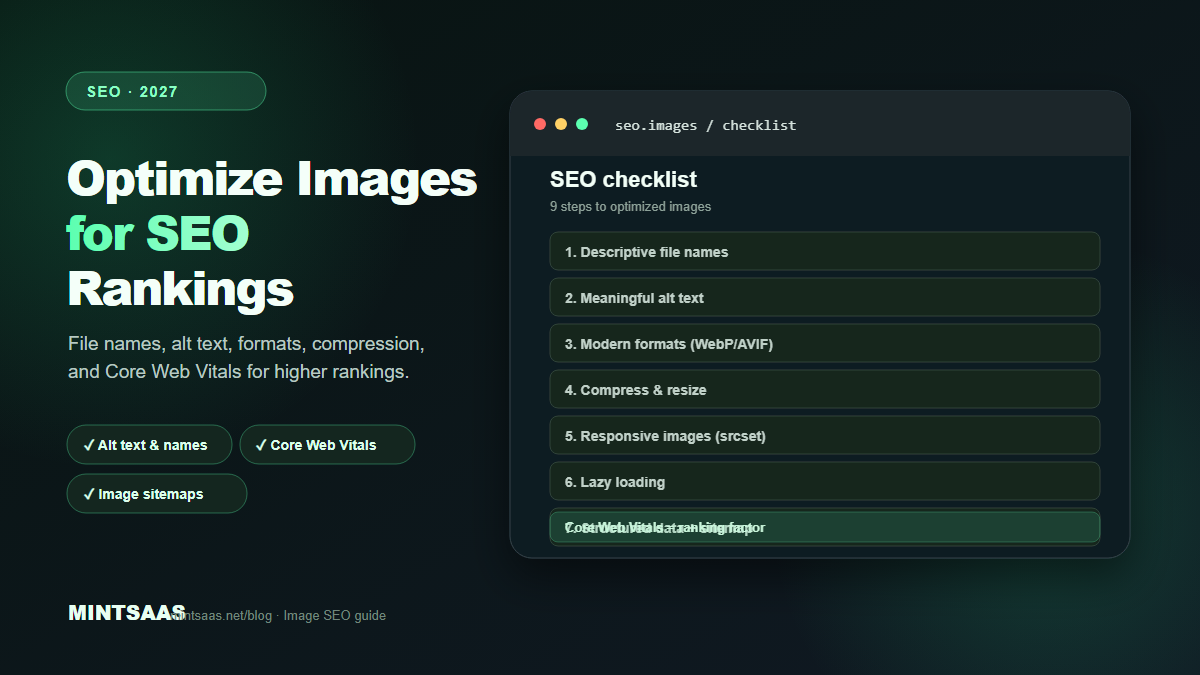
How to Optimize Images for SEO: Complete Guide to Faster Loading and Higher Rankings
Quick answer: To optimize images for SEO, use descriptive file names (e.g., blue-running-shoes-nike.webp), write meaningful alt text that describes the image content, serve modern formats (WebP/AVIF), compress to quality 75–85, resize to display dimensions, use responsive images with srcset, implement lazy loading, add structured data (ImageObject schema), and ensure fast loading (LCP under 2.5s). Image optimization directly impacts Core Web Vitals, which Google uses as a ranking factor.[1][3][4]
Images are the heaviest assets on most web pages. A single unoptimized photograph can be 4–8 MB, and a page with several such images can take 10+ seconds to load. Google's Core Web Vitals penalize slow pages, and users abandon sites that take more than 3 seconds to load. Image optimization is not just a performance task — it is an SEO task.
This guide covers the complete image SEO workflow: from file naming and alt text to format selection, compression, responsive serving, structured data, and performance monitoring.
Why image SEO matters
Images affect SEO in four ways:
- Page speed: Large images slow down page loading. Google uses Core Web Vitals (including LCP) as a ranking factor. A 1-second delay in page load can reduce conversions by 7%.[4]
- Image search: Google Image Search drives significant traffic for e-commerce, travel, food, and lifestyle sites. Optimized images rank higher in image search results.[3]
- Accessibility: Alt text helps screen readers describe images to visually impaired users. Google also uses alt text to understand image content.[1]
- User experience: Fast-loading, high-quality images reduce bounce rates and increase time on site — both positive SEO signals.[4]
Step 1: Use descriptive file names
Search engines use file names to understand image content. A file named IMG_4382.jpg tells Google nothing. A file named blue-running-shoes-nike-air-max-2027.webp tells Google exactly what the image contains.
Rules for image file names:
- Use lowercase letters only
- Separate words with hyphens (not underscores or spaces)
- Be descriptive but concise (3–5 words)
- Include relevant keywords naturally (don't keyword-stuff)
- Match the file name to the image content and the page context[1][3]
Examples:
- ❌
IMG_4382.jpg - ❌
shoes.jpg - ❌
blue_running_shoes_nike_air_max_2027_best_price.jpg - ✅
blue-running-shoes-nike-air-max-2027.webp
Step 2: Write meaningful alt text
Alt text (alternative text) is the most important image SEO element. It serves two purposes: accessibility (screen readers) and SEO (search engines).
Rules for alt text:
- Describe what the image shows, not what you want it to rank for
- Be specific and concise (under 125 characters)
- Include relevant keywords naturally (but don't keyword-stuff)
- Don't start with "Image of" or "Picture of" (screen readers already announce it's an image)
- For decorative images, use empty alt text (
alt="") so screen readers skip them[1][3]
Examples:
- ❌
alt="shoes" - ❌
alt="blue running shoes nike air max 2027 best price buy now" - ❌
alt="Image of blue running shoes" - ✅
alt="Blue Nike Air Max running shoes on a white background"
For complex images (charts, infographics), provide a longer description in the surrounding text or use aria-describedby to link to a detailed description.
Step 3: Choose the right format
Format choice affects both file size and SEO. Smaller files load faster, improving Core Web Vitals.
| Format | SEO benefit | Best for |
|---|---|---|
| WebP | 25–35% smaller than JPEG | Photographs, general web images |
| AVIF | 40–50% smaller than JPEG | Hero images, maximum compression |
| JPEG | Universal support | Fallback, email, legacy |
| PNG | Lossless quality | Graphics, screenshots, transparency |
| SVG | Tiny file size, scalable | Logos, icons, illustrations |
Serve modern formats (WebP, AVIF) with JPEG fallback using the <picture> element. Google's crawler supports all major formats.[1][3]
Step 4: Compress and resize
Compression and resizing are the two biggest optimizations for image SEO. A 4000×3000 photograph displayed at 800×600 wastes 96% of its data.
Resize first: Set the maximum display dimension. Full-width hero: 1920px. Content images: 800–1200px. Thumbnails: 300–400px.[3]
Compress second: Quality 75–85 for lossy formats. WebP quality 80 ≈ JPEG quality 82 ≈ AVIF quality 50.[3]
Strip metadata: Remove EXIF data (GPS, camera settings) to reduce file size and protect privacy.[3]
Use the MintSaaS Image Compressor for client-side compression — no upload, no server, no privacy risk.
Step 5: Use responsive images
Serving a 1920px image to a 375px mobile screen wastes 80% of the bandwidth. Use srcset and sizes to serve appropriately sized images for each viewport.
<img
  srcset="image-400.webp 400w,
          image-800.webp 800w,
          image-1200.webp 1200w,
          image-1920.webp 1920w"
  sizes="(max-width: 600px) 400px,
         (max-width: 1024px) 800px,
         1200px"
  src="image-800.webp"
  alt="Descriptive alt text"
  width="800"
  height="600"
  loading="lazy"
>
Always include width and height attributes to prevent layout shift (CLS). Use loading="lazy" for below-the-fold images.[4]
Step 6: Implement lazy loading
Lazy loading defers loading of images until they are about to enter the viewport. This reduces initial page weight and improves LCP.
Native lazy loading:
<img src="image.webp" loading="lazy" alt="Description" width="800" height="600">Important: Never lazy-load the hero image or LCP element. Use fetchpriority="high" for the hero image instead.[4]
<img src="hero.webp" fetchpriority="high" alt="Hero description" width="1920" height="1080">Step 7: Add structured data
Structured data helps search engines understand your images and can enable rich results in search.
ImageObject schema:
{
  "@type": "ImageObject",
  "url": "https://example.com/image.webp",
  "width": 1920,
  "height": 1080,
  "caption": "Descriptive caption",
  "creator": "Photographer name"
}
For product images, use Product schema with image properties. For recipe images, use Recipe schema. For article images, use Article schema with image properties.[3]
Step 8: Optimize for image search
Google Image Search can drive significant traffic. To optimize for image search:
- Use descriptive file names and alt text (Steps 1–2)
- Place images near relevant text content
- Use high-quality, original images (not stock photos that appear on hundreds of sites)
- Create an image sitemap
- Ensure images are crawlable (not blocked by robots.txt)
- Use responsive images with proper srcset[3]
Image sitemap example:
<url>
  <loc>https://example.com/page</loc>
  <image:image>
    <image:loc>https://example.com/image.webp</image:loc>
    <image:caption>Image description</image:caption>
    <image:title>Image title</image:title>
  </image:image>
</url>
Step 9: Monitor performance
After optimizing, measure the results:
- Lighthouse: Run in Chrome DevTools. Check the "Opportunities" section for image optimization suggestions.
- Core Web Vitals: Monitor LCP, CLS, and INP in Google Search Console or PageSpeed Insights.
- Google Search Console: Check "Performance" → "Search type: Image" to see image search traffic.
- Network tab: Verify actual file sizes and load times in Chrome DevTools.[4]
Common image SEO mistakes
Keyword-stuffing alt text. Writing alt="buy cheap shoes online best running shoes 2027" is spammy and can result in penalties. Write natural descriptions.[1]
Using generic file names. IMG_4382.jpg provides no SEO value. Rename files before uploading.[3]
Serving oversized images. A 4000×3000 image displayed at 800×600 wastes 96% of bandwidth. Always resize to display dimensions.[3]
Not using modern formats. JPEG and PNG are 25–50% larger than WebP/AVIF at equivalent quality. Serve modern formats with fallbacks.[1]
Lazy-loading the hero image. This delays LCP and hurts rankings. Use fetchpriority="high" for the hero image.[4]
Missing width/height attributes. This causes layout shift (CLS), which is a Core Web Vital. Always include dimensions.[4]
Frequently Asked Questions (FAQ)
Does image optimization affect SEO rankings?
Yes. Google uses Core Web Vitals (including LCP, which is heavily influenced by image loading) as a ranking factor. Faster-loading pages with optimized images rank higher. Additionally, image search traffic depends on proper optimization (alt text, file names, structured data).[3][4]
What is the best image format for SEO?
WebP is the best default format for SEO in 2027. It offers 25–35% smaller files than JPEG at equivalent quality, improving page speed and Core Web Vitals. For maximum compression, use AVIF for hero images. Always include a JPEG fallback using the <picture> element.[1][3]
How long should alt text be?
Alt text should be under 125 characters. It should describe the image content concisely and naturally. Avoid keyword-stuffing. For complex images (charts, infographics), provide a longer description in the surrounding text.[1][3]
Should I use lazy loading for all images?
No. Never lazy-load the hero image or LCP element — this delays the largest contentful paint and hurts rankings. Use fetchpriority="high" for the hero image. Lazy-load all below-the-fold images with loading="lazy".[4]
How do I check if my images are SEO-optimized?
Use Google Lighthouse (Chrome DevTools) for per-image recommendations. Check PageSpeed Insights for Core Web Vitals scores. Use Google Search Console to monitor image search traffic. Verify file sizes in the Network tab of DevTools.[4]
What is an image sitemap?
An image sitemap is an XML file that lists all images on your site, along with their captions, titles, and locations. It helps Google discover and index your images, improving image search visibility. Submit it through Google Search Console.[3]
How important is image file size for SEO?
Very important. Large images slow down page loading, which increases bounce rates and lowers Core Web Vitals scores. A well-optimized page should be under 1–2 MB total. Image compression is the single biggest lever for reducing page weight.[3][4]
Can I use stock photos for SEO?
You can, but original images perform better. Google can identify duplicate images across the web. Original, unique images are more likely to rank in image search. If you use stock photos, customize them (crop, add text, adjust colors) to make them unique.[3]
Related reading on MintSaaS
- How to Compress Images Without Losing Quality: The Complete 2027 Guide
- How to Convert Images Between Formats: The Complete Guide to WebP, AVIF, JPEG, and PNG in 2027
- Best Image Compression Tools for Web Developers in 2027
- PDF Security: How to Protect Sensitive Documents Online in 2027
- WebP vs AVIF: Which Image Format Wins in 2027?
- How to Grow on Instagram in 2027: A Practical Growth Guide
- How to Batch Compress Images Online: Bulk Workflow Guide for 2027
- Image Optimization for E-Commerce: Product Photos That Convert in 2027
- How to Resize Images for Social Media: Platform-Specific Guide for 2027
- SVG Optimization: How to Reduce Vector File Size for Web in 2027
- How to Optimize Images for Mobile: Responsive Image Guide for 2027
- Lossless vs Lossy Compression: When to Use Each for Images in 2027
- Image CDN vs Self-Hosted: Which Is Better for Performance in 2027?
- How to Use the HTML Picture Element for Responsive Images in 2027
- Image Lazy Loading: Implementation Guide for Web Performance in 2027
Sources
[1] MDN Web Docs — Image file type and format guide: https://developer.mozilla.org/en-US/docs/Web/Media/Guides/Formats/Image_types
[2] Google — Image SEO best practices: https://developers.google.com/search/docs/appearance/google-images
[3] Image Optimization for the Web (boxtool.app): https://boxtool.app/en/guides/image-optimization-for-web/
[4] Web.dev — Core Web Vitals: https://web.dev/vitals/
[5] MintSaaS Image Compressor: https://www.mintsaas.net/products/image-compressor
Free tools on MintSaaS
Try our free tools to put this guide into practice:
MintSaaS Dispatch articles are researched and synthesized with the assistance of artificial intelligence analysis, then edited, verified, and benchmarked by our engineering editorial team. Customer personal data and platform source files are strictly segregated and are never used to train or fine-tune public artificial intelligence models.
More from MintSaaS Dispatch
Handcrafted technical insights and developer tools.