WebP vs AVIF: Which Image Format Wins in 2027?
WebP vs AVIF compared: compression, quality, encoding speed, browser support, and tooling. Which format should you use in 2027? Serve both with JPEG fallback.
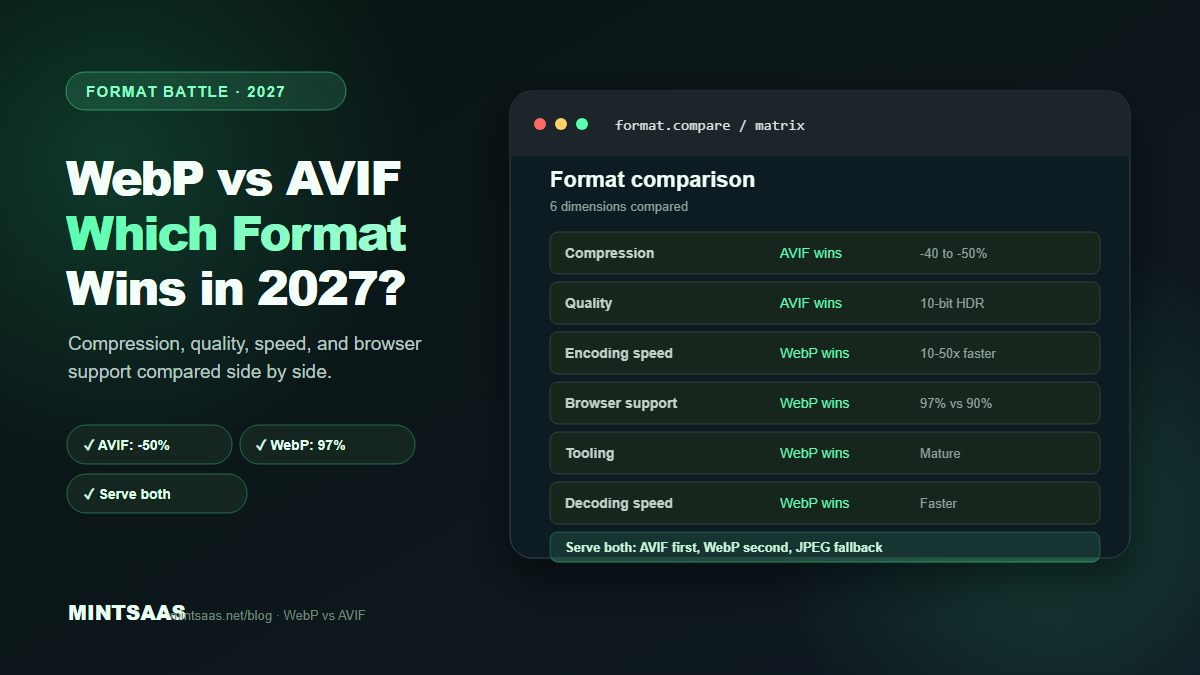
WebP vs AVIF: Which Image Format Wins in 2027?
Quick answer: AVIF wins on compression (40–50% smaller than JPEG vs WebP's 25–35%) and quality (better color reproduction, HDR support), but WebP wins on encoding speed (10–50× faster), browser support (97% vs 90%), and tooling maturity. The best strategy in 2027 is to serve both: AVIF first for maximum compression, WebP second for broader support, and JPEG as fallback — using the HTML <picture> element.[1][3][5]
The battle between WebP and AVIF has been raging since AVIF's introduction. Both are modern image formats designed to replace JPEG and PNG. Both offer lossy and lossless compression. Both support transparency and animation. But they have different strengths, weaknesses, and use cases.
This guide compares WebP and AVIF across every dimension that matters for web developers: compression ratio, image quality, encoding speed, browser support, tooling, and real-world performance. By the end, you will know exactly which format to use for each use case.
The short answer
| Dimension | Winner | Margin |
|---|---|---|
| Compression ratio | AVIF | 10–20% smaller than WebP |
| Image quality | AVIF | Better color, HDR, 10-bit+ |
| Encoding speed | WebP | 10–50× faster |
| Browser support | WebP | 97% vs 90% |
| Tooling maturity | WebP | More tools, better docs |
| Decoding speed | WebP | Faster decode in browsers |
| Animation | Tie | Both support animation |
| Transparency | Tie | Both support alpha |
Verdict: AVIF for static hero images and maximum compression. WebP for everything else. Serve both with JPEG fallback.
Compression ratio: AVIF wins
AVIF consistently produces smaller files than WebP at equivalent visual quality. The margin depends on the image type and quality setting:
| Image type | WebP vs JPEG | AVIF vs JPEG | AVIF vs WebP |
|---|---|---|---|
| Photographs (Q80) | -25 to -35% | -40 to -50% | -10 to -20% |
| Graphics (lossless) | -20 to -26% | -30 to -40% | -10 to -15% |
| Screenshots | -25 to -30% | -35 to -45% | -10 to -15% |
| Hero images (Q50) | -30 to -40% | -50 to -60% | -15 to -25% |
The difference is most pronounced at lower quality settings (Q50–60), where AVIF's more efficient codec shines. At higher quality settings (Q90+), the margin narrows.[1][3][5]
Real-world example: A 4000×3000 photograph (1.2 MB as JPEG Q85) becomes:
- WebP Q80: ~800 KB (-33%)
- AVIF Q50: ~600 KB (-50%)
For a site with 100 product images, switching from JPEG to AVIF saves ~60 MB of bandwidth per page load.[3]
Image quality: AVIF wins
AVIF offers superior image quality at the same file size, thanks to its AV1 codec foundation. Key advantages:
Color accuracy: AVIF supports 10-bit and 12-bit color depth, while WebP is limited to 8-bit. This means AVIF can represent 1,024 or 4,096 shades per channel vs WebP's 256. The difference is visible in gradients, skies, and skin tones.[1][3]
HDR support: AVIF supports high dynamic range (HDR) content, making it suitable for HDR displays. WebP does not support HDR.[3]
Chroma subsampling: AVIF uses more efficient chroma subsampling, preserving color detail better than WebP at the same bitrate.[3]
Grain/noise preservation: AVIF handles film grain and noise better than WebP, which tends to smooth over fine details at lower quality settings.[3]
However: At quality settings above 80, the visual difference between WebP and AVIF is negligible for most viewers. The quality advantage matters most at lower quality settings (Q50–70) where AVIF maintains detail that WebP loses.[3]
Encoding speed: WebP wins decisively
This is WebP's biggest advantage. WebP encodes 10–50× faster than AVIF, depending on the encoder settings and image size.
| Encoder | Speed (relative) | Quality |
|---|---|---|
| cwebp (WebP) | 1× (baseline) | Good |
| libvips WebP | 0.8× | Good |
| avifenc (AVIF, effort 4) | 0.05× | Excellent |
| avifenc (AVIF, effort 9) | 0.01× | Best |
AVIF encoding is CPU-intensive because the AV1 codec performs complex motion estimation and transform operations. For a 4000×3000 photograph:
- WebP encoding: ~0.5 seconds
- AVIF encoding (effort 4): ~5 seconds
- AVIF encoding (effort 9): ~30 seconds[3]
Practical impact: For build-time optimization of static assets, the encoding speed difference is acceptable (you encode once, serve many times). For on-the-fly processing (user uploads, dynamic resizing), WebP is the only practical option.[3][5]
Browser support: WebP wins
| Format | Chrome | Firefox | Safari | Edge | Global support |
|---|---|---|---|---|---|
| WebP | 32+ | 65+ | 14+ | 18+ | ~97% |
| AVIF | 85+ | 93+ | 16.4+ | 85+ | ~90% |
WebP has near-universal support (97%+). AVIF is catching up but still lags at ~90%. The gap is narrowing as older browsers are phased out.[1][3]
Practical impact: If you serve only AVIF, ~10% of users will see broken images (older Safari, older Chrome). If you serve only WebP, ~3% of users will see broken images. The solution is to serve both with a JPEG fallback.[1]
Tooling and ecosystem: WebP wins
WebP has been around since 2010 and has a mature ecosystem:
- Encoders: cwebp, libvips, Sharp, ImageMagick, Squoosh, TinyPNG
- Decoders: Built into all major browsers, OS image viewers, and photo editors
- CDN support: Cloudflare, Cloudinary, imgix, Vercel all support WebP
- Framework support: Next.js, Nuxt, Astro, Gatsby all support WebP out of the box
AVIF is newer (2019) and the ecosystem is still developing:
- Encoders: avifenc (libavif), Sharp, Squoosh, Cloudinary
- Decoders: Built into modern browsers, but older OS image viewers may not support it
- CDN support: Cloudflare, Cloudinary, imgix support AVIF; Vercel supports it via Next.js
- Framework support: Next.js supports AVIF via configuration; others are catching up[3][5]
Decoding speed: WebP wins
WebP decodes faster than AVIF in browsers. This affects the time between the image download completing and it appearing on screen. For most images, the difference is small (milliseconds), but for large images or slow devices, it can be noticeable.[3]
Animation: Tie
Both formats support animation. WebP uses VP8-based animation (similar to GIF but with better compression). AVIF uses AV1-based animation (even better compression). Both are viable replacements for GIF, but WebP has broader tooling support for animated content.[1][3]
Transparency: Tie
Both formats support full alpha channel transparency in both lossy and lossless modes. This makes them suitable replacements for PNG in most use cases.[1][3]
The serving strategy for 2027
The recommended approach is to serve multiple formats and let the browser choose:
<picture>
  <source srcset="image.avif" type="image/avif">
  <source srcset="image.webp" type="image/webp">
  <img src="image.jpg" alt="Description" width="800" height="600" loading="lazy">
</picture>
The browser evaluates sources in order:
- If it supports AVIF → download AVIF (smallest file)
- If not, but supports WebP → download WebP (second smallest)
- If neither → download JPEG (universal fallback)[1][5]
This strategy ensures every user gets the best format their browser supports, with no broken images.
When to use which
Use AVIF for:
- Hero images and banners (largest files, biggest impact)
- Static product photos on e-commerce sites
- Images where every kilobyte counts (mobile-first, slow connections)
- HDR content for modern displays
- Build-time optimized assets (encode once, serve many)[3][5]
Use WebP for:
- Blog post images and thumbnails
- User-generated content (faster encoding for on-the-fly processing)
- Images that need to be processed dynamically (resize, crop, convert)
- Animated images (wider tooling support)
- When encoding speed matters more than file size[3][5]
Use JPEG for:
- Email attachments (universal client support)
- Legacy browser fallback
- When you need the simplest possible workflow[3]
Real-world performance impact
A typical e-commerce product page with 20 product images:
| Format | Total size | LCP | Mobile load time |
|---|---|---|---|
| JPEG (Q85) | 4.2 MB | 3.8s | 8.2s |
| WebP (Q80) | 2.8 MB | 2.5s | 5.5s |
| AVIF (Q50) | 2.1 MB | 1.9s | 4.1s |
| AVIF + WebP + JPEG | 2.1 MB (AVIF) | 1.9s | 4.1s |
Switching from JPEG to AVIF+WebP reduces page weight by 50% and improves LCP by 50%, directly improving SEO rankings and conversion rates.[4][5]
Frequently Asked Questions (FAQ)
Is AVIF better than WebP?
AVIF is better for compression (10–20% smaller) and image quality (10-bit+ color, HDR support). WebP is better for encoding speed (10–50× faster), browser support (97% vs 90%), and tooling maturity. Neither is universally better — use both with the <picture> element.[1][3]
Should I convert all my images to AVIF?
No. Convert static hero images and high-traffic pages to AVIF for maximum compression. Use WebP for blog images, user-generated content, and dynamically processed images. Always provide JPEG fallback. The effort of converting everything to AVIF is not worth the marginal gain for low-traffic pages.[3][5]
Why is AVIF encoding so slow?
AVIF uses the AV1 video codec, which performs complex motion estimation, transform coding, and rate-distortion optimization. These operations are computationally expensive. Higher effort settings (effort 9) produce better compression but take 30+ seconds per image. Use effort 4–6 for a good balance of speed and quality.[3]
Does AVIF support transparency?
Yes. AVIF supports full alpha channel transparency in both lossy and lossless modes, making it a suitable replacement for PNG in most use cases.[1][3]
Will AVIF replace WebP?
Unlikely in the near future. WebP's encoding speed advantage and broader browser support make it the better default for most use cases. AVIF will likely dominate static, high-traffic assets where maximum compression matters. Both will coexist for years.[3][5]
How do I serve both AVIF and WebP?
Use the HTML <picture> element with <source> tags for each format, in order of preference (AVIF → WebP → JPEG fallback). The browser selects the first format it supports. Alternatively, use an image CDN (Cloudflare, Cloudinary) or framework (Next.js) that automatically serves the right format based on the browser's Accept header.[1][5]
Does AVIF affect SEO?
Yes, positively. AVIF's smaller file sizes improve page loading speed, which improves Core Web Vitals (especially LCP). Google uses Core Web Vitals as a ranking factor. Faster pages also reduce bounce rates and increase time on site — both positive SEO signals.[4][5]
What quality setting should I use for AVIF?
AVIF quality 45–55 is roughly equivalent to JPEG quality 80. For hero images, use quality 40–50. For product photos, use quality 50–60. For archival quality, use quality 70+. Always compare visually using Squoosh.app or the MintSaaS Image Compressor.[3]
Related reading on MintSaaS
- How to Compress Images Without Losing Quality: The Complete 2027 Guide
- How to Convert Images Between Formats: The Complete Guide to WebP, AVIF, JPEG, and PNG in 2027
- Best Image Compression Tools for Web Developers in 2027
- How to Optimize Images for SEO: Complete Guide to Faster Loading and Higher Rankings
- PDF Security: How to Protect Sensitive Documents Online in 2027
- How to Grow on Instagram in 2027: A Practical Growth Guide
- How to Batch Compress Images Online: Bulk Workflow Guide for 2027
- Image Optimization for E-Commerce: Product Photos That Convert in 2027
- How to Resize Images for Social Media: Platform-Specific Guide for 2027
- SVG Optimization: How to Reduce Vector File Size for Web in 2027
- How to Optimize Images for Mobile: Responsive Image Guide for 2027
- Lossless vs Lossy Compression: When to Use Each for Images in 2027
- Image CDN vs Self-Hosted: Which Is Better for Performance in 2027?
- How to Use the HTML Picture Element for Responsive Images in 2027
- Image Lazy Loading: Implementation Guide for Web Performance in 2027
Sources
[1] MDN Web Docs — Image file type and format guide: https://developer.mozilla.org/en-US/docs/Web/Media/Guides/Formats/Image_types
[2] Web.dev — Choose the right image format: https://web.dev/articles/choose-the-right-image-format
[3] Image Optimization for the Web (boxtool.app): https://boxtool.app/en/guides/image-optimization-for-web/
[4] Web.dev — Core Web Vitals: https://web.dev/vitals/
[5] Scanverra — Serve Images in Next-Gen Formats: https://www.scanverra.com/fr/how-to/fix-next-gen-image-formats
Free tools on MintSaaS
Try our free tools to put this guide into practice:
MintSaaS Dispatch articles are researched and synthesized with the assistance of artificial intelligence analysis, then edited, verified, and benchmarked by our engineering editorial team. Customer personal data and platform source files are strictly segregated and are never used to train or fine-tune public artificial intelligence models.
More from MintSaaS Dispatch
Handcrafted technical insights and developer tools.